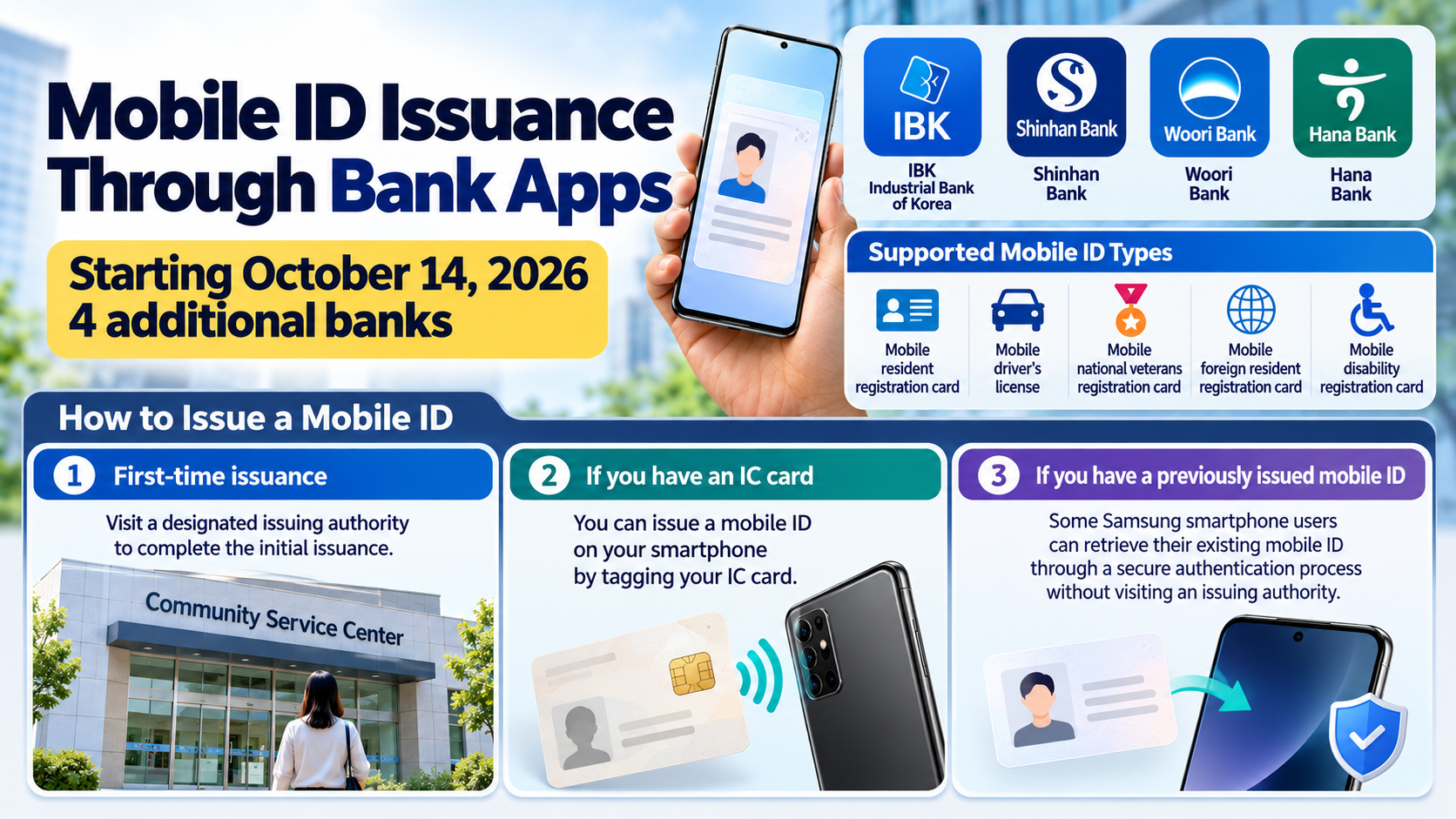
Starting October 14, 2026, mobile IDs can also be issued through the apps of IBK Industrial Bank of Korea, Shinhan Bank, Woori Bank, and Hana Bank. You can obtain a mobile ID even without an IC resident registration card. However, first-time issuance requires a visit to a designated issuing authority. Some Samsung smartphone users who have previously obtained a mobile ID can retrieve their existing ID through a secure authentication process.
The important change is not simply that bank apps can now issue mobile IDs. Whether you need to visit an issuing authority depends on the type of physical identification card you hold and whether you have previously been issued a mobile ID.
Which Bank Apps Can Issue Mobile IDs?
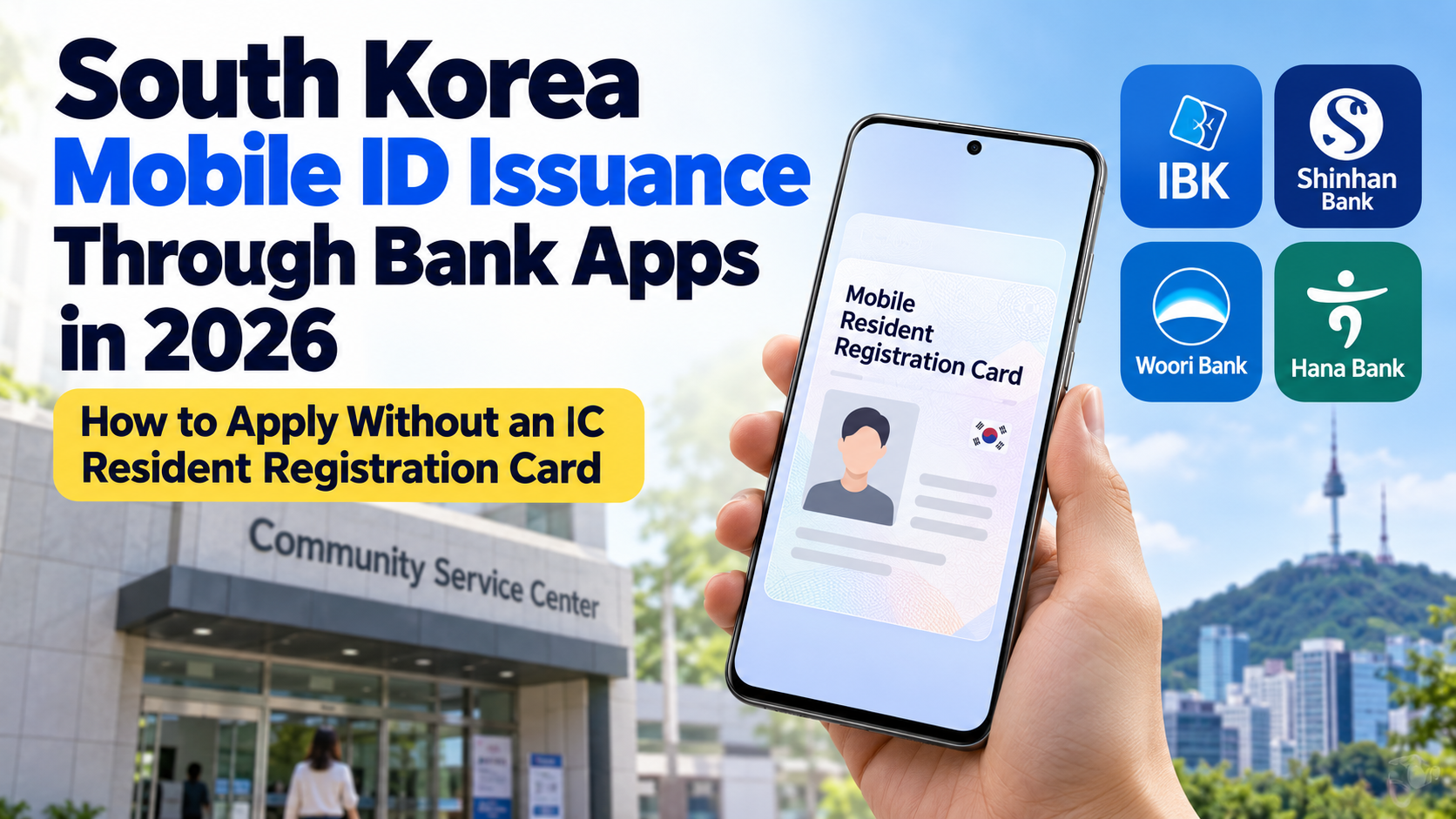
Starting October 14, 2026, four additional banks began offering mobile ID services: IBK Industrial Bank of Korea, Shinhan Bank, Woori Bank, and Hana Bank.
Previously, mobile ID services were available through apps operated by six private-sector providers, including Samsung Electronics and Naver. With the addition of these four banks, the total number of participating private-sector providers has increased to 10.
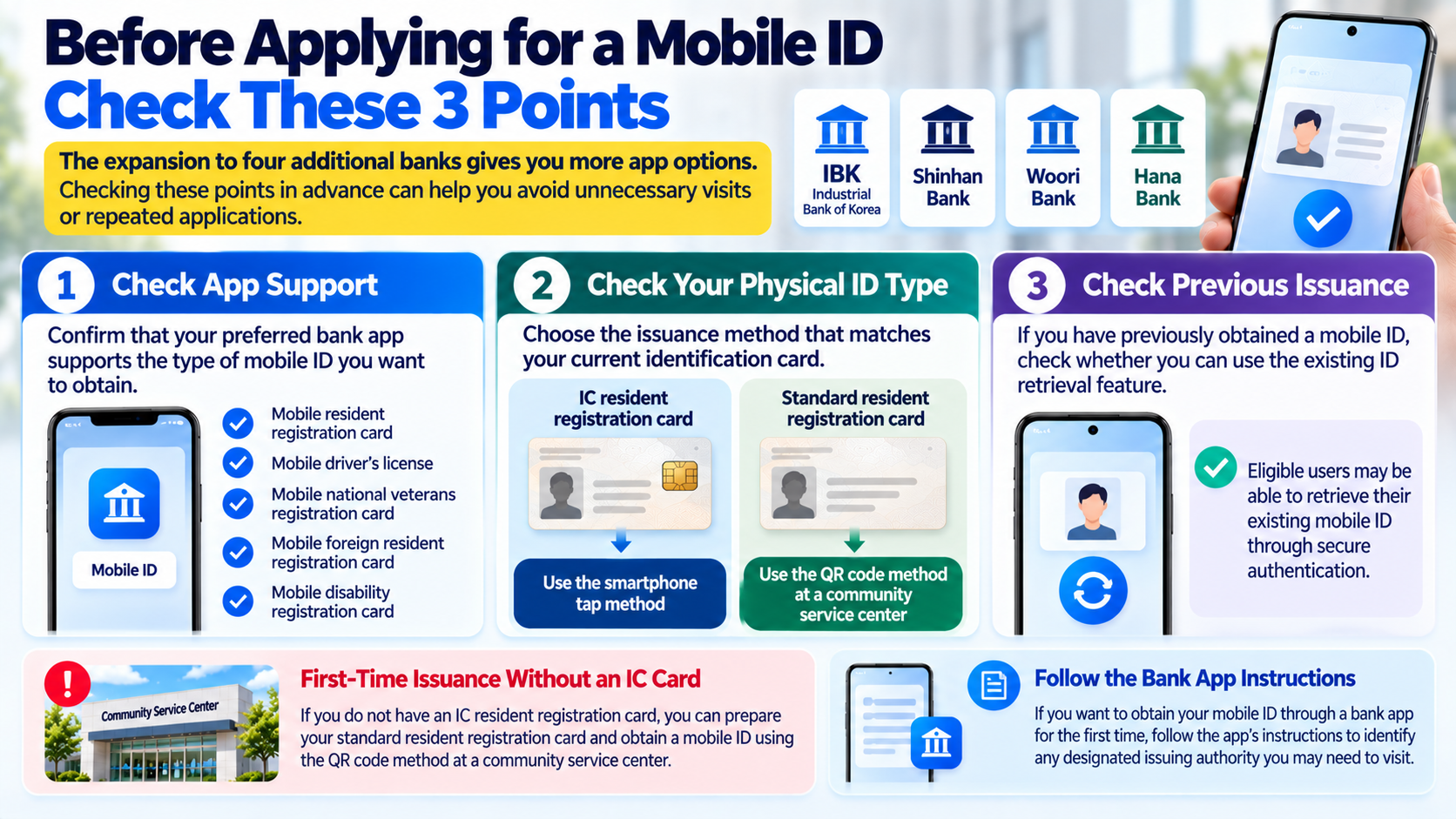
The expanded services cover five types of mobile identification:
Mobile resident registration card
Mobile driver's license
Mobile national veterans registration card
Mobile foreign resident registration card
Mobile disability registration card
This expansion allows people to issue and use mobile IDs through banking apps they already use for everyday financial transactions.
However, the availability of mobile ID issuance within a bank app does not mean that every user can complete the initial issuance process entirely on a smartphone.
The appropriate issuance procedure depends on whether you have an IC-enabled identification card and whether you have previously obtained a mobile ID.
Can You Obtain a Mobile ID Without an IC Resident Registration Card?
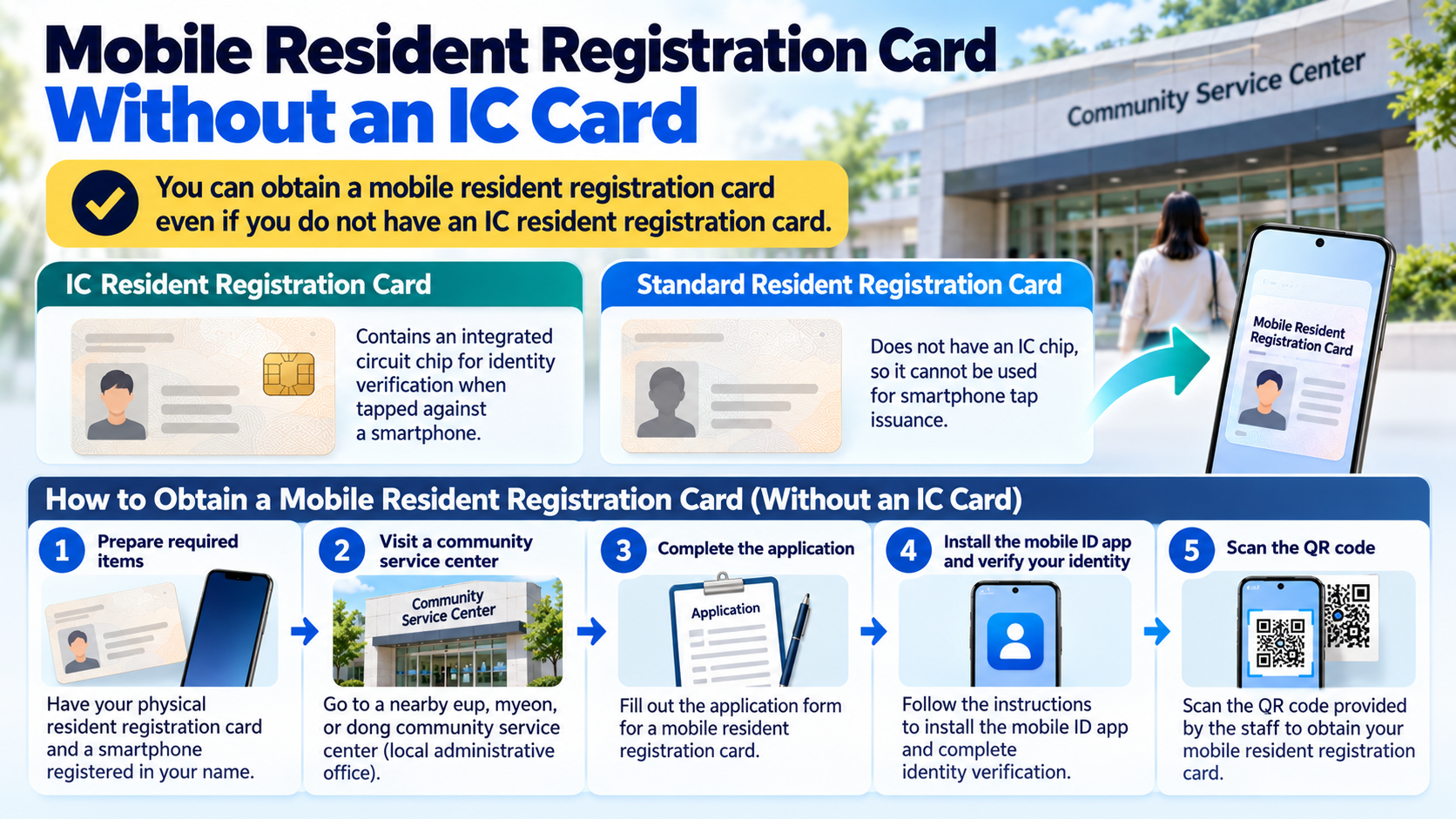
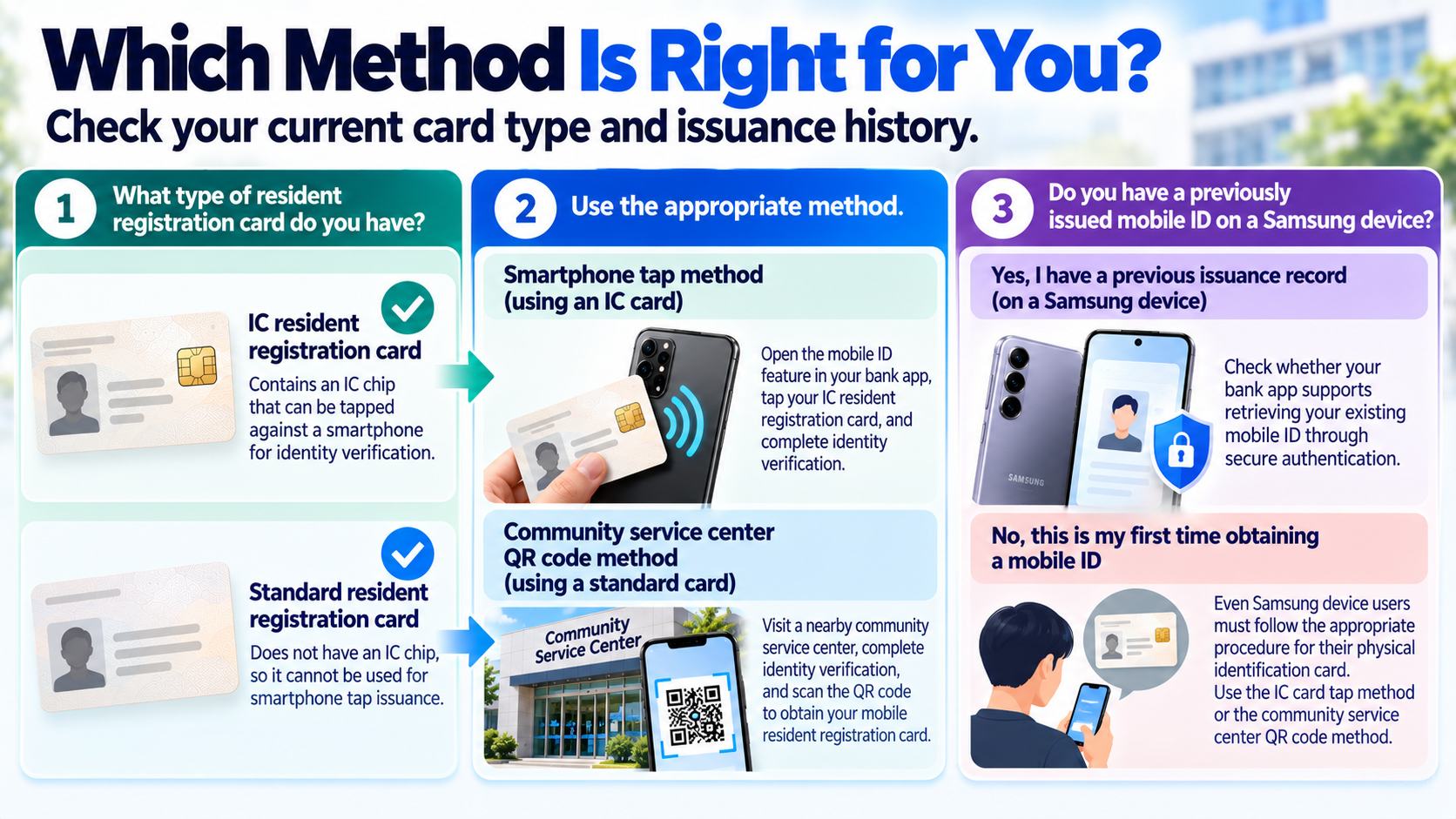
Yes. You can obtain a mobile resident registration card without an IC resident registration card. If you have a standard Korean resident registration card, you can visit a nearby local community service center and use the QR-code issuance method.
An IC resident registration card is a physical Korean resident registration card containing an integrated circuit chip that enables identity verification when tapped against a smartphone.
A standard resident registration card does not have this feature, so it cannot be used for smartphone-tap issuance.
Instead, you can visit a local community service center, complete identity verification, and scan a QR code to obtain your mobile resident registration card.
The procedure is as follows:
1. Prepare your physical resident registration card and a smartphone registered in your name.
2. Visit a nearby eup, myeon, or dong community service center, which is a local administrative office in South Korea.
3. Complete the application form for a mobile resident registration card.
4. Follow the instructions to install the mobile ID app and complete identity verification.
5. Scan the QR code provided by the responsible public official.
6. Complete the issuance process.
The advantage of this method is that you do not need to obtain a new IC resident registration card.
However, because a visit to a community service center is required, the expansion of bank app services does not mean that first-time issuance has become entirely remote.
For a mobile driver's license or another type of mobile ID, you must check the designated issuing authority and the procedures applicable to that particular identification document.
Can You Issue a Mobile Resident Registration Card From Home if You Already Have an IC Card?
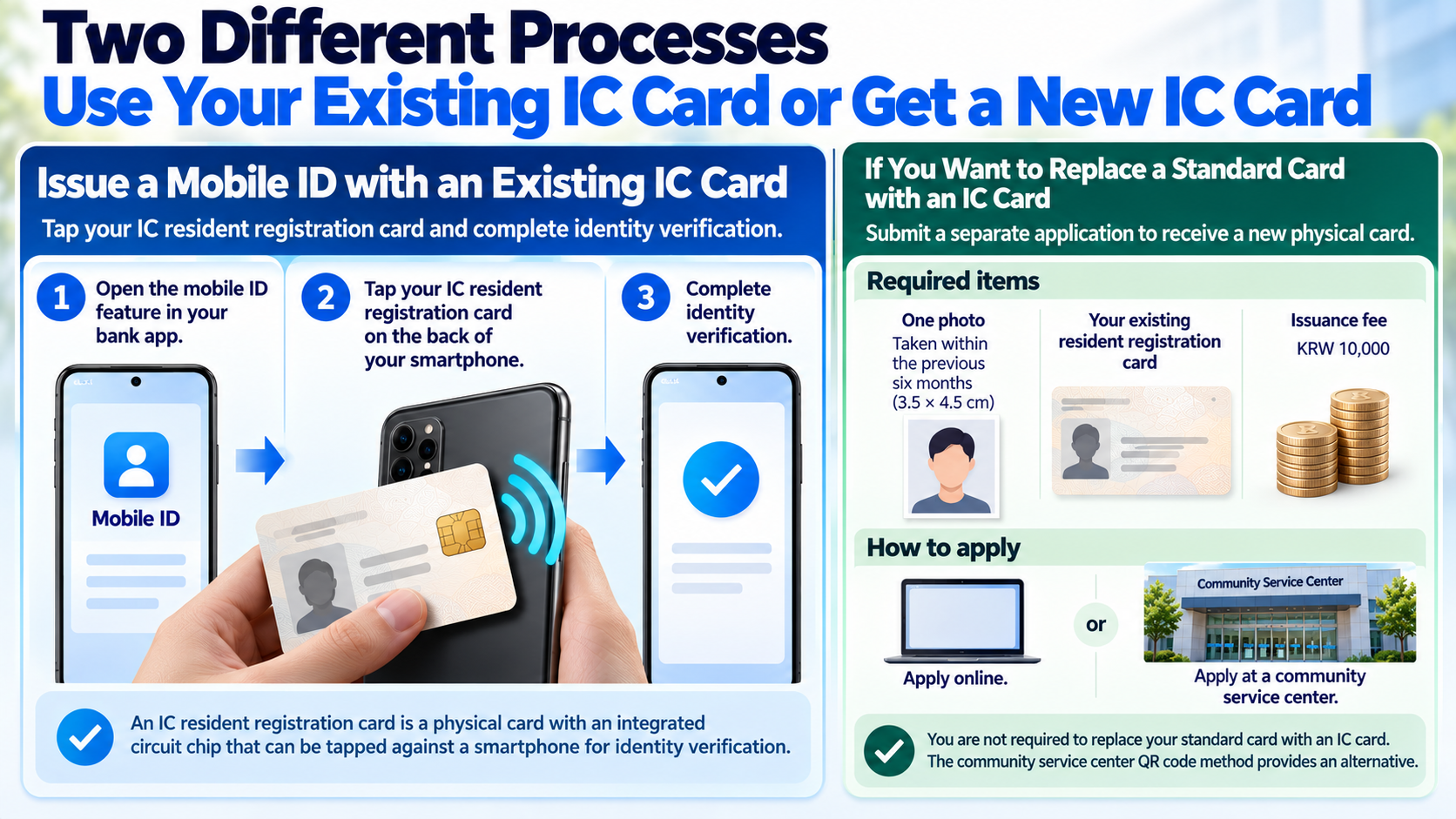
If you already have an IC resident registration card, you can obtain a mobile resident registration card by tapping the physical card against your smartphone and completing identity verification.
Tapping means holding the resident registration card containing the IC chip against the back of your smartphone so that the device can read the card's information.
Open the mobile ID feature in the bank app you intend to use, then follow the instructions to tap your IC resident registration card and complete identity verification.
If you want to replace a standard resident registration card with an IC resident registration card, you must submit a separate application and receive the new physical card.
According to the official issuance guidance, the required items for replacing a standard card with an IC resident registration card are:
One photograph taken within the previous six months (3.5 × 4.5 cm)
Your existing resident registration card
An issuance fee of KRW 10,000
You can apply for an IC resident registration card online or at a community service center. Once you receive the physical card, you can use the smartphone-tap method to issue your mobile ID.
There is an important distinction here.
Issuing a mobile ID using an IC resident registration card you already possess is different from replacing a standard resident registration card with an IC card.
You are not required to replace your standard card with an IC card. The community service center QR-code method provides an alternative.
Can Samsung Smartphone Users Retrieve a Mobile ID Without an IC Card?
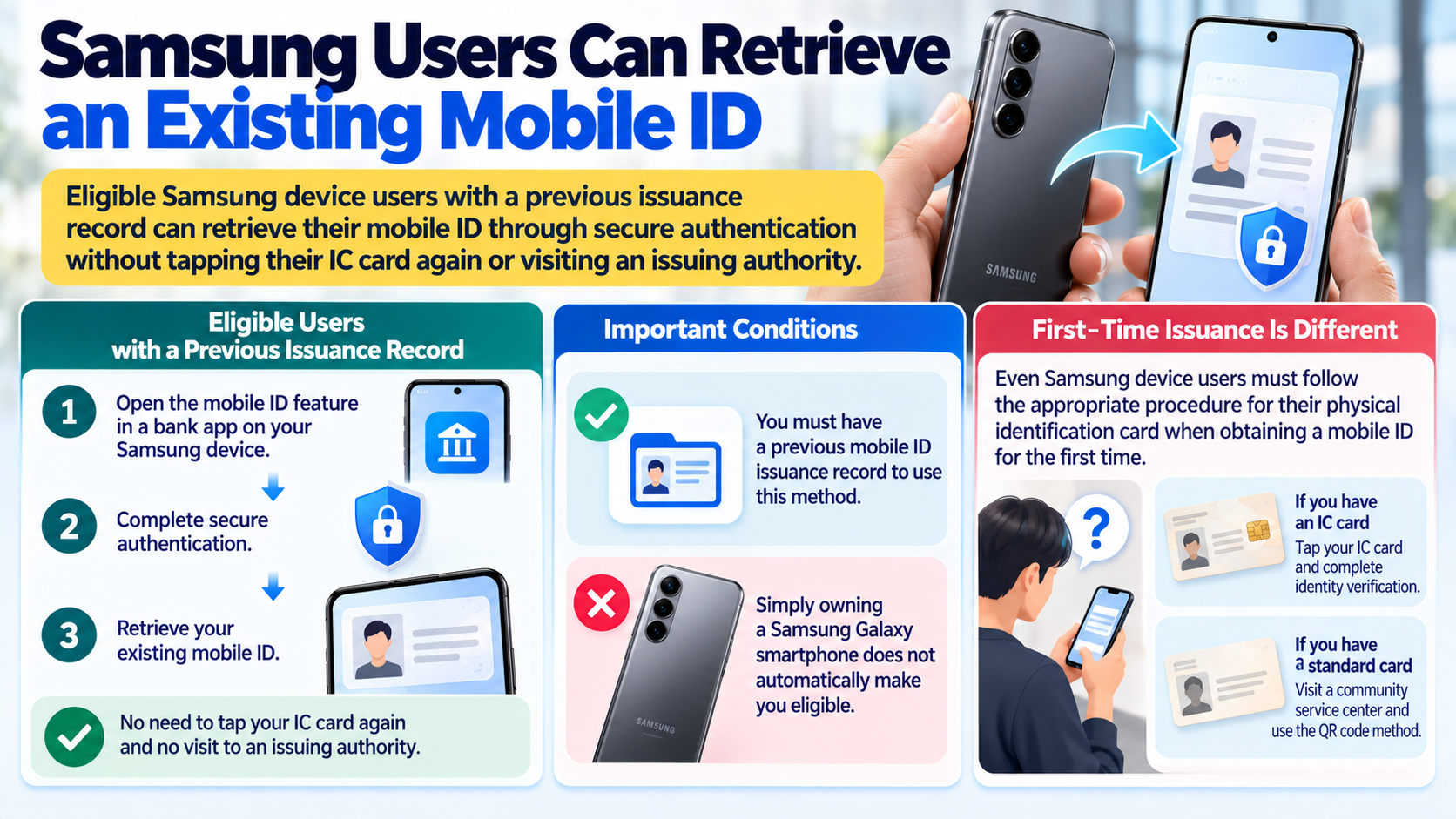
Samsung device users who have previously been issued a mobile ID may be able to retrieve their existing identification through a secure authentication procedure.
According to guidance from South Korea's Ministry of the Interior and Safety, this method allows eligible users to retrieve an existing mobile ID without tapping their physical IC identification card again or visiting a designated issuing authority.
However, an important condition applies.
Simply owning a Samsung Galaxy smartphone does not automatically make someone eligible for this secure authentication method.
You must have a previous mobile ID issuance record.
It is therefore necessary to distinguish between someone obtaining a mobile ID for the first time and someone retrieving a previously issued ID through a bank app.
Even Samsung smartphone users must follow the appropriate procedure for their physical identification card when obtaining a mobile ID for the first time.
Which Mobile ID Issuance Method Should You Choose?
The appropriate method for obtaining a mobile resident registration card depends on whether you have an IC resident registration card and whether you have previously been issued a mobile ID.
| Your Situation | Issuance Method | Is an In-Person Visit Required? |
|---|---|---|
| You have an IC resident registration card | Tap the card against your smartphone and complete identity verification | No separate visit required for mobile issuance |
| You only have a standard resident registration card | QR-code issuance at a community service center | Yes |
| You use a Samsung device and have previously been issued a mobile ID | Retrieve your existing ID through secure authentication | No, if the eligibility conditions are met |
| Your Situation | Issuance Method | Is an In-Person Visit Required? |
|---|---|---|
| You want to replace your standard resident registration card with an IC card | Apply for and receive an IC resident registration card, then tap it against your smartphone | Physical card issuance and collection procedures are required |
The first thing to check is the type of resident registration card you currently hold.
If you have an IC resident registration card, you can use the smartphone-tap method. If you only have a standard resident registration card, you can use QR-code issuance at a community service center.
If you use a Samsung device and have previously obtained a mobile ID, check whether your bank app supports retrieving that ID through secure authentication.
Do You Need to Reissue Your Mobile ID Through a Bank App After Changing Phones?
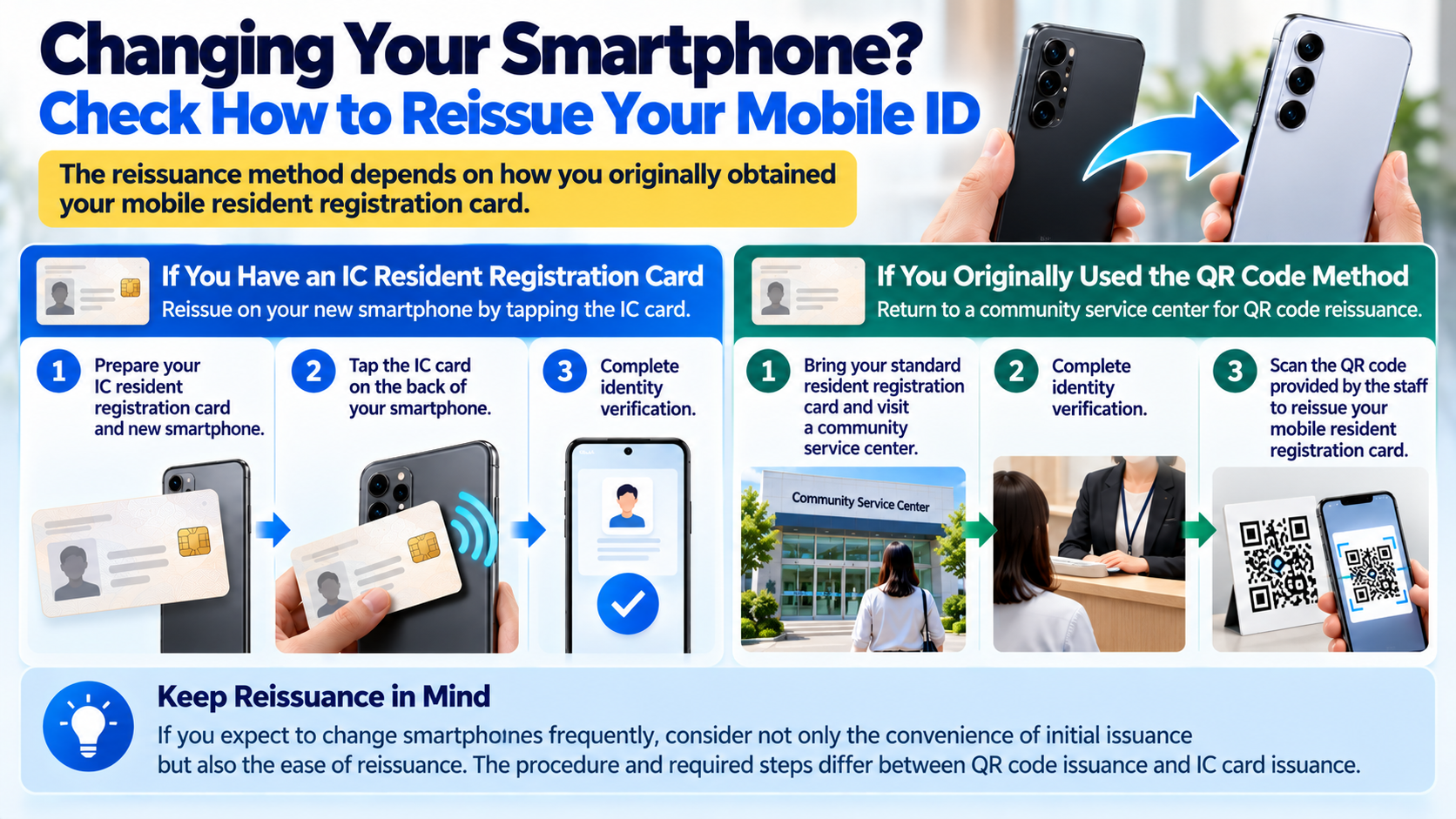
If you replace your smartphone, you need to check the reissuance procedure for your mobile resident registration card. The method depends on the type of identification card used for the original issuance.
If you have an IC resident registration card, you can reissue your mobile ID by tapping the physical card against your new smartphone and completing identity verification.
However, if you originally obtained your mobile resident registration card through the QR-code method using a standard resident registration card, the guidance specifies returning to a community service center for QR-code reissuance.
Therefore, if you expect to change smartphones frequently, it is worth considering not only the convenience of initial issuance but also the ease of reissuance.
The differences between QR-code issuance and IC-card issuance when changing smartphones can also be examined separately.
What Should You Check Before Issuing a Mobile ID Through a Bank App?
If you are obtaining a mobile ID for the first time, check the mobile ID features available in your preferred bank app and choose the issuance method that matches your physical identification card.
The expansion of mobile ID services to IBK Industrial Bank of Korea, Shinhan Bank, Woori Bank, and Hana Bank means that users now have more app options for issuing and using mobile identification.
Checking the following three points before applying can help you avoid unnecessary visits or repeated applications.
First, confirm that your current bank app supports the particular type of mobile ID you want to obtain.
Second, check whether your physical identification card is an IC-enabled card or a standard card.
Third, if you have previously obtained a mobile ID, check whether you can use the existing-ID retrieval feature.
If you do not have an IC resident registration card, you can prepare your standard resident registration card and use the QR-code issuance method at a community service center. If you want to obtain your mobile ID through a bank app for the first time, follow the app's instructions to identify any designated issuing authority you may need to visit.