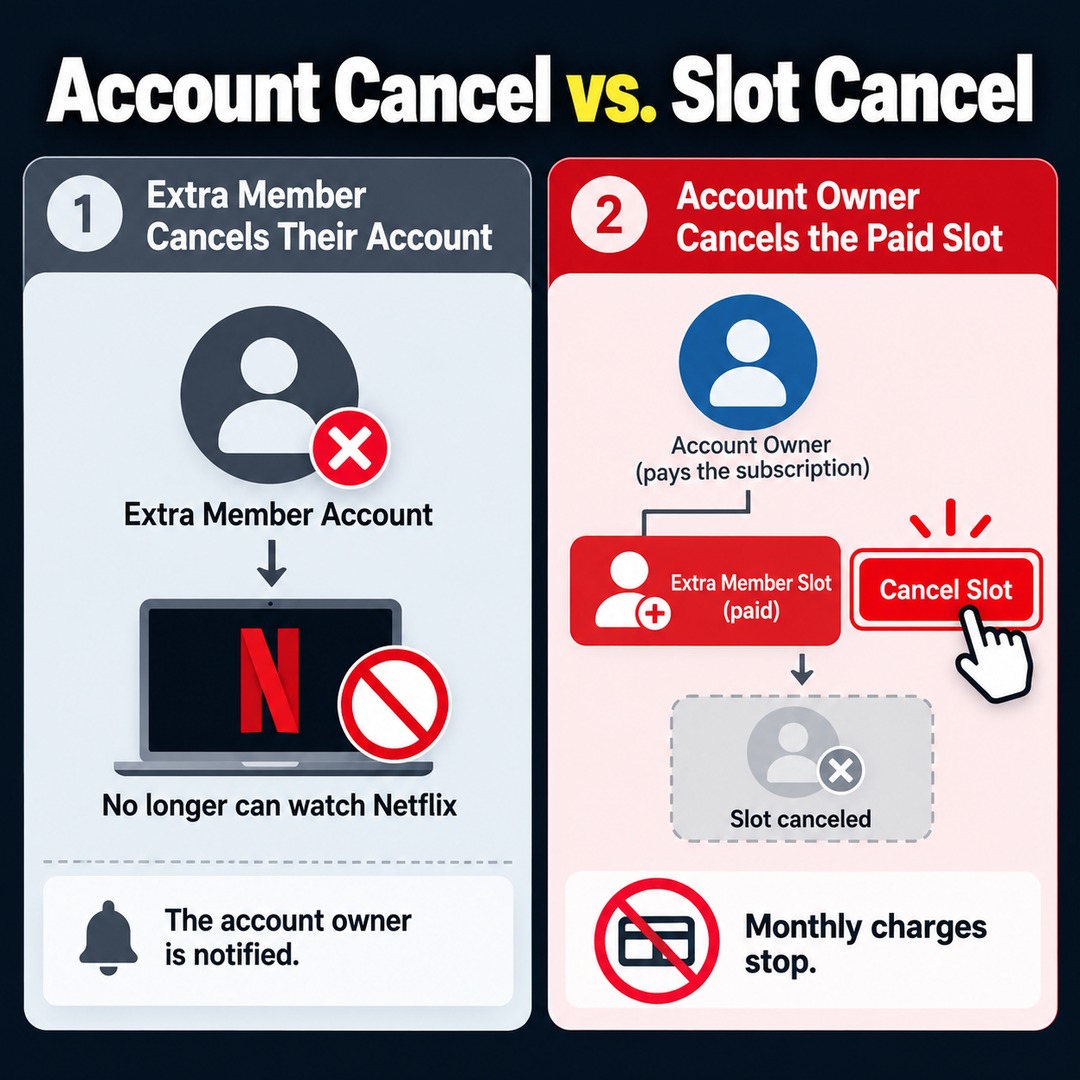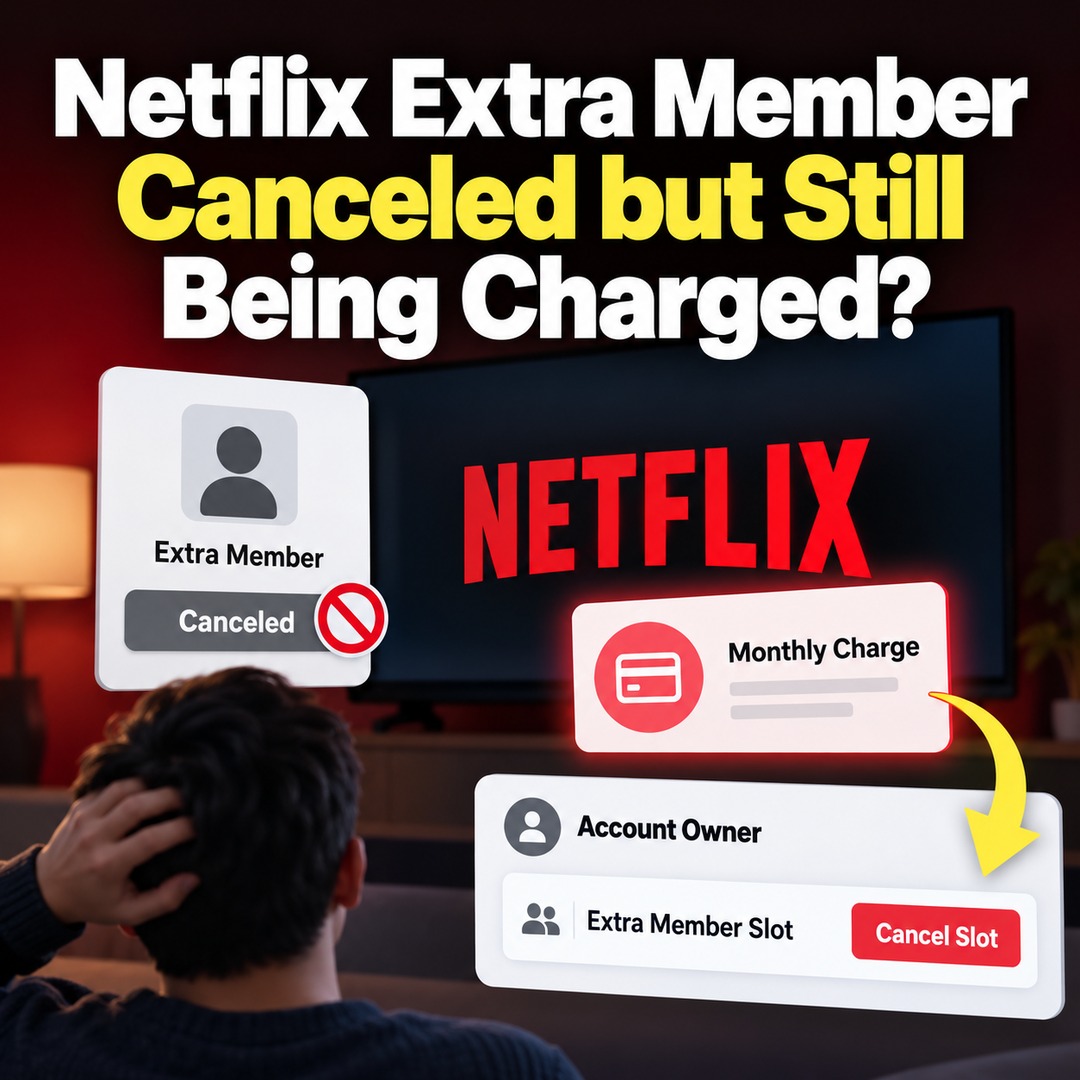
If a Netflix extra member cancels their account but the monthly fee continues to be charged, check whether the paying account owner has canceled the paid extra member slot. Canceling an extra member's account and canceling the paid slot are two different procedures. Even if the extra member stops watching Netflix, monthly charges may continue as long as the paid slot remains active.
To stop unnecessary charges, the Netflix account owner who pays the subscription fee must cancel the extra member slot through the Manage Extra Members page.
Why Am I Still Being Charged After an Extra Member Cancels Their Account?
Netflix manages an extra member's individual account separately from the paid extra member slot purchased by the main account owner.
An extra member accesses Netflix using their own email address and password, but the main account owner pays for the extra member slot.
Therefore, canceling an extra member's account does not automatically remove the paid slot from the account owner's subscription.
When an extra member cancels their own account, they immediately lose access to Netflix. The main account owner is also notified of the cancellation.
However, the account owner can invite someone else to use that slot or cancel the paid slot entirely. If the slot remains active without further action, the monthly fee will continue to be charged.
The important distinction is that an individual no longer using Netflix does not necessarily mean the paid subscription slot has been canceled.
What Is the Difference Between Canceling an Extra Member Account and an Extra Member Slot?
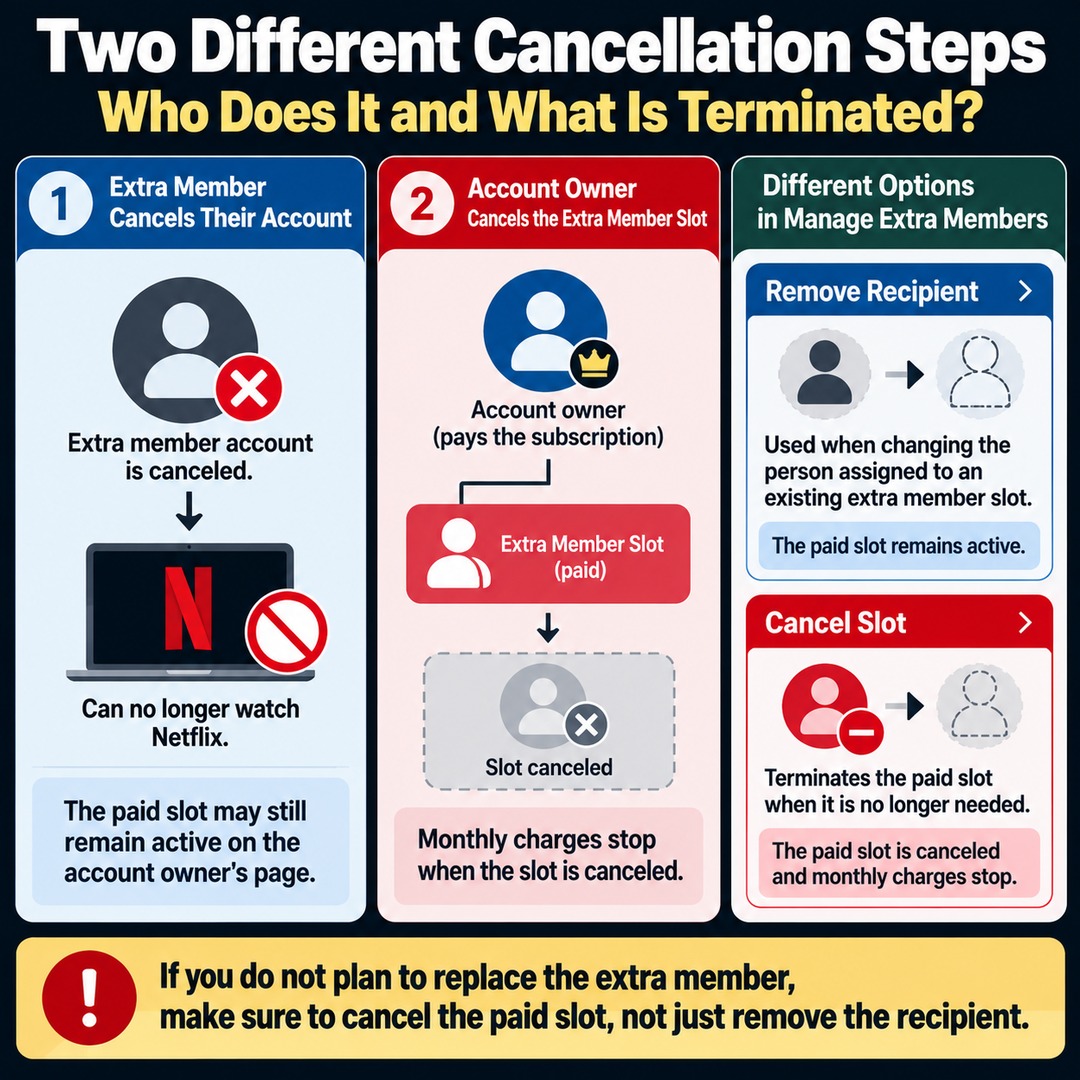
The two procedures differ in who performs the cancellation and what is actually terminated.
| Category | Canceling an Extra Member Account | Canceling an Extra Member Slot |
|---|---|---|
| Who performs the cancellation | The extra member | The main account owner |
| What is canceled | The extra member's individual account | The paid extra member slot |
| How long viewing remains available | Access ends immediately upon account cancellation | Until the end of the current billing period |
| Status of the paid slot | May remain active | Canceled |
| Effect on billing | Monthly charges may continue | Future charges for the extra member slot stop |
For example, suppose an extra member completes the membership cancellation process from their own account.
That person can no longer watch Netflix, but the paid slot may still appear on the main account owner's Manage Extra Members page.
In this situation, the paying account owner needs to cancel the extra member slot itself rather than simply trying to remove the person who has already canceled their account.
It is also important to distinguish between Netflix's 'Remove Recipient' and 'Cancel Slot' options.
The Remove Recipient option is used when changing the person assigned to an existing extra member slot. Cancel Slot, on the other hand, terminates the paid slot when it is no longer needed.
If you do not intend to replace the extra member with someone else, do not stop after removing the recipient. Make sure to cancel the paid slot as well.
Where and How Can You Cancel a Netflix Extra Member Slot?
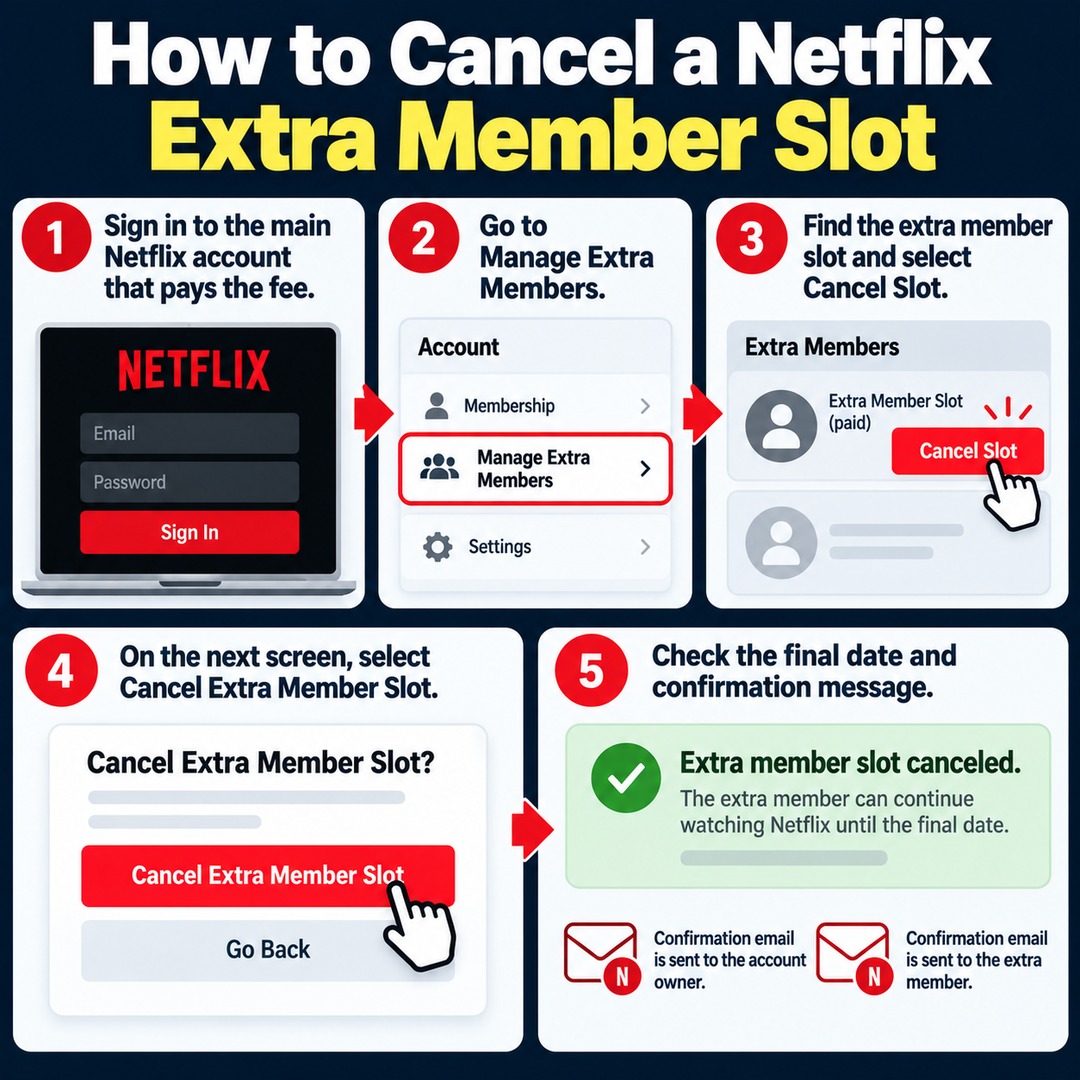
The main account owner can cancel an extra member slot through Netflix's Manage Extra Members page.
Follow these steps using a web browser on your phone or computer:
1. Sign in to the main Netflix account that pays the subscription fee.
2. Navigate to the account's 'Manage Extra Members' page.
3. Find the extra member slot you want to cancel and select 'Cancel Slot'.
4. On the next screen, select 'Cancel Extra Member Slot' to complete the process.
5. Check the final date on which the extra member can continue watching Netflix.
After a successful cancellation, a confirmation message appears at the top of the screen. Confirmation emails are also sent to both the account owner and the extra member.
Do not assume the cancellation is complete simply because you clicked the cancellation button and returned to the previous screen. Make sure you see the confirmation message showing the final viewing date.
The cancellation page for an extra member's individual account is different from the page where the main account owner cancels a paid slot. Check that you are signed in to the correct account before proceeding.
Does an Extra Member Lose Netflix Access Immediately After the Slot Is Canceled?
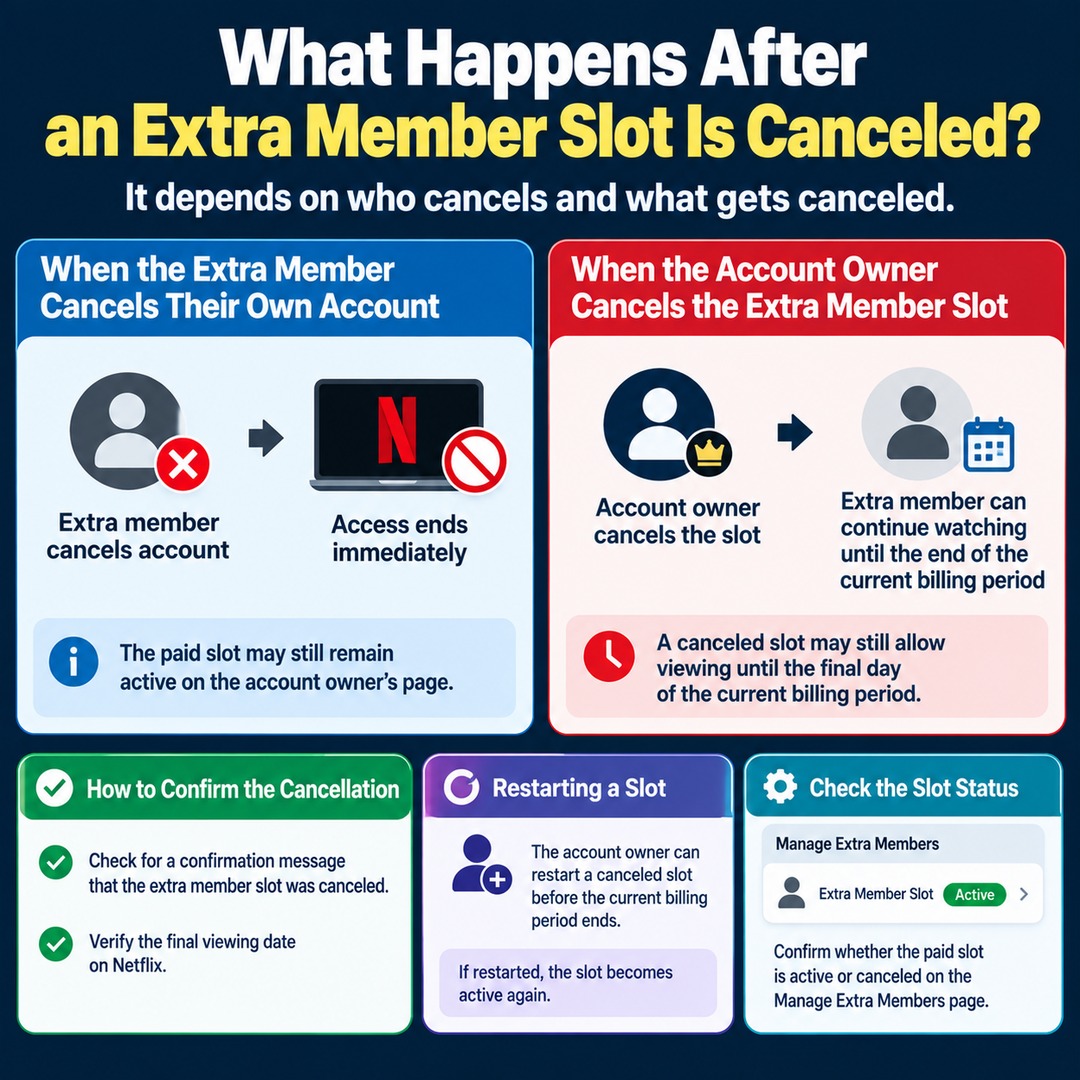
When the main account owner cancels an extra member slot, the extra member can continue watching Netflix until the current billing period ends.
This differs from what happens when the extra member cancels their own account.
If an extra member cancels their individual account, access ends immediately. However, if the account owner cancels the paid slot, the extra member can continue using Netflix until the final day of the existing billing period.
Therefore, the fact that an extra member can still watch Netflix after the slot has been canceled does not necessarily mean the cancellation failed.
To confirm that the slot was successfully canceled, check the following two items:
Whether a confirmation message indicates that the extra member slot has been canceled.
Whether Netflix displays the extra member's final viewing date.
The main account owner can also restart an extra member slot before the current billing period ends.
If the slot was restarted after cancellation, it becomes active again. Check the current status on the Manage Extra Members page to confirm whether the paid slot is active or canceled.
What Should You Check First If Netflix Extra Member Charges Continue?
Before focusing on the date the extra member canceled their account, check whether the main account owner successfully canceled the paid slot and when the charges were actually processed.
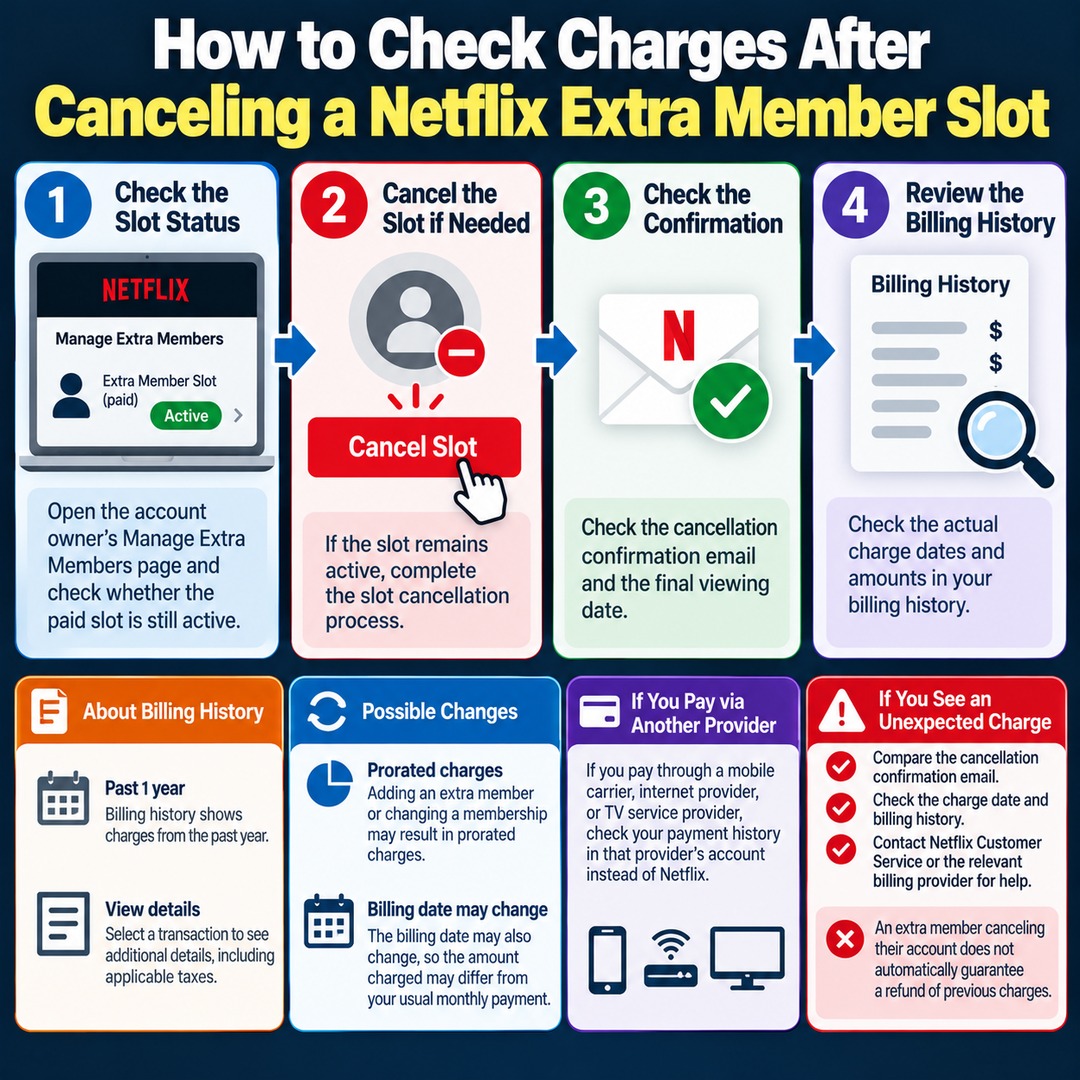
If you pay Netflix directly, you can review the dates and amounts charged through your account's billing history.
Follow these steps:
1. Open the main account owner's Manage Extra Members page and check whether the paid slot is still active.
2. If the slot remains active, complete the slot cancellation process.
3. Check the cancellation confirmation email and the final viewing date.
4. Review the billing history to verify the actual charge dates and amounts.
Netflix's billing history displays charges from the past year. You can select an individual transaction to view additional details, including applicable taxes.
When adding an extra member or changing a membership, prorated charges may apply based on the remaining billing period. The billing date may also change.
Therefore, if the amount charged differs from your usual monthly payment, check both the cancellation status of the extra member slot and whether your billing cycle has changed.
If you pay for Netflix through a mobile carrier, internet provider, or TV service provider, you should review your payment history through that provider's account instead.
If you have already canceled the slot but notice an unexpected charge, compare the cancellation confirmation email, charge date, and billing history. Then contact Netflix Customer Service or the relevant billing provider for assistance.
However, the fact that an extra member canceled their account does not automatically entitle the account owner to a refund of previous charges. Refund eligibility must be checked separately for the specific transaction.
What Happens to Extra Member Slots If You Cancel the Main Netflix Account?
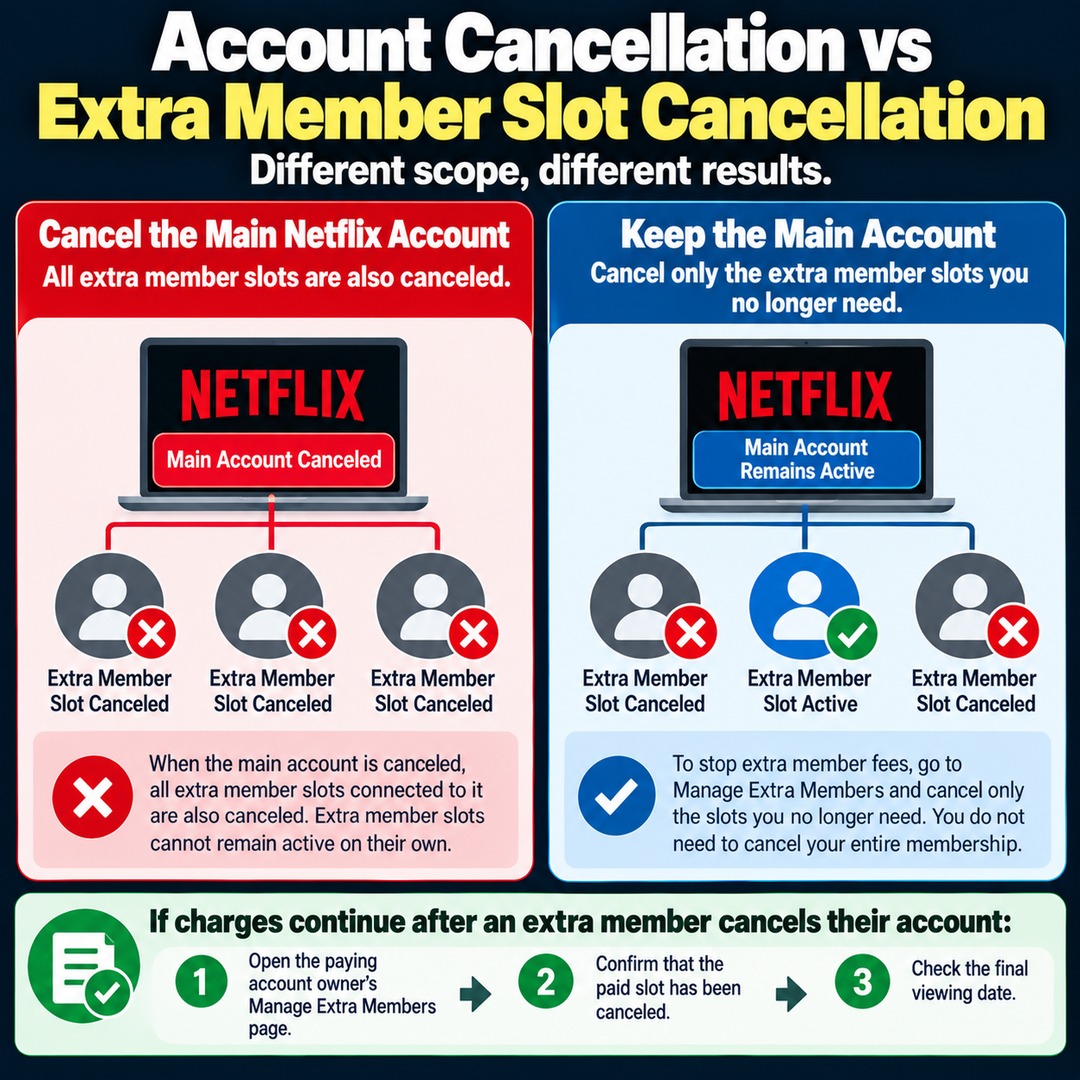
Canceling the main Netflix account also cancels all extra member slots connected to it.
This is because Netflix extra member slots are linked to a main account with a Standard or Premium membership.
Netflix does not support keeping existing extra member slots active independently after the main account has been canceled.
On the other hand, if you want to keep using the main Netflix account but stop paying extra member fees, you do not need to cancel your entire Netflix membership.
Instead, go to Manage Extra Members and cancel only the slots you no longer need.
This distinction is particularly important if family members still use Netflix through the main account. Do not confuse canceling the entire membership with canceling an individual extra member slot.
If charges continue after an extra member cancels their account, start by opening the paying account owner's Manage Extra Members page. Confirm that the paid slot has been canceled and check the final viewing date. These are the most important steps for preventing unnecessary additional charges.