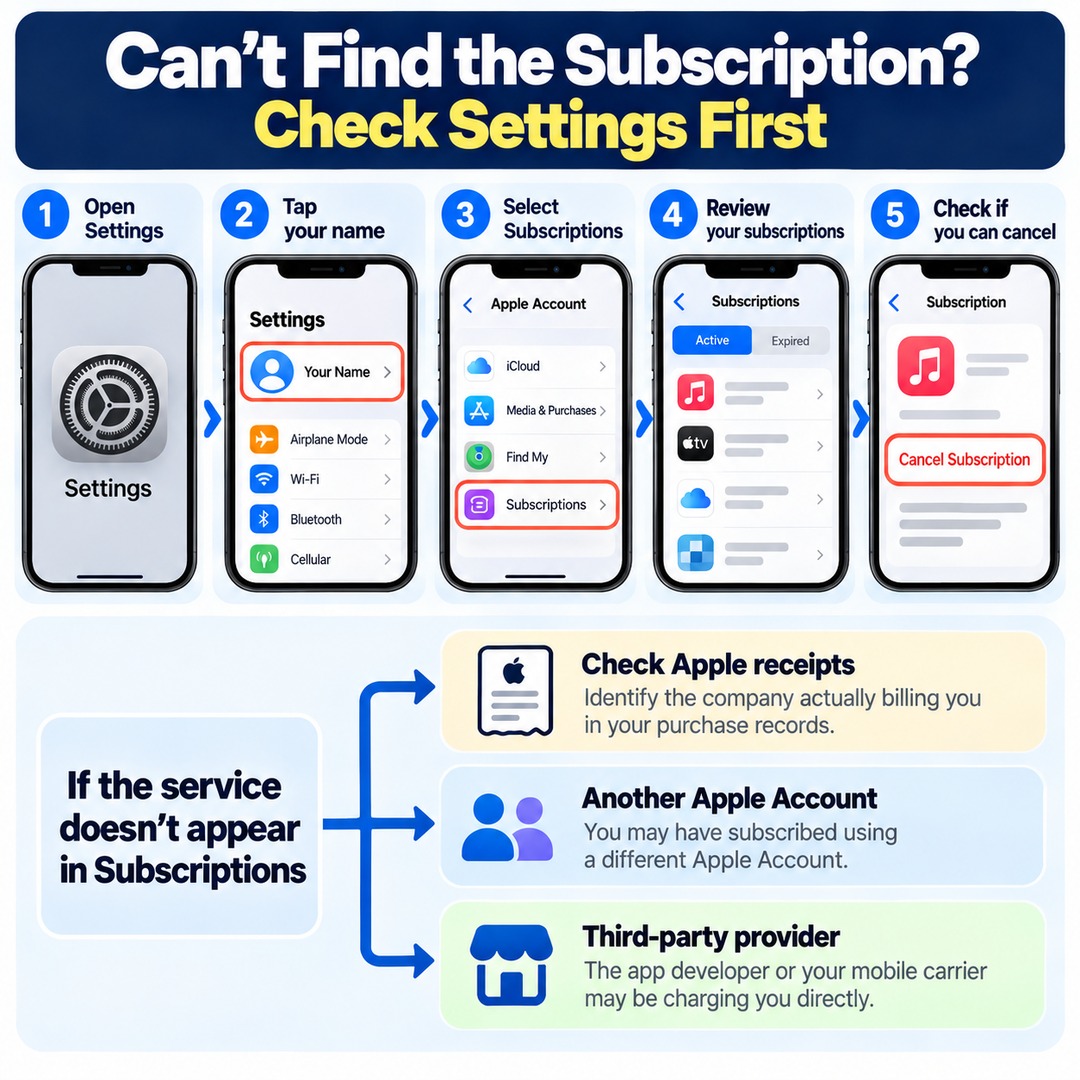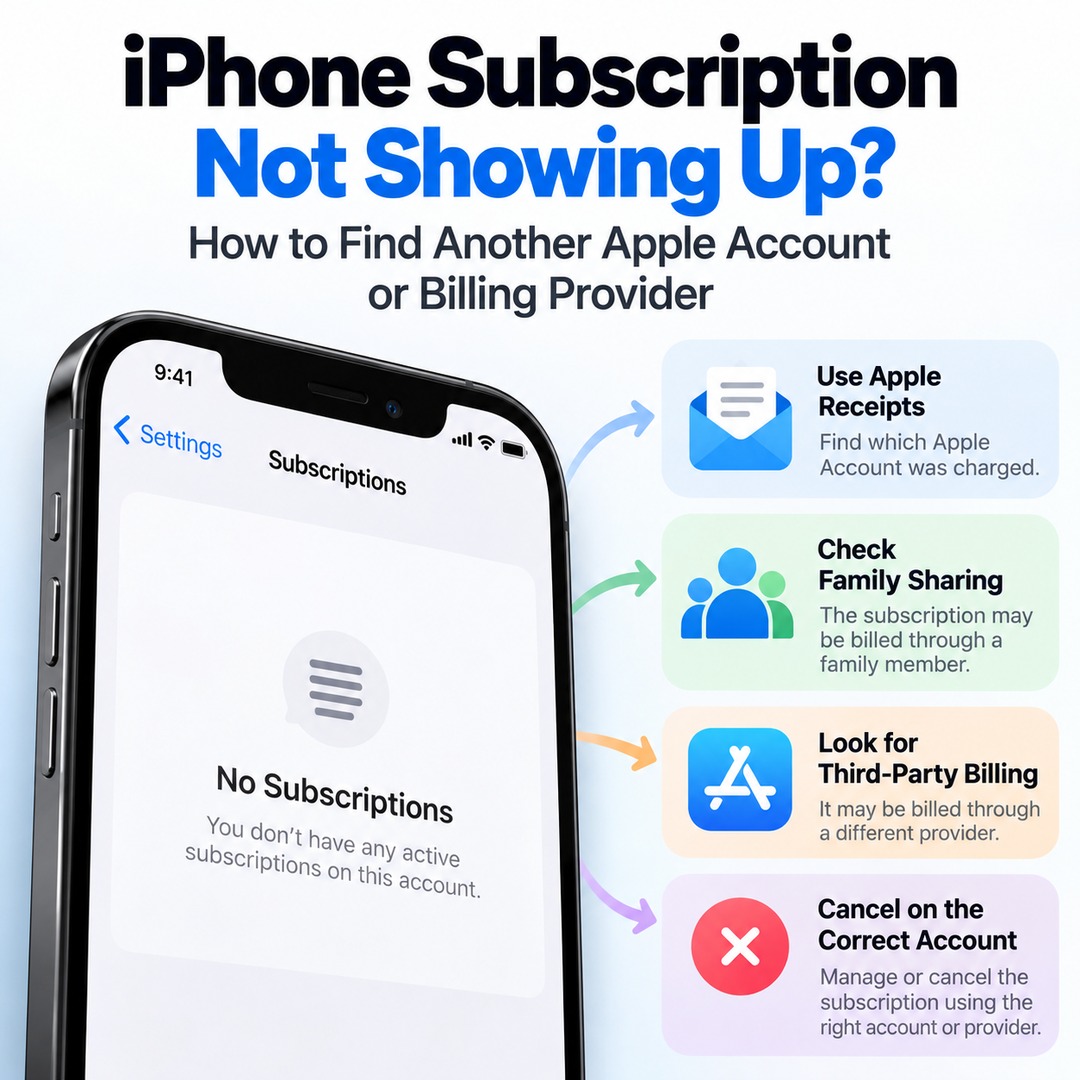
If you keep getting charged for a subscription on your iPhone but cannot find the service under Subscriptions in Settings, start by checking your Apple payment receipts and identifying the company actually billing you. You may have subscribed using another Apple Account, or a third-party provider such as the app developer or your mobile carrier may be charging you directly. Just because a subscription does not appear in your list does not mean automatic payments have stopped.
This is especially important if you have deleted the app or want to cancel a service you signed up for a long time ago. Rather than focusing on the app's name, first identify the account used for payment and the company responsible for billing.
Where Should You Start If a Subscription Is Missing From Your iPhone Subscription List?
First, check the subscription status of the Apple Account currently signed in on your iPhone and compare it with your actual payment records.
Follow these steps on your iPhone:
1. Open the Settings app.
2. Tap your name at the top of the screen.
3. Select Subscriptions.
4. Review your active subscriptions and expired subscriptions.
5. If you find the service, select it and check whether you can cancel it.
According to Apple, if there is no Cancel Subscription button or an expiration message appears in red, the subscription has already been canceled.
If the service you are looking for does not appear at all, there is no need to keep checking the subscription screen for the account currently signed in. The next step is to locate the actual payment record.
How Can You Use an Apple Receipt to Find the Account That Was Charged?
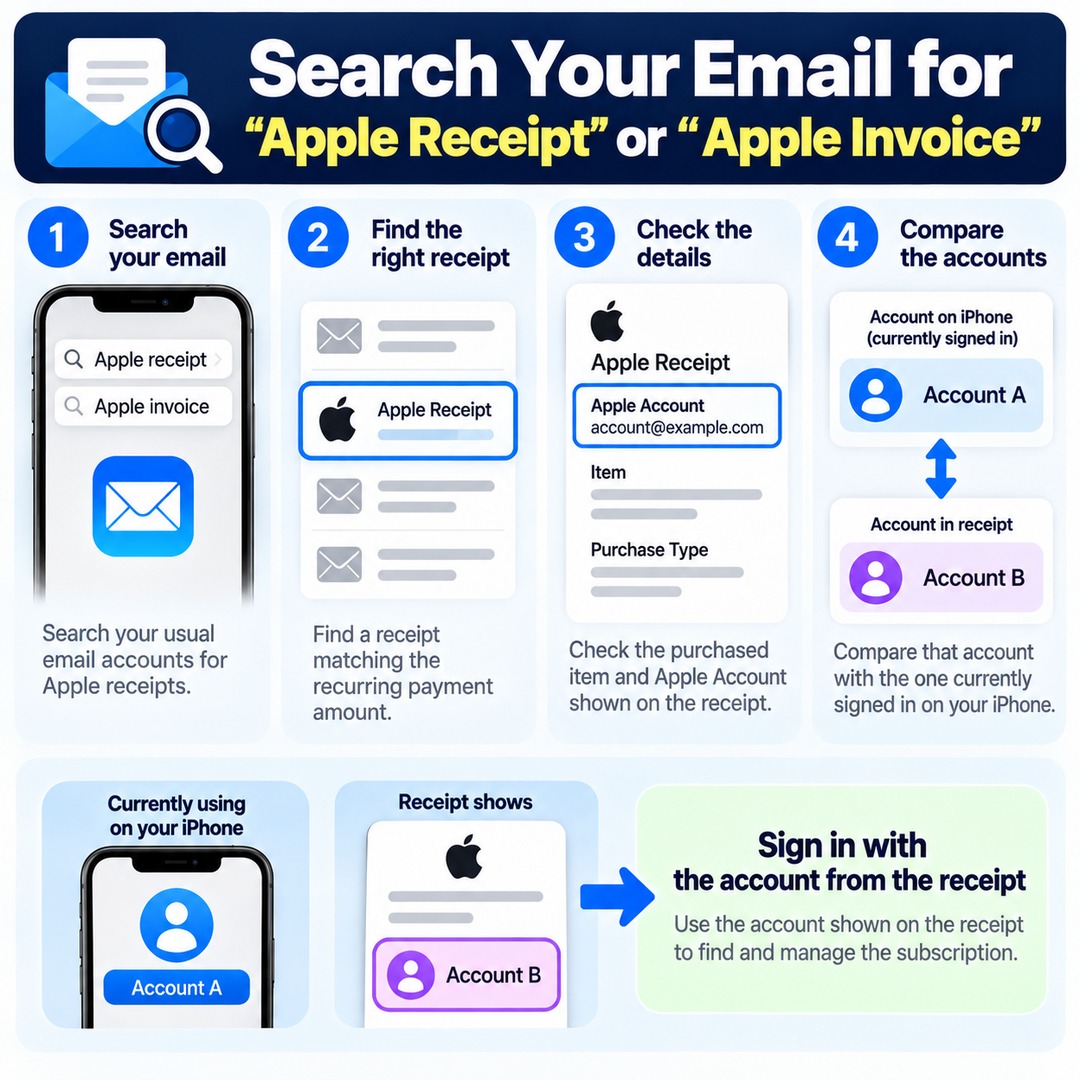
Search your email for 'Apple receipt' or 'Apple invoice' to identify the Apple Account used for the subscription.
The Apple Account currently signed in on your iPhone may be different from the account originally used to purchase the subscription.
Follow these steps:
1. Search your usual email accounts for Apple receipts.
2. Find a receipt matching the recurring payment amount.
3. Check the purchased item and Apple Account shown on the receipt.
4. Compare that account with the one currently signed in on your iPhone.
For example, suppose you currently use Account A on your iPhone, but the subscription receipt shows Account B. In that case, you need to sign in with Account B to find and manage the subscription.
Even if you identify another Apple Account, it is better to confirm that the account belongs to you before immediately signing out of your current account.
How Can You Check Apple Purchase History Without an Email Receipt?
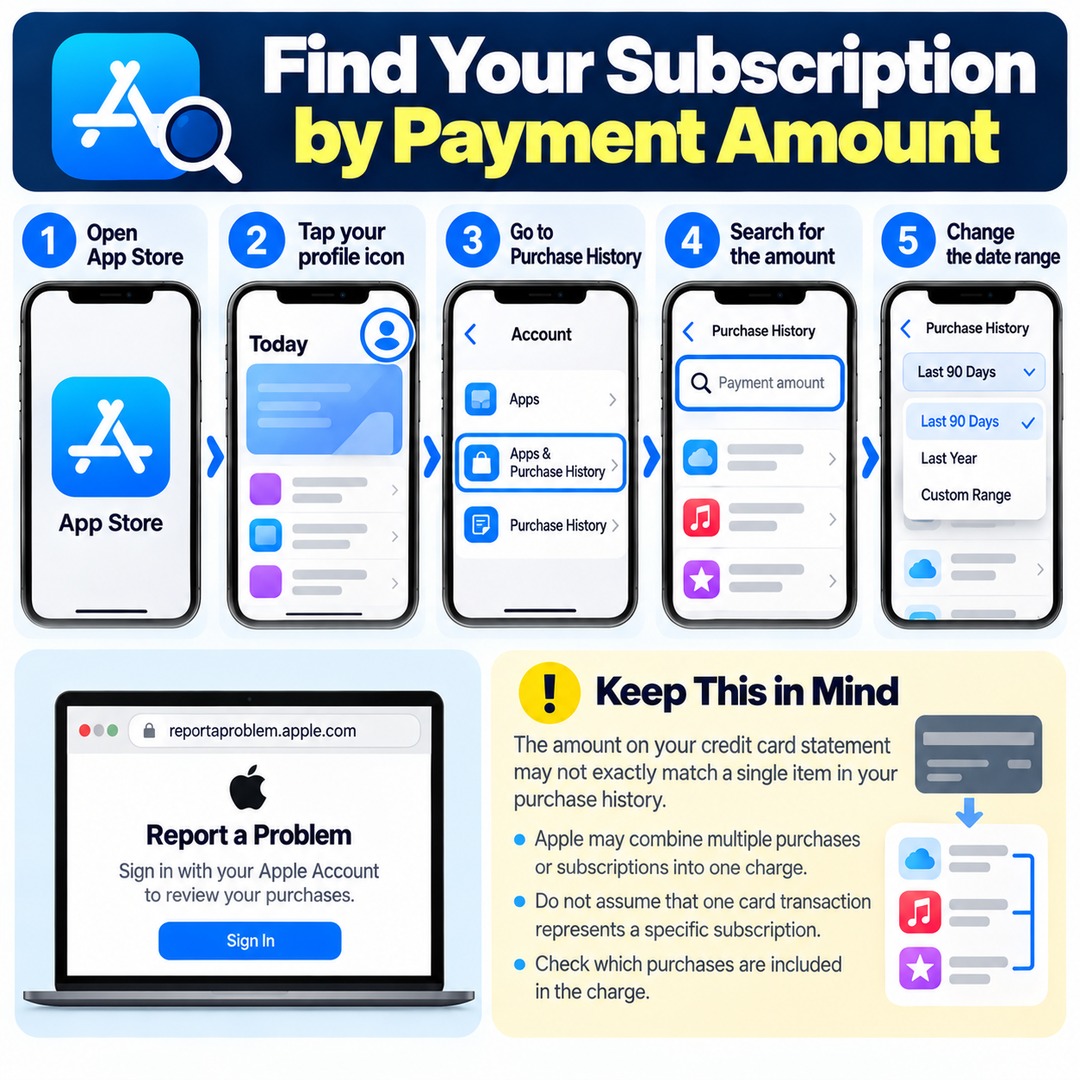
You can search for a payment amount in your Apple purchase history. Even if you cannot remember the subscription service's name, knowing the amount charged can help you locate the transaction.
To check on your iPhone:
1. Open the App Store.
2. Tap your profile picture or account icon in the upper-right corner.
3. Go to Apps & Purchase History → Purchase History.
4. Search for the amount charged.
5. For older transactions, tap 'Last 90 Days' and change the date range.
You can also sign in with your Apple Account at `reportaproblem.apple.com` to review your purchases online.
Keep in mind that the amount shown on your credit card statement may not exactly match an individual item in your purchase history. Apple may combine multiple purchases or subscriptions into a single charge.
Do not assume that a particular card transaction represents one specific subscription. Check which purchases are included in the charge.
Why Is a Subscription Missing From Your Account When It Is Charged to a Family Member's Card?
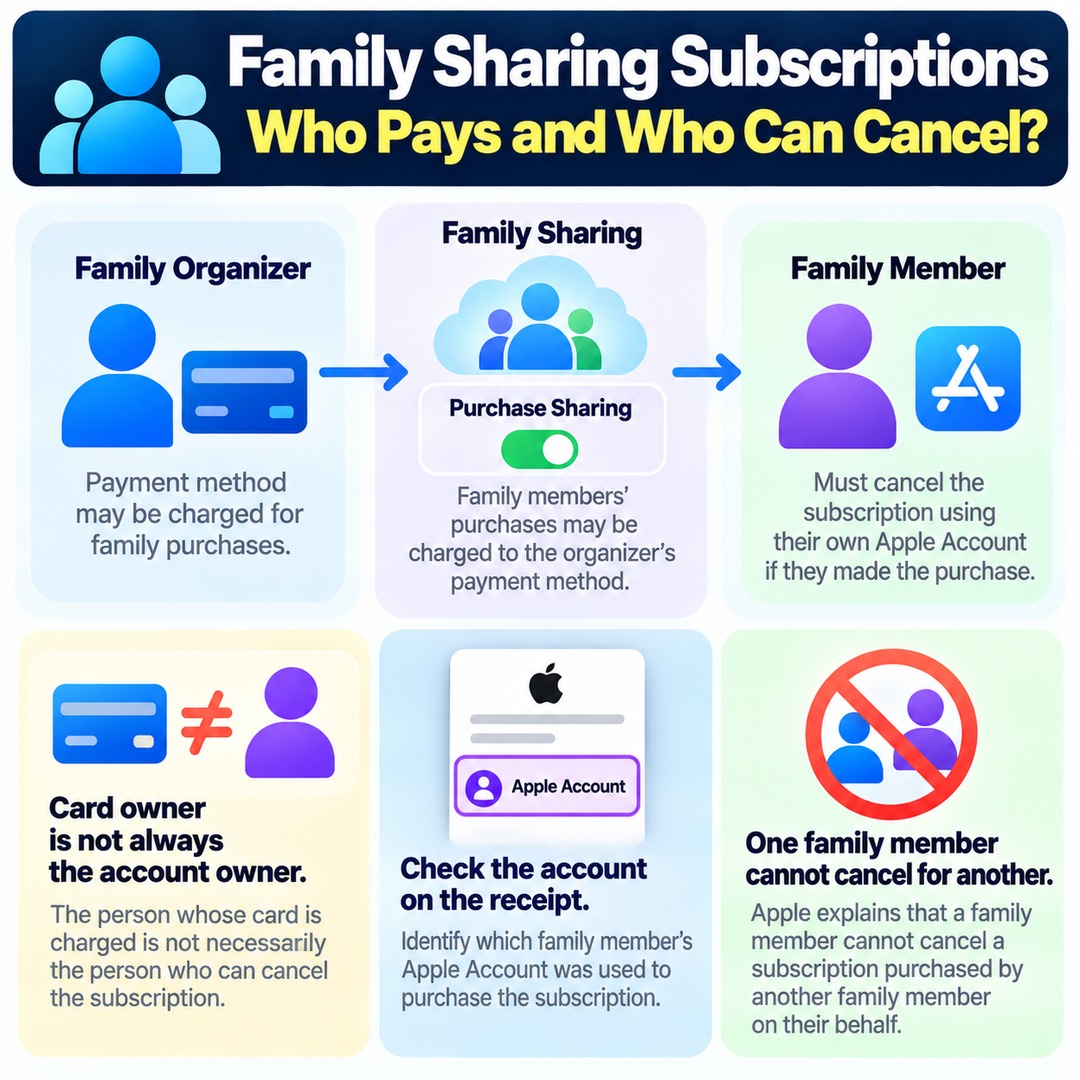
If you use Apple's Family Sharing feature, you need to identify the Apple Account belonging to the family member who actually purchased the subscription.
When Purchase Sharing is enabled in Family Sharing, purchases made by family members may be charged to the family organizer's payment method.
However, the person who owns the payment card is not necessarily the person whose account has permission to cancel the subscription.
For example, even if a subscription fee is charged to a parent's card, the child must cancel the subscription through their own Apple Account if that account was used to subscribe.
Apple explains that one family member cannot cancel a subscription purchased by another family member on their behalf.
Therefore, when Family Sharing is involved, check not only who owns the payment card but also who owns the account shown on the actual subscription receipt.
How Can You Identify the Billing Provider If You Have No Apple Receipt?
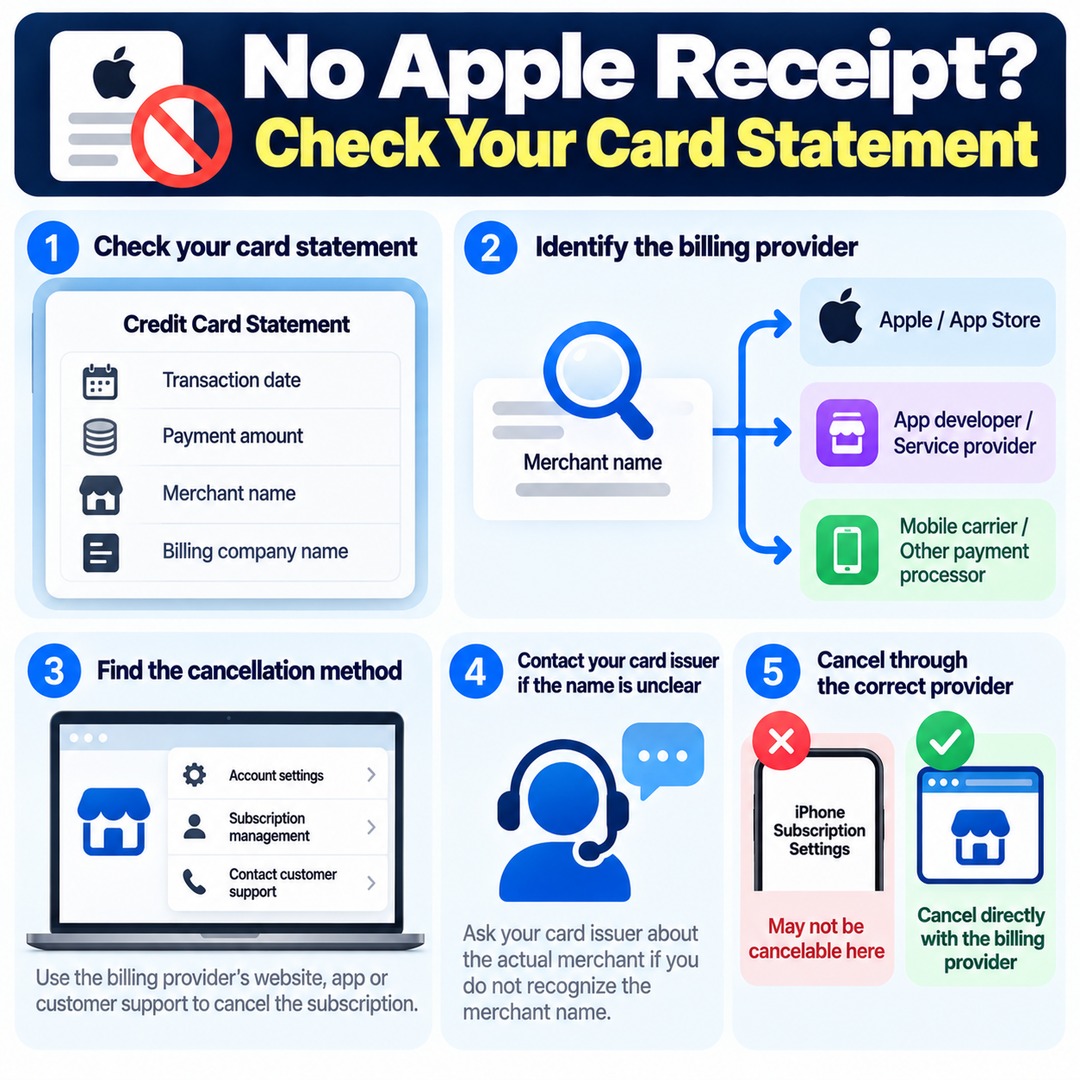
If you cannot find an Apple receipt, check your bank transaction history or credit card statement to identify the company actually charging you.
Using an app on an iPhone does not necessarily mean you paid through the App Store. Some app developers, service providers, and other payment processors charge subscription fees directly.
Cancellation methods by billing provider:
| Identified billing provider | Where to cancel automatic payments |
|---|---|
| Apple | Subscription management in the Apple Account used for payment |
| App developer or service operator | The provider's account or subscription management page, or customer support |
| Mobile carrier or another provider | Customer support for the relevant provider |
| Google Play | Subscription management in Google Play |
|---|
Start by checking the transaction date, payment amount, merchant name, or billing company name on your card statement.
Next, find the subscription management method offered by that company. If you do not recognize the merchant name, you can also contact your card issuer and ask for information about the actual merchant.
Once you identify the billing provider, you must request cancellation of automatic renewal through that provider. Subscriptions not billed by Apple may not be cancelable through the Apple subscription screen on your iPhone.
What Is the Most Reliable Way to Stop an Automatic Subscription Payment?
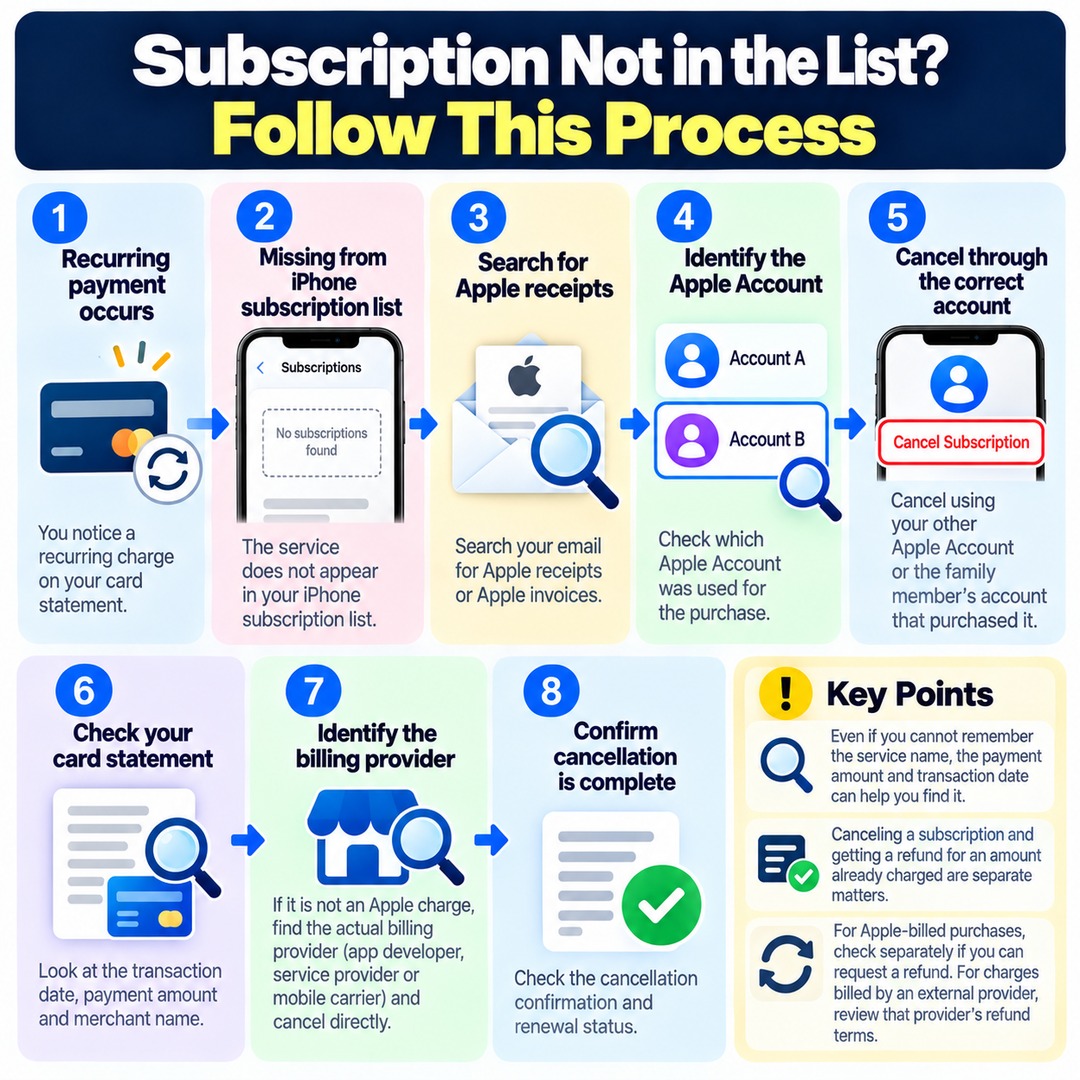
If your subscription list is empty, you can narrow down the responsible account or provider by following this process.
Recurring payment occurs
The service is missing from the iPhone subscription list
Search for Apple receipts
Receipt found
Identify the Apple Account
Cancel the subscription through your other Apple Account or the family member's account that purchased it
No receipt found
Check your credit card statement
Identify the actual billing provider and cancel directly
Confirm that cancellation is complete
Check the cancellation confirmation and renewal status
Even if you cannot remember the service's name, the payment amount and transaction date can provide useful clues.
Also, canceling a subscription and receiving a refund for an amount already charged are separate matters. For purchases billed by Apple, you can separately check whether the purchase is eligible for a refund request. For charges billed by an external provider, you need to review that provider's refund terms.
When Should You Cancel a Free Trial to Avoid Being Charged?
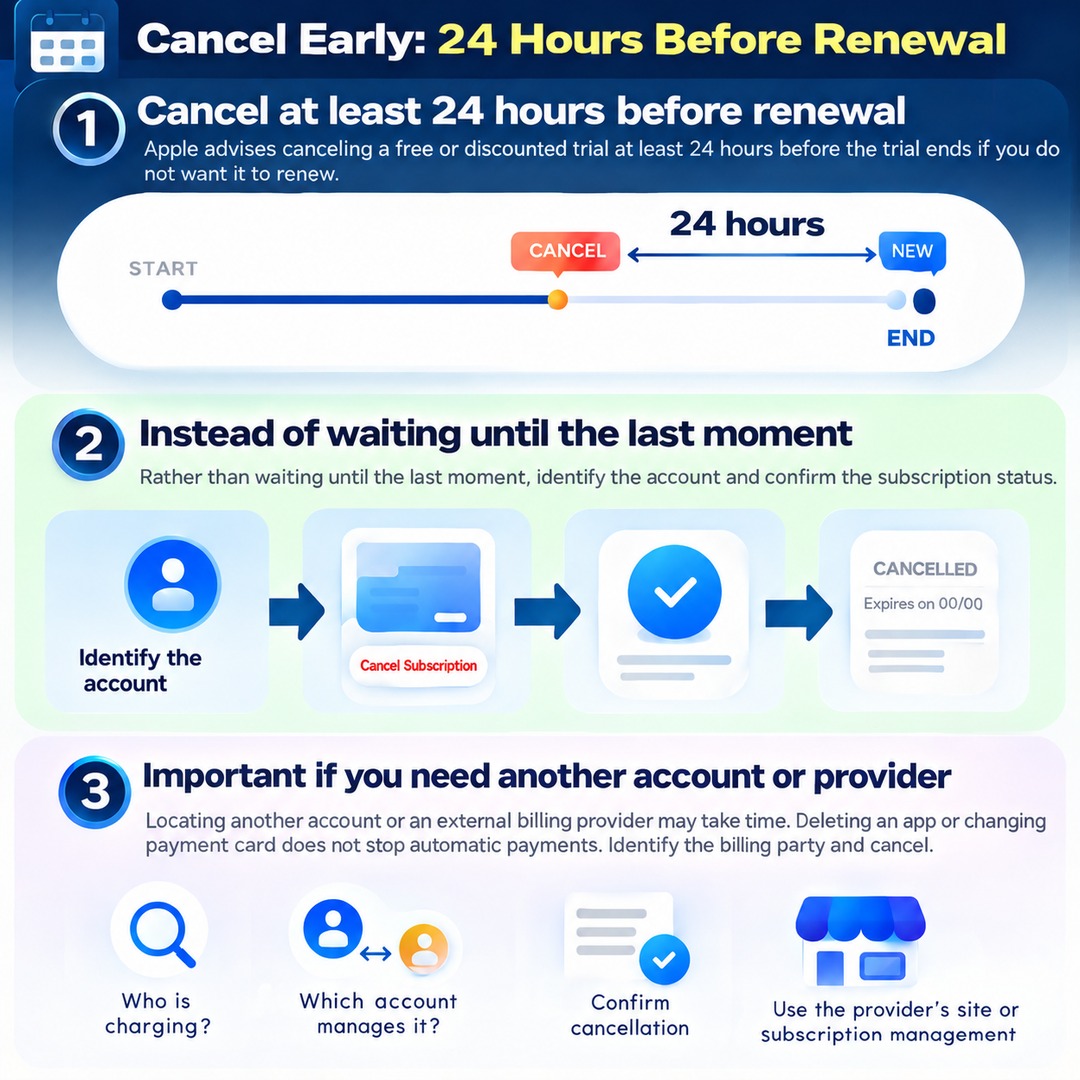
Apple advises canceling a free trial or discounted paid trial at least 24 hours before the trial period ends if you do not want it to renew.
Rather than waiting until the last moment simply because your trial period has not ended, it is safer to identify the account managing the subscription and confirm its cancellation status in advance.
This is especially important when you need to locate another Apple Account or an external billing provider, since finding the correct cancellation method may take time.
If you have already canceled the subscription, check whether the cancellation button has disappeared or an expiration notice is displayed. For subscriptions billed by providers other than Apple, confirm the cancellation status through the relevant provider.
Stopping automatic payments on an iPhone is not primarily about deleting an app or changing your payment card. The essential step is to identify who is charging you, determine which account manages the subscription, and then cancel the actual subscription.