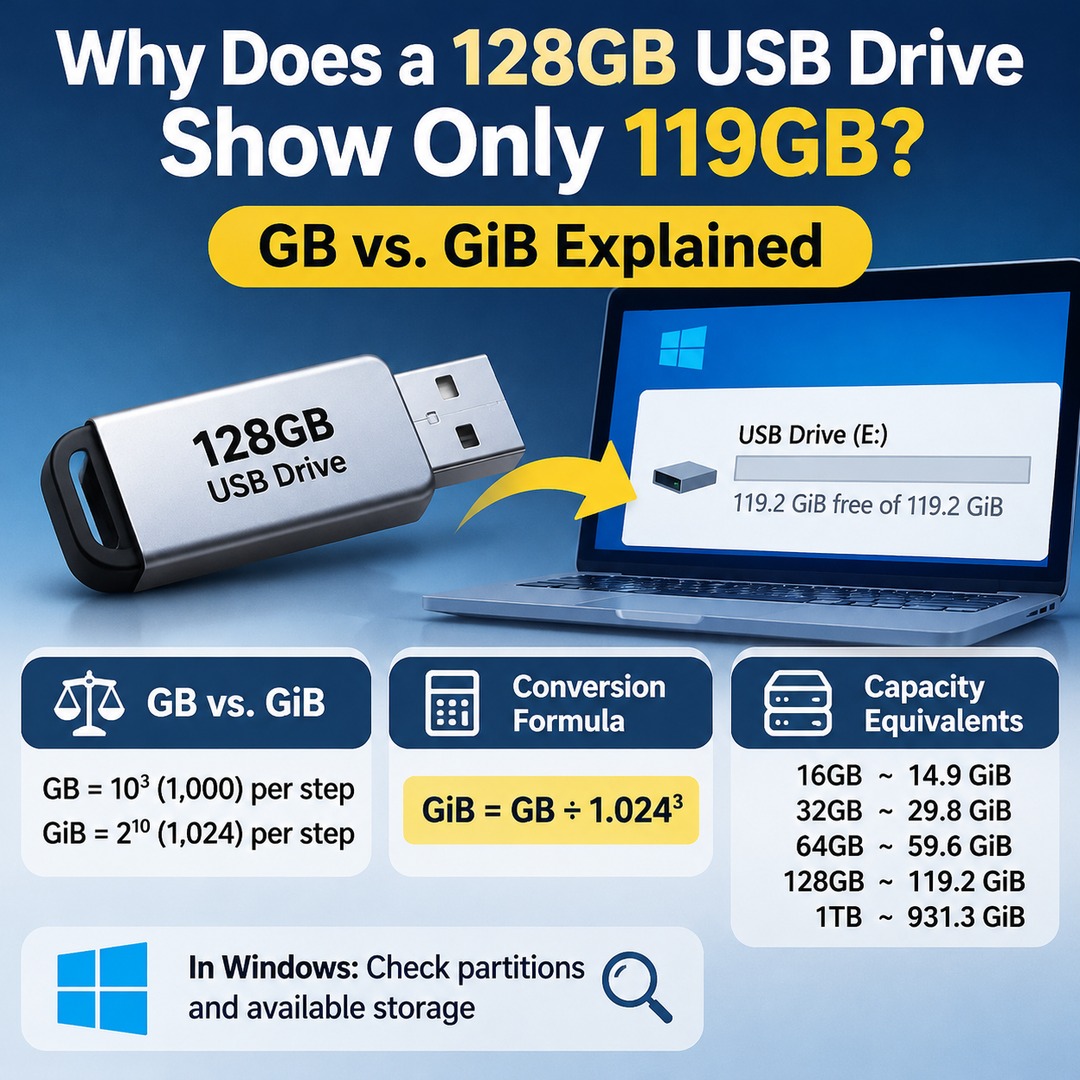
A 128GB USB flash drive may appear as approximately 119GB on Windows, and this is usually caused by a difference in measurement units. Manufacturers calculate 1GB as 1 billion bytes, while computer operating systems may display storage using the binary unit GiB, which equals 1,073,741,824 bytes. Because the same storage capacity is expressed using different standards, the displayed number looks smaller.
Even if a USB drive appears to have less capacity than advertised, there is no immediate reason to assume it is defective or that storage space has been lost. However, if the capacity is significantly lower than the unit conversion can explain, you should separately check the partition structure, file system, and the device itself.
What Exactly Is the Difference Between GB and GiB?
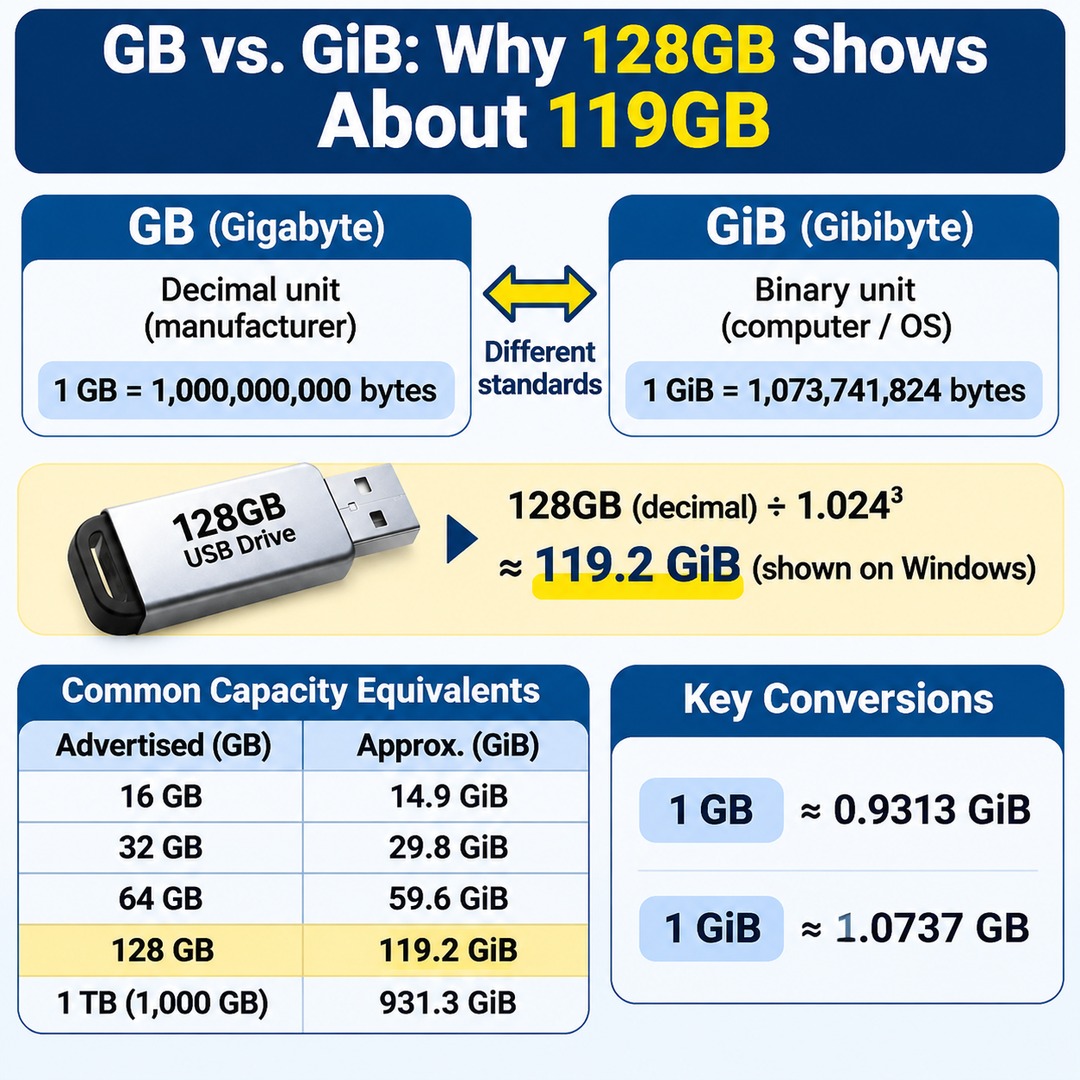
GB is a decimal unit, while GiB is a binary unit used to express storage capacity. Although their names look similar, each unit represents a different number of bytes.
| Unit | Calculation Standard | Actual Bytes |
|---|---|---|
| 1KB | 1,000 | 1,000B |
| 1KiB | 1,024 | 1,024B |
| 1MB | 1,000² | 1,000,000B |
| 1MiB | 1,024² | 1,048,576B |
| 1GB | 1,000³ | 1,000,000,000B |
| 1GiB | 1,024³ | 1,073,741,824B |
The important distinction is between GB and GiB.
GB: Gigabyte, equal to 1 billion bytes.
GiB: Gibibyte, equal to 1,073,741,824 bytes.
The IEC introduced separate names for binary multiples, including KiB, MiB, and GiB, to distinguish binary-based storage measurements from the existing decimal units such as GB.
Therefore, 1GB is approximately 0.9313GiB, while 1GiB is approximately 1.0737GB.
How Does a 128GB USB Drive Become 119.2GiB?
When the 128GB capacity advertised by the manufacturer is converted into the binary measurement used by computers, the result is approximately 119.2GiB.
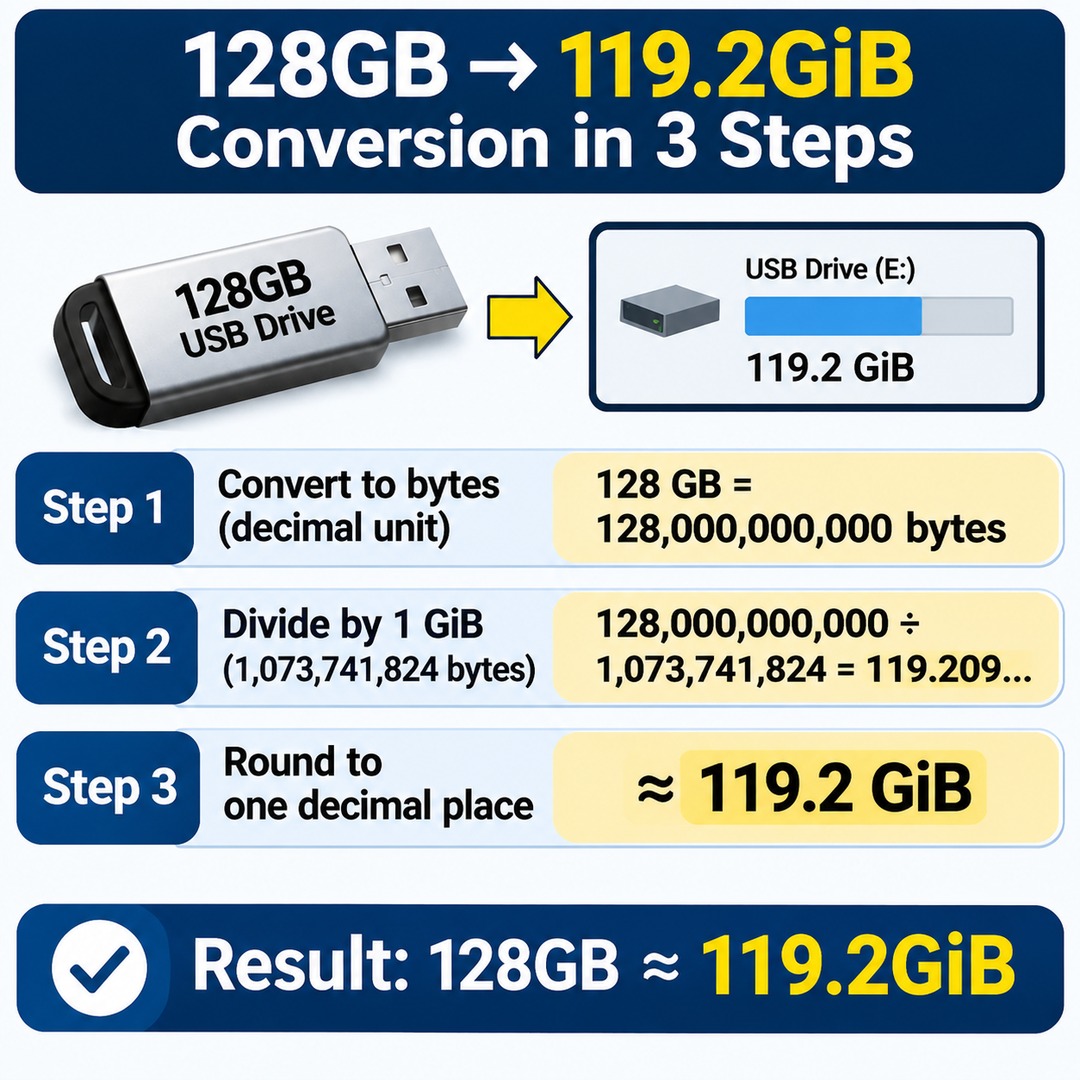
The calculation requires just three steps.
Step 1. Convert the manufacturer's advertised capacity into bytes.
128 × 1,000,000,000
= 128,000,000,000B
Step 2. Divide by the number of bytes in 1GiB.
128,000,000,000 ÷ 1,073,741,824
= 119.20928955...
Step 3. Round to one decimal place.
Approximately 119.2GiB
In other words, a 128GB USB drive has a converted capacity of approximately 119.2GiB.
Author's calculation · Theoretical value based on expressing 128GB in decimal units and converting it using 1GiB = 2³⁰ bytes.
What Are the Converted Capacities of Different USB Drives?
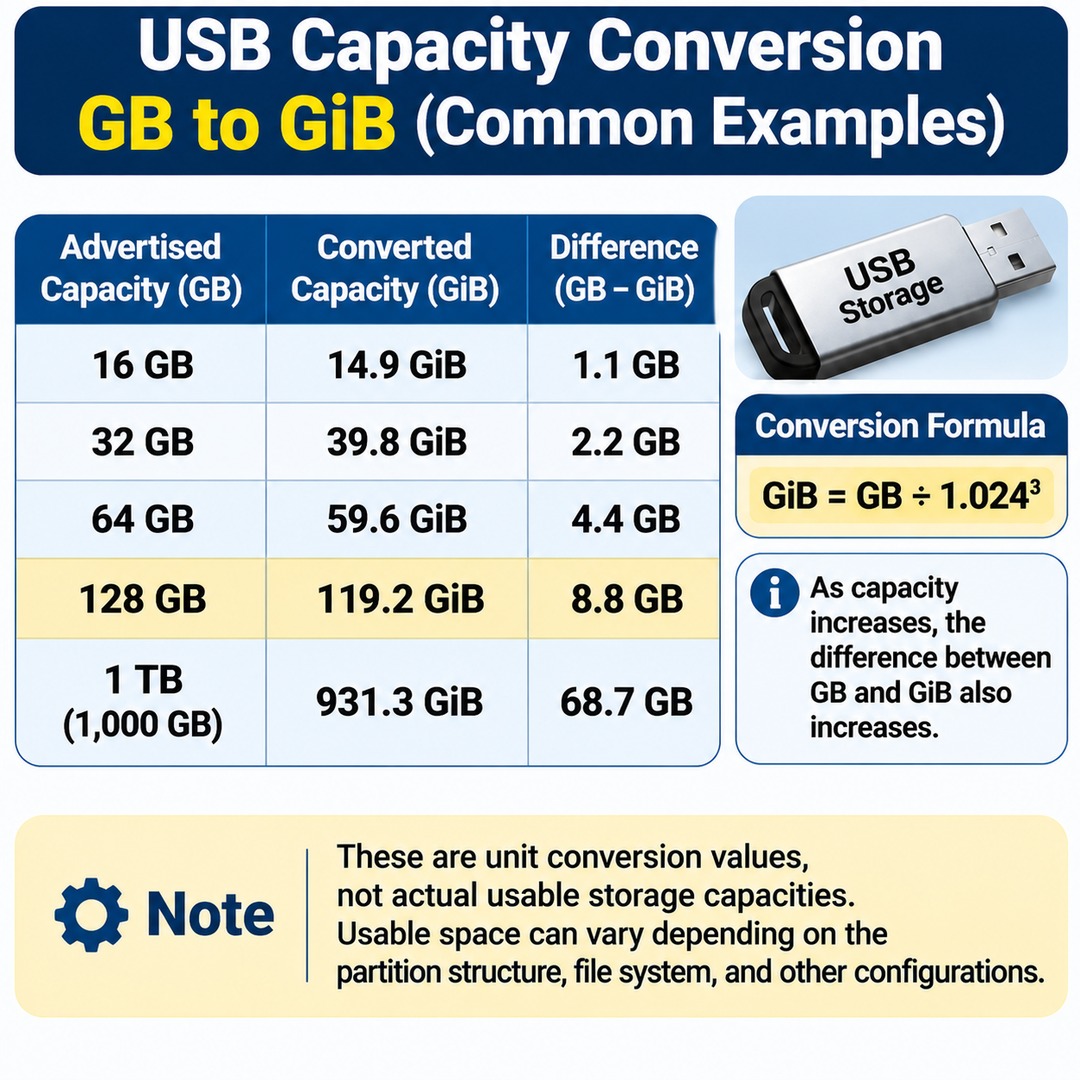
Applying the same formula to storage capacities commonly found when purchasing USB drives gives the following results.
| Advertised Capacity | Binary Conversion |
|---|---|
| 16GB | Approximately 14.9GiB |
| 32GB | Approximately 29.8GiB |
| 64GB | Approximately 59.6GiB |
| 128GB | Approximately 119.2GiB |
| 256GB | Approximately 238.4GiB |
| 512GB | Approximately 476.8GiB |
| 1TB | Approximately 931.3GiB |
Author's calculation · Rounded to one decimal place · These are unit conversion values, not actual usable storage capacities.
As storage capacity increases, the numerical difference between the two units also increases. The same calculation explains why a 1TB storage device appears as approximately 931.3GiB.
It is important to distinguish between the fact that 128GB converts to 119.2GiB and the assumption that exactly 119.2GiB will be available for storing files on the USB drive. The usable capacity can vary depending on the partition structure, file system, and other configurations.
What If Your USB Drive Shows Much Less Than 119GB?
You can distinguish a normal unit conversion from an actual storage capacity problem by comparing the total disk capacity with its partition configuration.
Windows 10 and Windows 11 include a built-in Disk Management utility that you can use for this purpose.
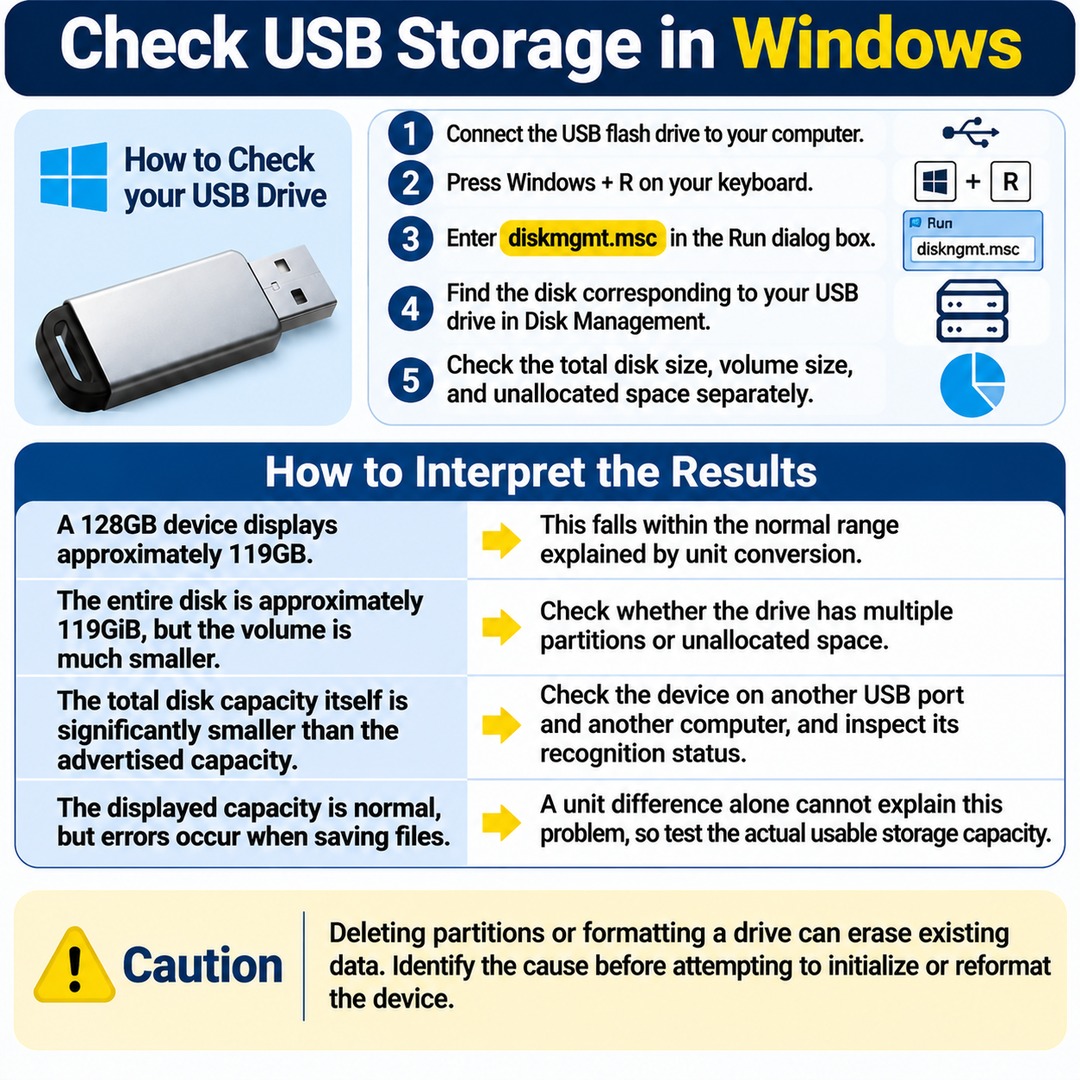
How to check your USB drive
1. Connect the USB flash drive to your computer.
2. Press `Windows + R` on your keyboard.
3. Enter `diskmgmt.msc` in the Run dialog box.
4. Find the disk corresponding to your USB drive in Disk Management.
5. Check the total disk size, volume size, and unallocated space separately.
The important point is to check the capacity of the entire physical USB disk rather than looking only at the capacity displayed for its drive letter.
You can interpret the results as follows.
A 128GB device displays approximately 119GB: This falls within the normal range explained by unit conversion.
The entire disk is approximately 119GiB, but the volume is much smaller: Check whether the drive has multiple partitions or unallocated space.
The total disk capacity itself is significantly smaller than the advertised capacity: Check the device on another USB port and another computer, and inspect its recognition status.
The displayed capacity is normal, but errors occur when saving files: A unit difference alone cannot explain this problem, so you should separately test the actual usable storage capacity.
Be especially careful when using Disk Management. Deleting partitions or formatting a drive can erase existing data. It is better to identify the cause before attempting to initialize or reformat the device.
How Can You Avoid Confusing GB and GiB?
When purchasing a USB flash drive or calculating storage capacity, compare the manufacturer's advertised capacity and the operating system's converted capacity using the same measurement standard.
For practical purposes, remember these three points.
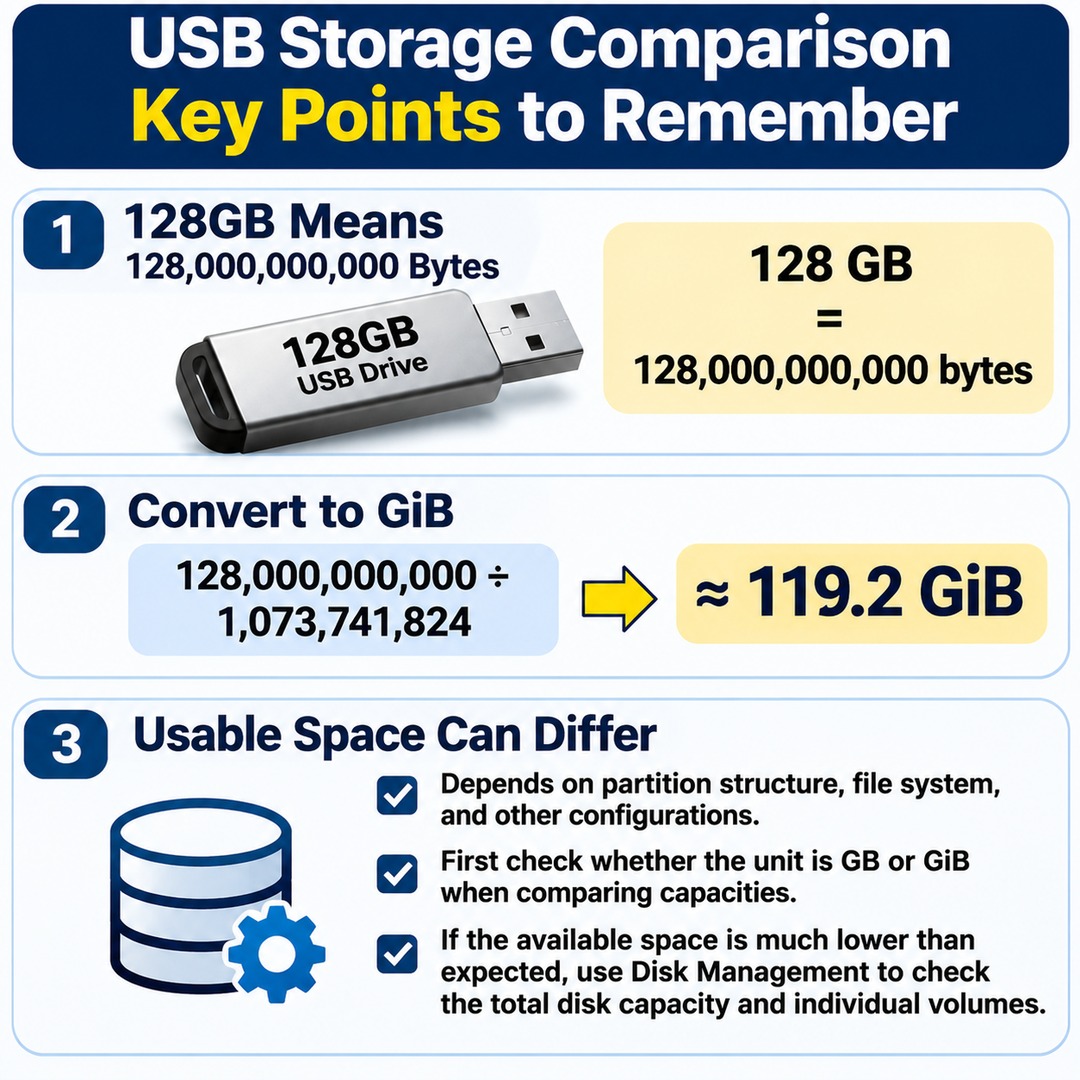
A 128GB label on a product represents 128,000,000,000 bytes.
Converted into GiB, this equals approximately 119.2GiB.
The actual space available for storing files on a USB drive depends on its partition structure, file system, and other configurations.
When comparing storage capacities, first check whether the unit is GB or GiB. If the available space is significantly lower than expected, use Disk Management to examine the total disk capacity and individual volumes separately.