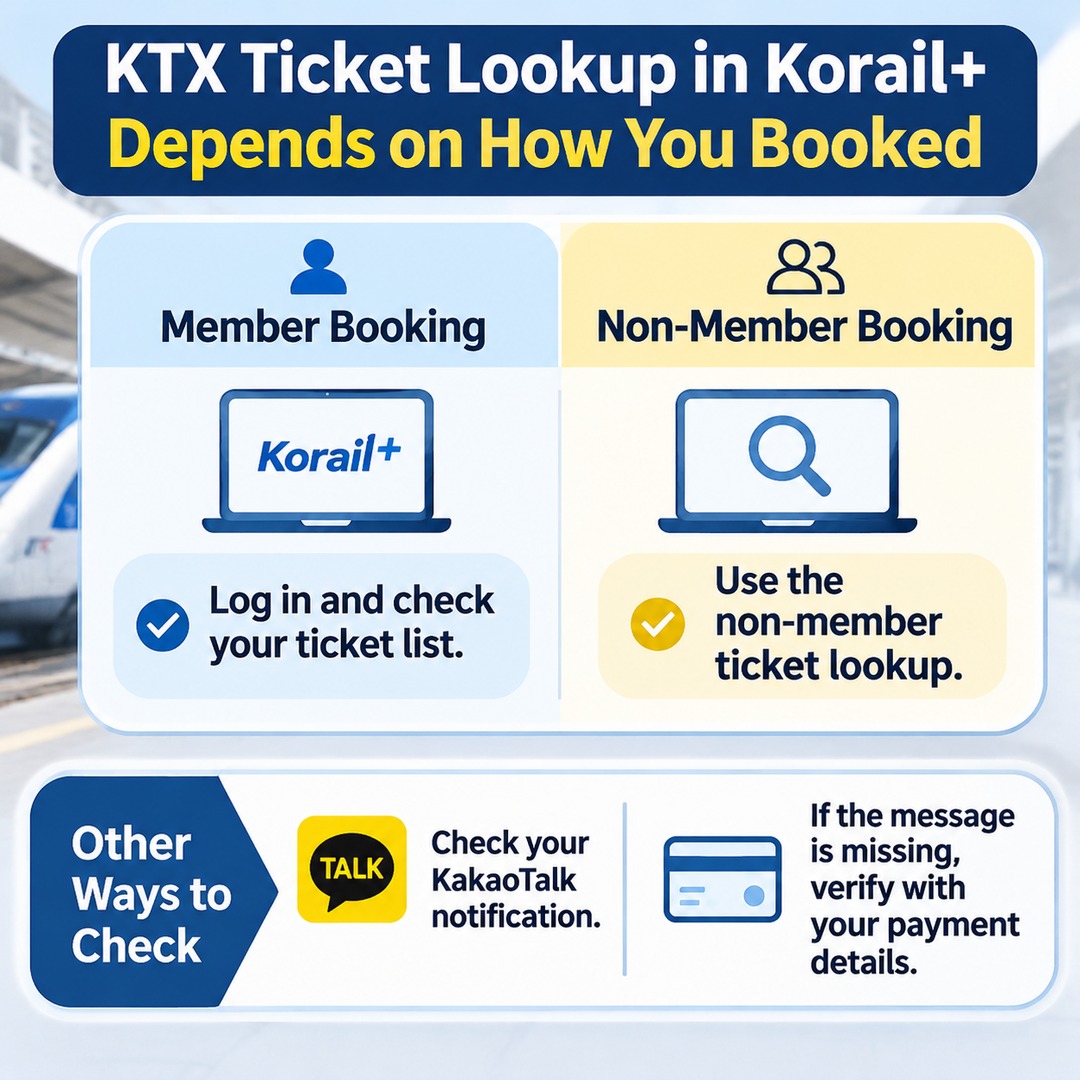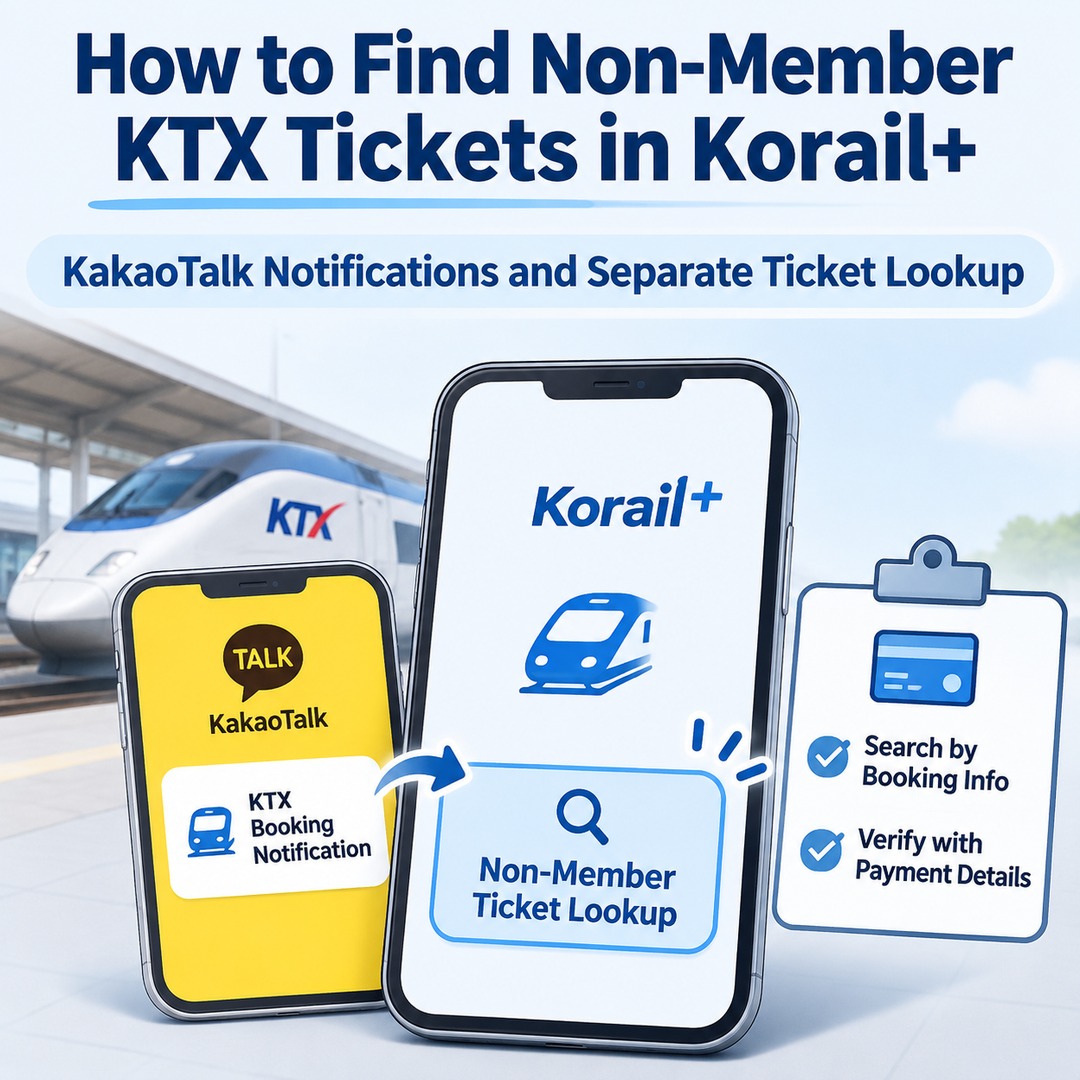
If you are logged in to Korail+ as a member but cannot see a KTX ticket purchased as a non-member, you need to use the non-member ticket lookup option rather than your member booking history. Tickets purchased without a member account may not appear in the list associated with your logged-in account. First, check the KakaoTalk notification you received when purchasing the ticket. If you cannot find the message, log out and use the non-member login option to retrieve your booking.
A ticket's absence from your booking list does not necessarily mean that the reservation was canceled or the payment failed. First, determine how the ticket was purchased.
Why Doesn't My Ticket Appear After Logging In as a Member?
Korail+ provides different lookup methods for tickets booked through a member account and those purchased as a non-member.
Logging in to a member account does not automatically add tickets previously purchased as a non-member to the member's booking history. In particular, if you used the non-member, unregistered-customer, or quick-booking option, you may need to complete a separate identity verification process.
Even after the integrated high-speed rail operation began on September 1, 2026, ticket lookup methods continued to depend on how the ticket was purchased.
If you purchased the ticket as a member, log in and check your ticket list.
If you purchased it as a non-member, use non-member login to retrieve it.
If you received a booking notification, use the ticket-viewing feature in the message.
The important factor is not which account you are currently logged into, but which booking method you used when making the payment.
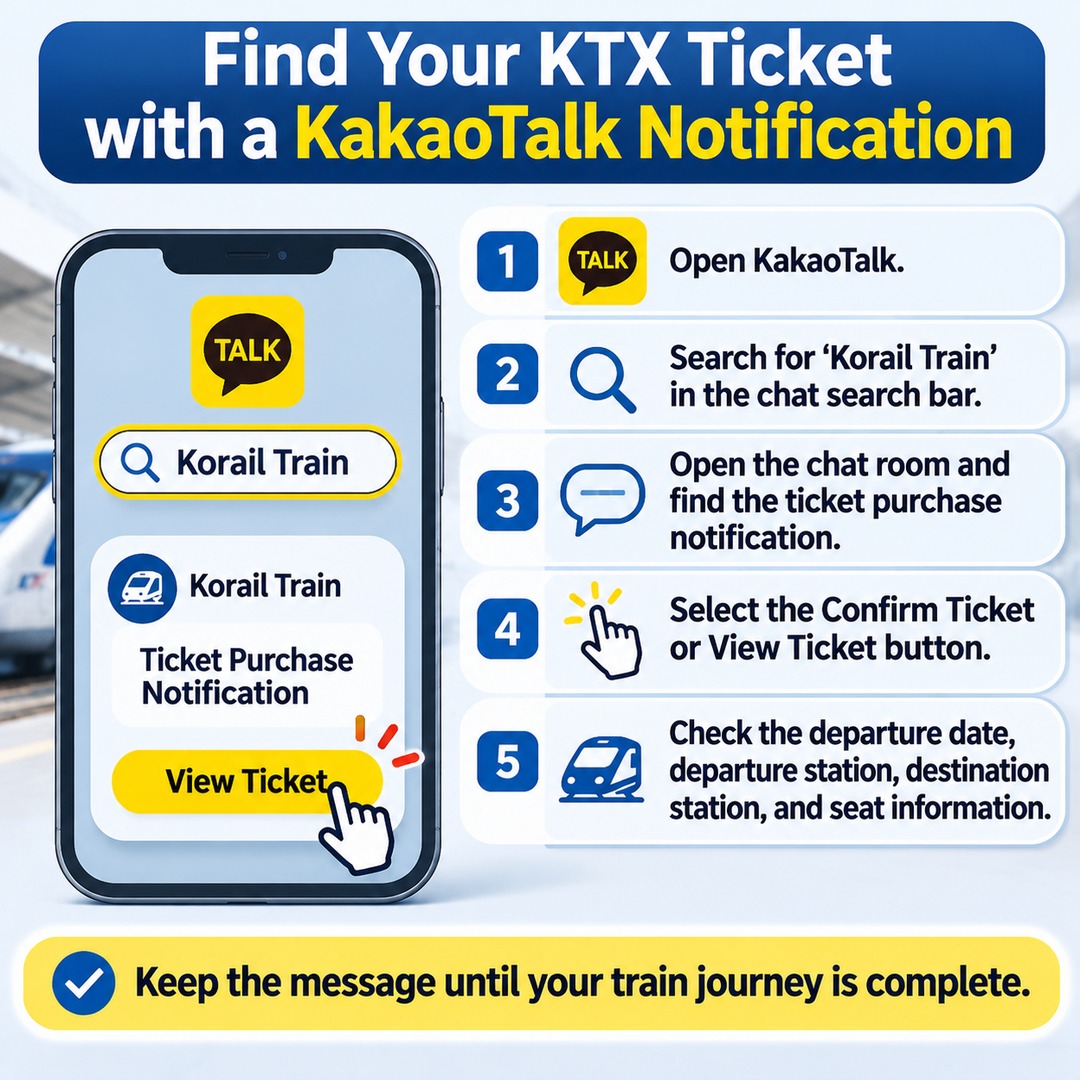
How to Find Your Ticket in KakaoTalk
If you received a booking notification, look for the chat room named 'Korail Train' in KakaoTalk.
Select the ticket confirmation or View Ticket option in the message to access your purchased ticket.
1. Open KakaoTalk.
2. Search for 'Korail Train' in the chat search bar.
3. Open the chat room and find the ticket purchase notification.
4. Select the Confirm Ticket or View Ticket button in the message.
5. Check the train's departure date, departure station, destination station, and seat information.
Do not treat the notification as merely a payment confirmation message. It is also a way to access your ticket, so it is advisable to keep the message until your train journey is complete.
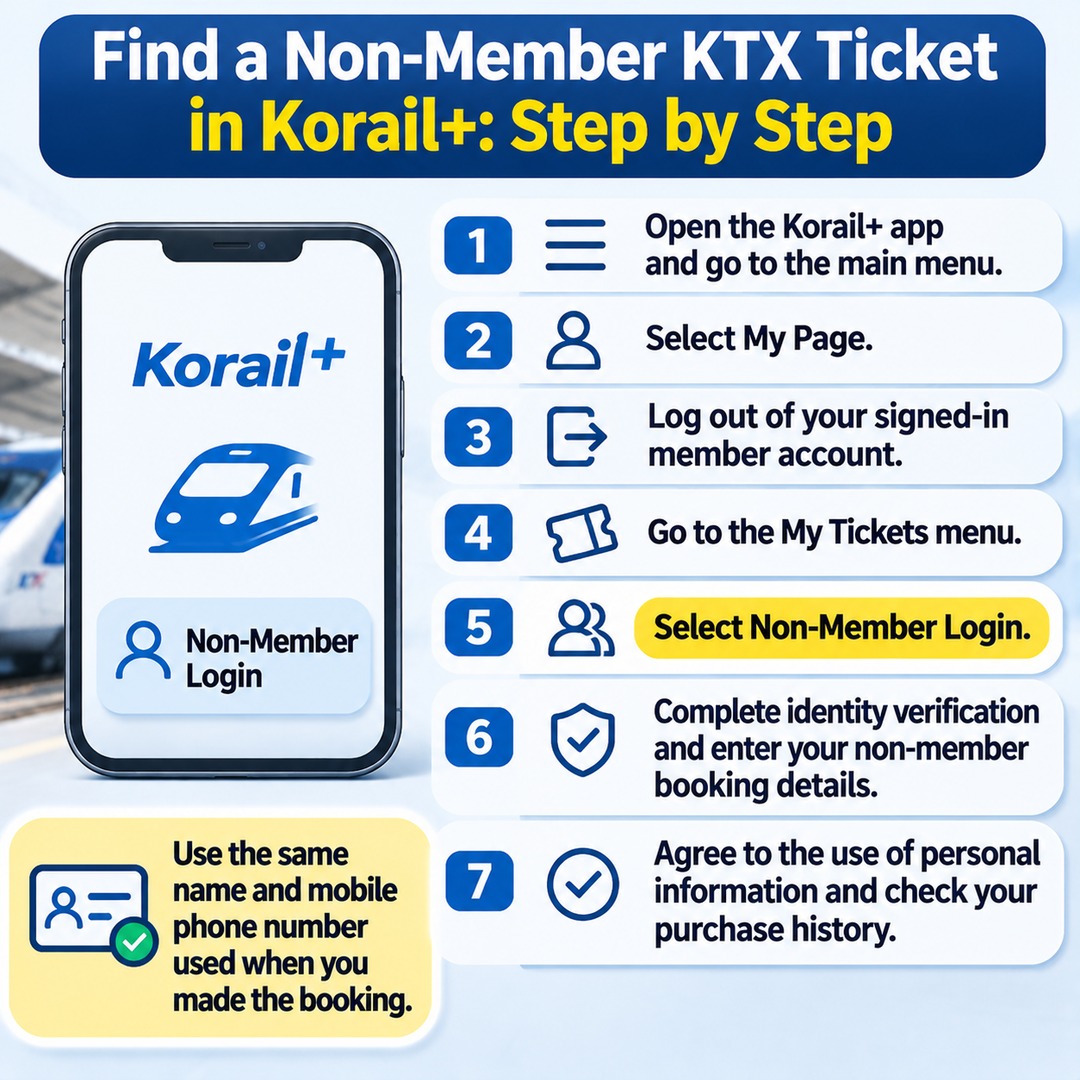
How to Look Up a Non-Member Ticket Directly in Korail+
If you cannot find the notification, log out of Korail+ and then use non-member login. The non-member lookup option may be difficult to find while you are logged in to a member account, so follow these steps:
1. Open the Korail+ app and go to the main menu.
2. Select My Page.
3. Log out of your currently signed-in member account.
4. Go to the My Tickets menu.
5. Select Non-Member Login.
6. Complete identity verification and enter your non-member booking details.
7. Agree to the use of personal information and check your purchase history.
When entering your non-member booking details, make sure to provide the exact name and mobile phone number used at the time of purchase. Entering someone else's information or details associated with a member account may cause the lookup to fail. Always use the information of the person who actually made the reservation.
What If There Is No KakaoTalk Notification and Non-Member Lookup Also Fails?
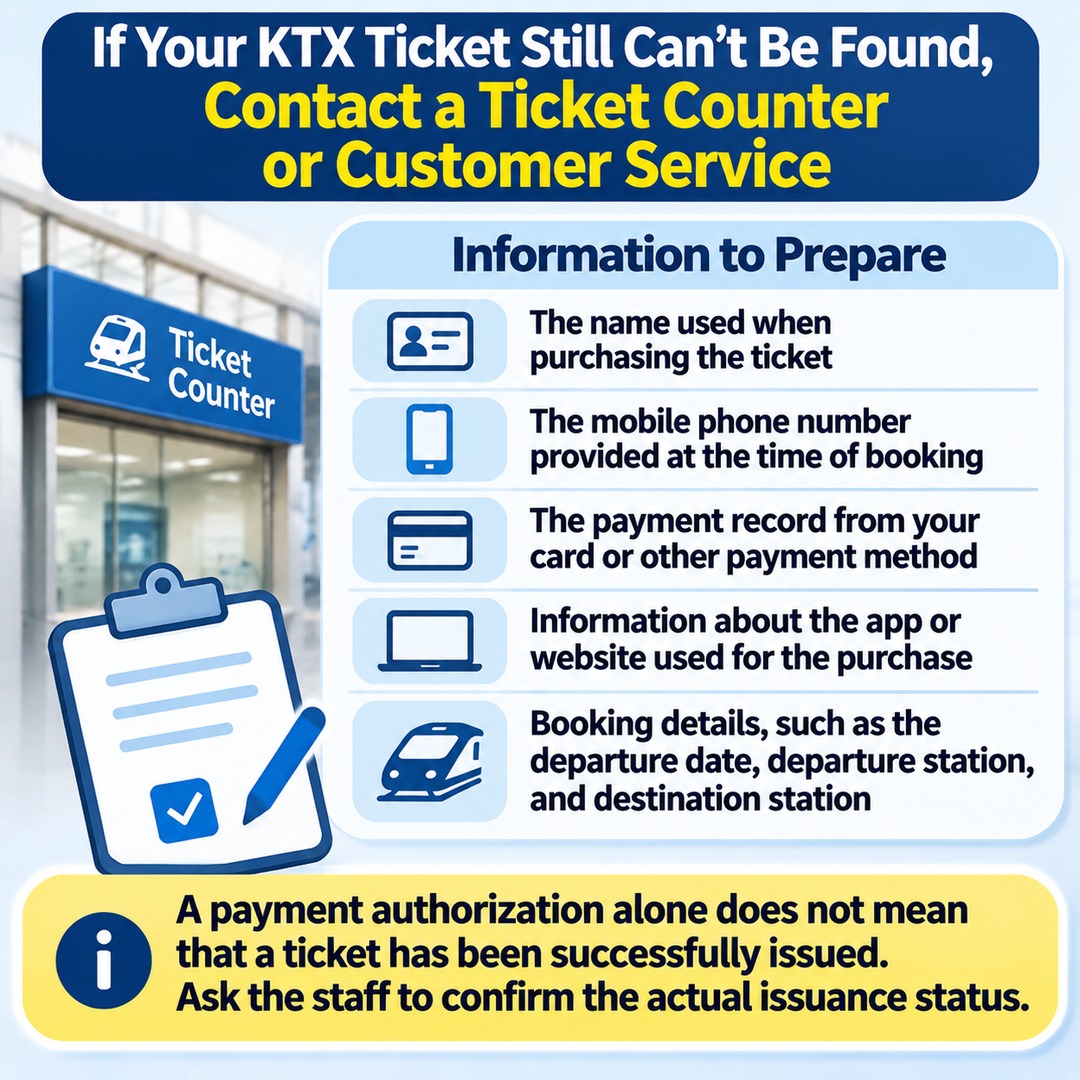
Start by checking the information you entered. If you still cannot retrieve the booking, contact a station ticket counter or customer service.
The following information may help staff locate your reservation:
The name used when purchasing the ticket
The mobile phone number provided at the time of booking
The payment record from your card or other payment method
Information about the app or website used for the purchase
Booking details, such as the departure date, departure station, and destination station
SR's non-member ticket guidance also advises customers who cannot retrieve a ticket because they entered incorrect booking information to contact customer service or a station ticket counter. Payment details and information about the app used to make the reservation may be required.
It is important to distinguish a payment record from the actual issuance of a ticket. A payment authorization alone does not establish that a ticket has been successfully issued. If you still cannot retrieve the ticket, ask the relevant staff to confirm its actual issuance status.
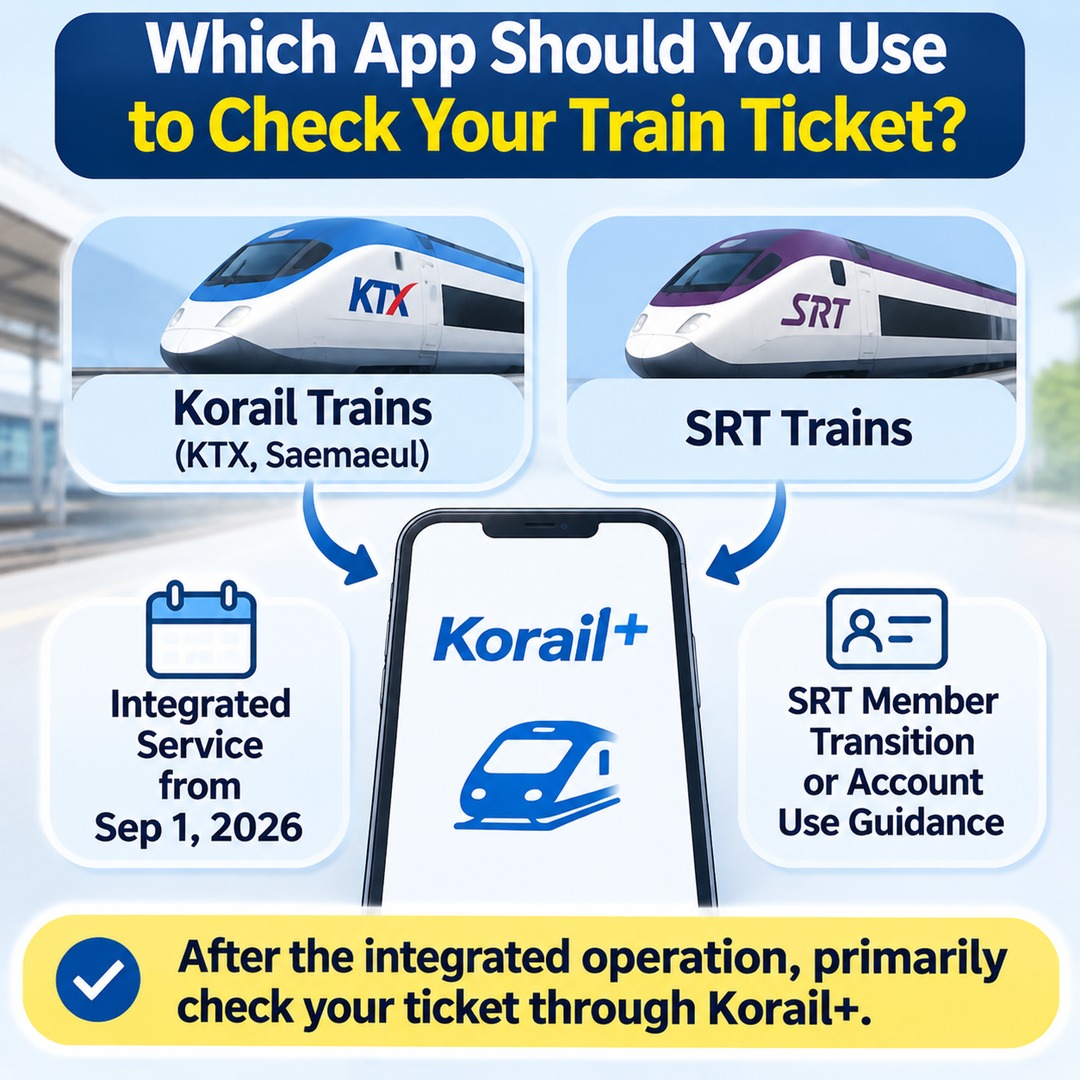
Does the Ticket Lookup App Depend on Which Train You Booked?
Yes. The app you need may differ depending on the train service and booking method.
| Ticket purchased | Where to check |
|---|---|
| KTX, Saemaeul, and other trains operated by Korail | Korail+ |
| SRT trains | SRT app |
| Korail+ member booking | My Tickets after member login |
| Korail+ non-member booking | Non-member login after logging out |
In particular, tickets for trains operating under the integrated service arrangement introduced on September 1, 2026, should primarily be checked through Korail+. SR's integrated-operation Q&A also distinguishes the lookup methods for SRT trains and Korail-operated trains, including KTX and Saemaeul services.
You can also check the available guidance if you want to know how existing SRT members can transition to an integrated membership or continue using their accounts.
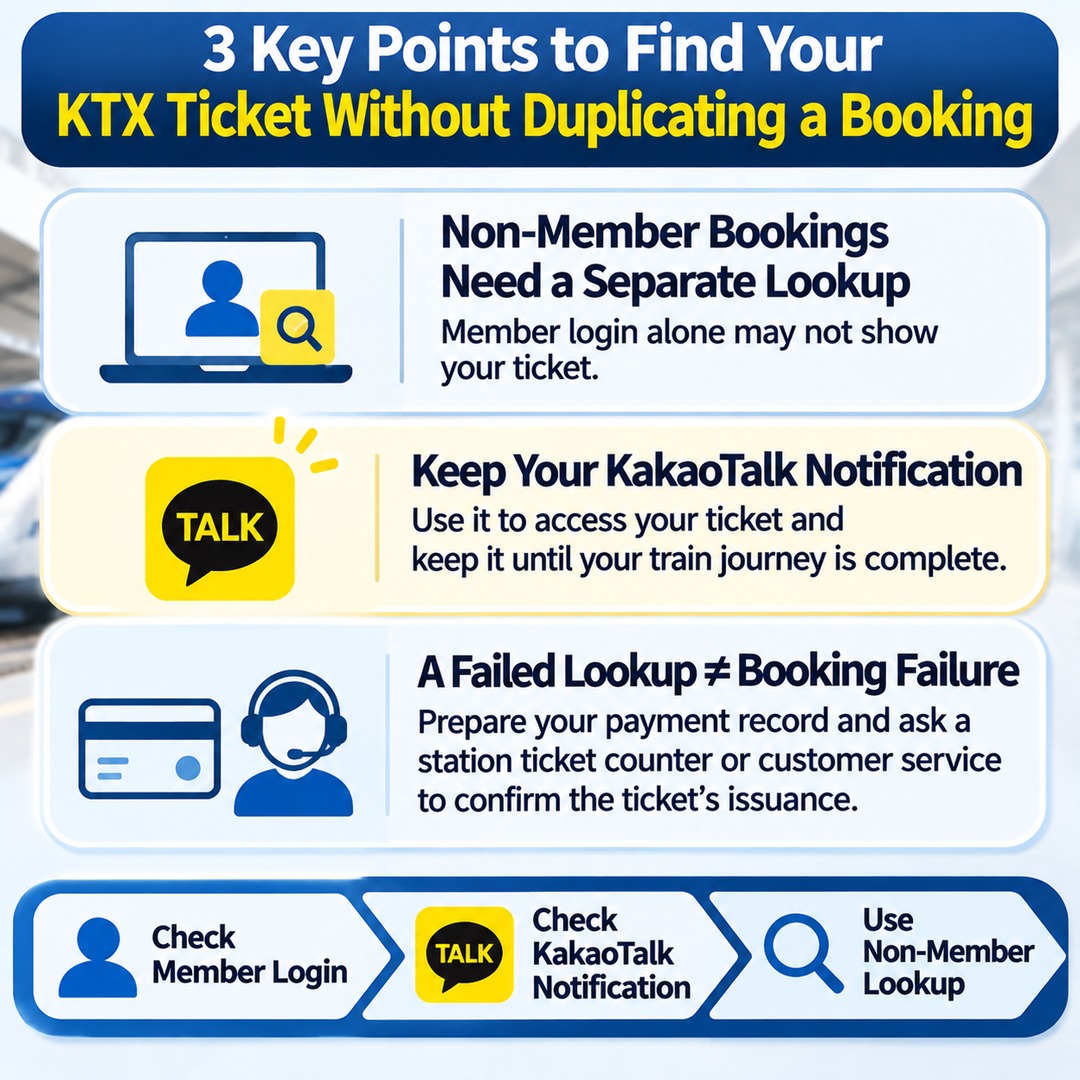
Three Things to Know Before Looking Up Your Ticket
Member login may not be enough. Non-member bookings require a separate lookup process.
Keep your KakaoTalk notification. It can be used to access your ticket and should be retained until your train journey is complete.
A failed lookup does not necessarily mean the booking failed. Prepare your payment record and ask a station ticket counter or customer service to confirm whether the ticket was issued.
When trying to find a non-member ticket, the first step should be to check your existing purchase record, not to make another payment. By checking your member login, KakaoTalk notification, and non-member lookup separately and in order, you can avoid unnecessarily repeating a booking.