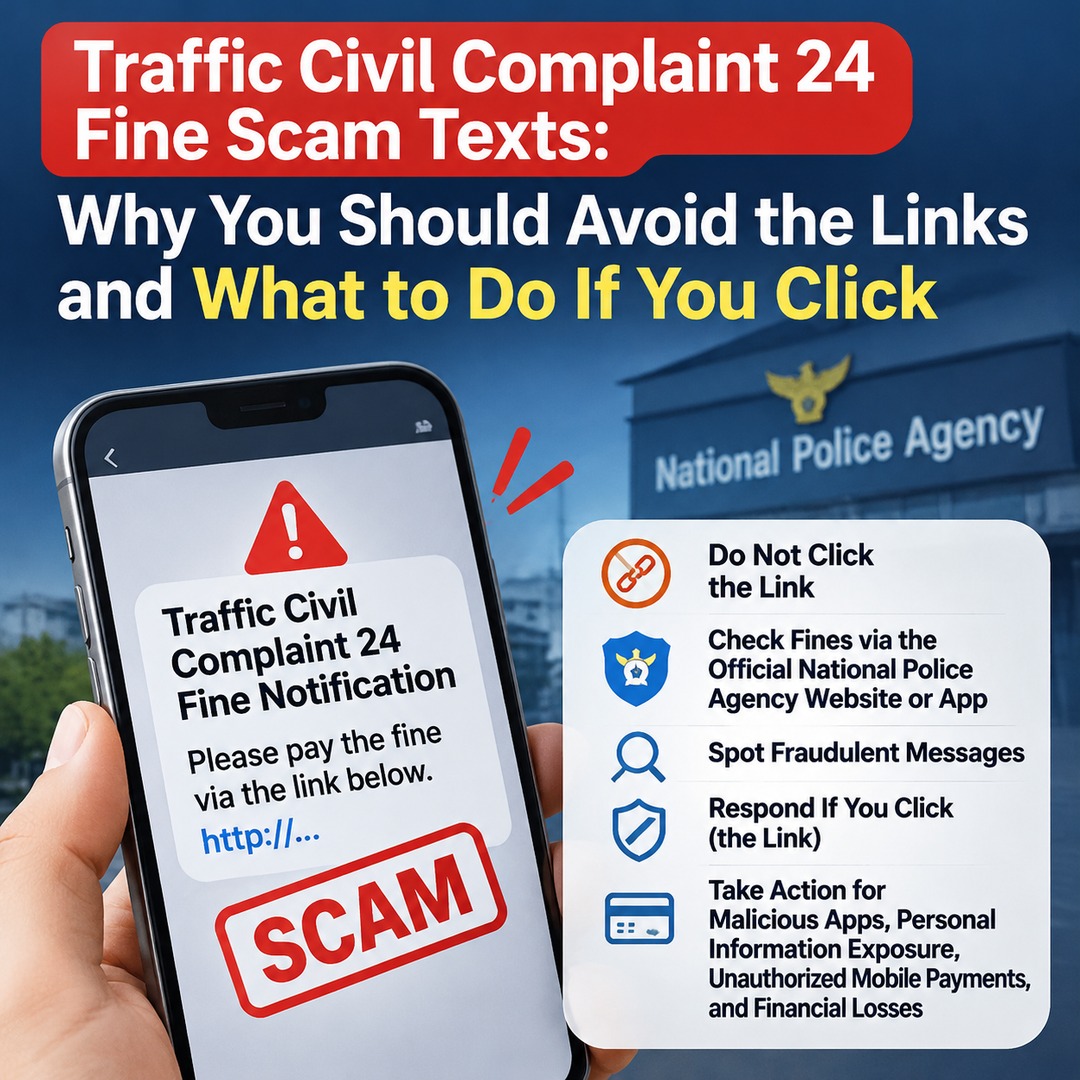
If you receive a text message about a traffic fine from Traffic Civil Complaint 24 (Korea's National Police Agency traffic services), do not click the URL in the message. Check whether the fine is genuine by accessing the official Traffic Civil Complaint 24 website or app directly. Even if you have already clicked the link, the appropriate response depends on whether you installed an app or entered personal information.
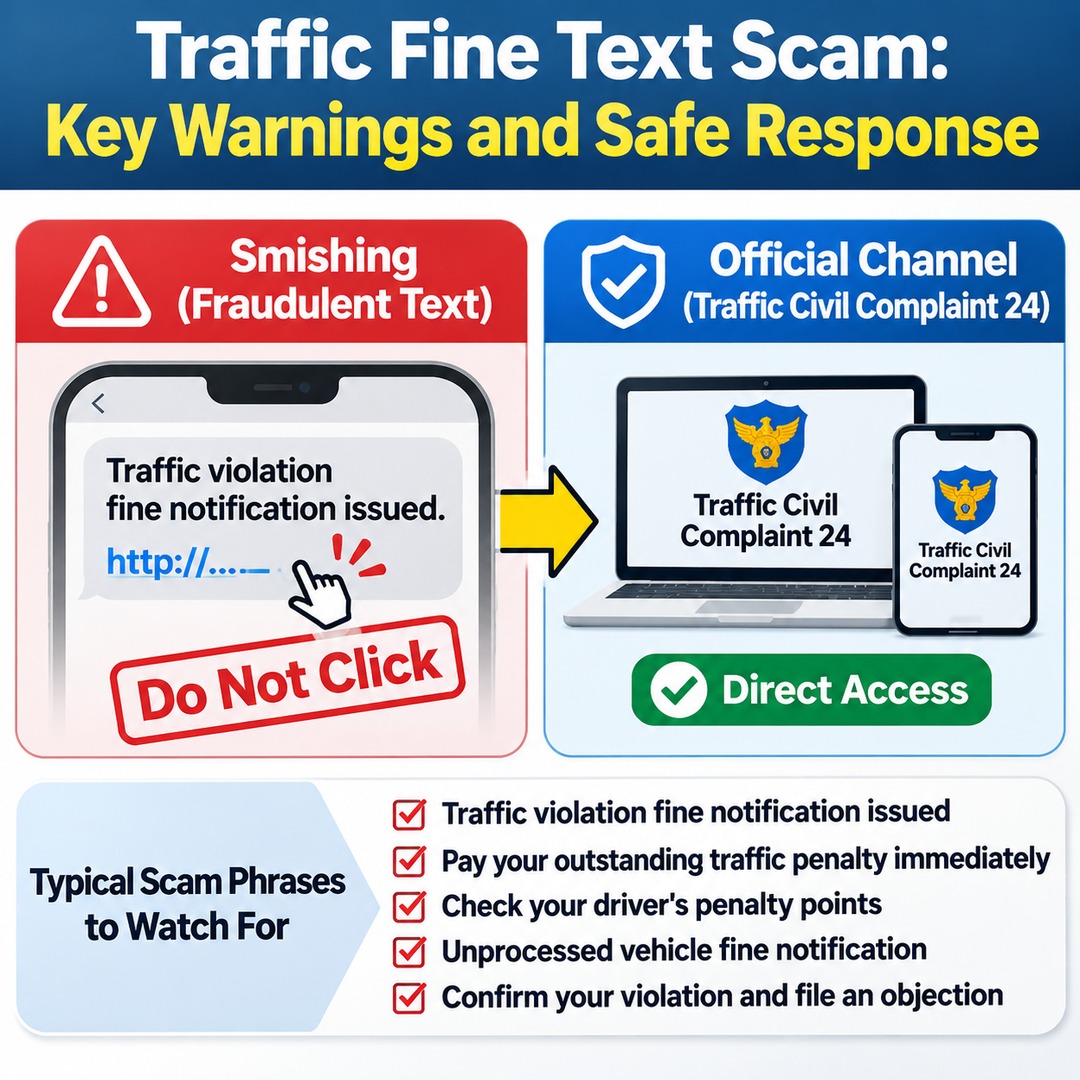
Fraudulent traffic fine messages may display names such as the National Police Agency, Traffic Civil Complaint 24, or traffic police. They may even include your vehicle registration number or details of an alleged violation, making them look like genuine notices. However, these details alone cannot establish whether a notice is official.
Be particularly cautious of recurring text-message scams that impersonate traffic fine or penalty notifications to trick recipients into entering personal information or installing malicious apps.
How Can You Tell Whether a Traffic Fine Text from Traffic Civil Complaint 24 Is Genuine?
The safest approach is to ignore the link in the message and access Traffic Civil Complaint 24 directly to check your outstanding fines and recent traffic enforcement records.
Understanding the difference between official traffic violation notification channels used by the Korean National Police Agency and typical smishing messages makes it much easier to identify suspicious communications.
| Type | What to check |
|---|---|
| Paper notice | Sent by post from a police station |
| National Notification Service mobile notice | Available when the recipient has previously consented to receive notifications |
| Shopmail | A notice delivered through an accredited electronic address |
| Unverified URL in a text message | Do not click; verify separately |
On November 2, 2026, the Korean National Police Agency announced that text-message scams impersonating Traffic Civil Complaint 24 were circulating nationwide.
Even if a message uses a name similar to an official notification channel or displays the National Police Agency logo, that does not mean the message itself is genuine.
Pay particular attention to phrases such as these:
Traffic violation fine notification issued
Pay your outstanding traffic penalty immediately
Check your driver's penalty points
Unprocessed vehicle fine notification
Confirm your violation and file an objection
These phrases may make a message look like an official administrative notice, but its authenticity cannot be established from the wording alone.
Do Official Mobile Electronic Traffic Fine Notices Also Arrive Through Text Message Links?
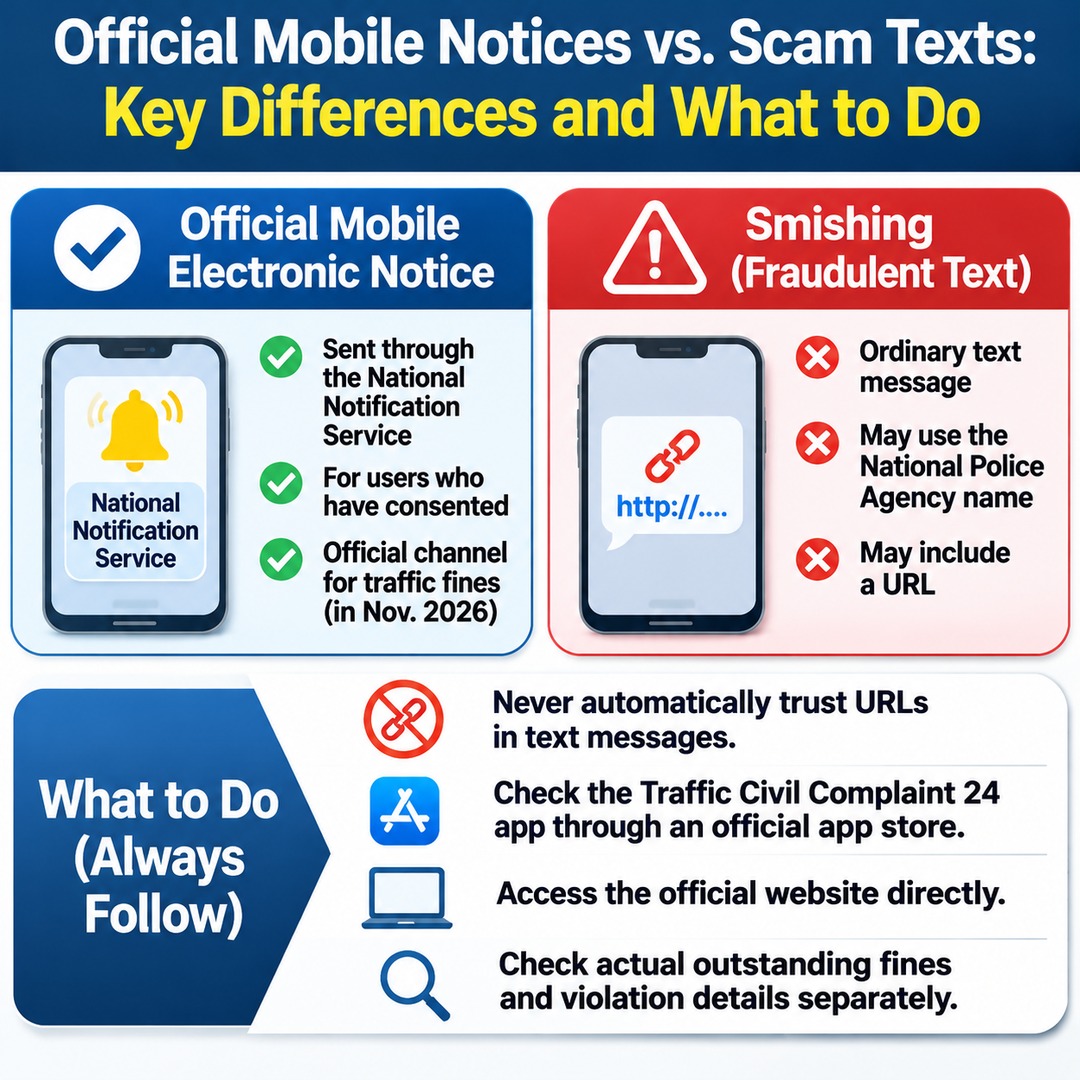
It is important to distinguish the official mobile electronic notification system from text messages containing URLs from unknown sources.
An announcement published by Traffic Civil Complaint 24 on November 2, 2026, stated that mobile electronic notifications for traffic fines were scheduled to be introduced in November 2026.
However, an announcement that the system is scheduled for implementation does not mean that every text-based traffic fine notification is an official electronic notice.
In particular, National Notification Service mobile notices apply when recipients have previously consented to receive them. They should not be confused with ordinary text messages that simply display the National Police Agency's name or contain an internet address.
Even when using mobile electronic notifications in the future, the following principles remain important:
Never automatically trust URLs included in text messages.
Check the Traffic Civil Complaint 24 app through an official app store.
Access the official website directly.
Check actual outstanding fines and violation details separately.
Where Can You Check Traffic Civil Complaint 24 Fines Directly?
You can verify whether a traffic fine is genuine without opening the address provided in a text message.
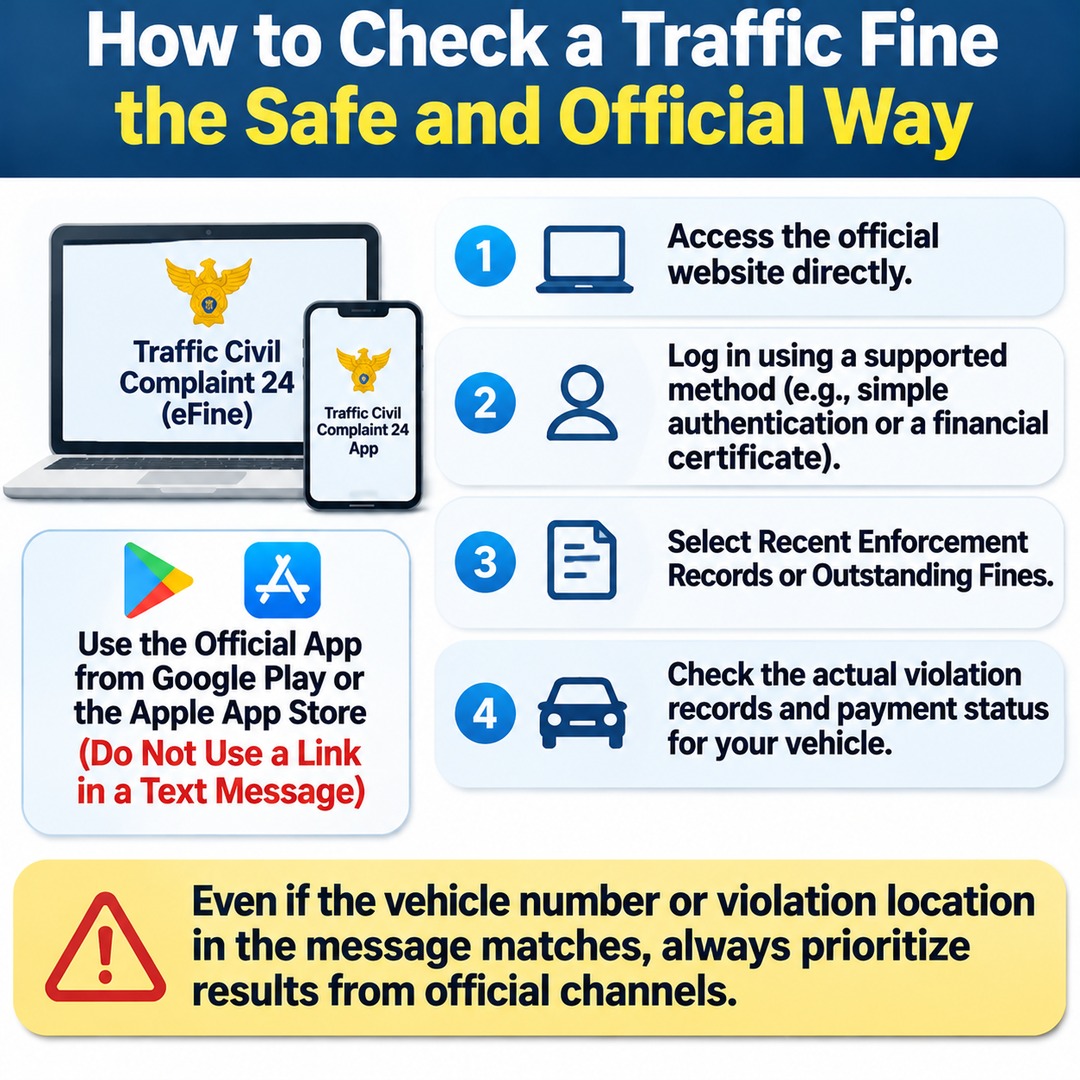
Korean National Police Agency Traffic Civil Complaint 24 (eFine)
Traffic violation and fine lookup
How to check:
1. Access the official website directly.
2. Log in using a supported method, such as simple authentication or a financial certificate.
3. Select Recent Enforcement Records or Outstanding Fines.
4. Check the actual violation records and payment status associated with your vehicle.
When using the official app, do not use an installation address provided in a text message. For greater safety, search for the app directly in Google Play or the Apple App Store.
Even if the vehicle registration number or alleged violation location in the message matches your actual information, always give priority to the results obtained through official channels.
What Should You Do If You Have Already Clicked a Traffic Fine Text Message Link?
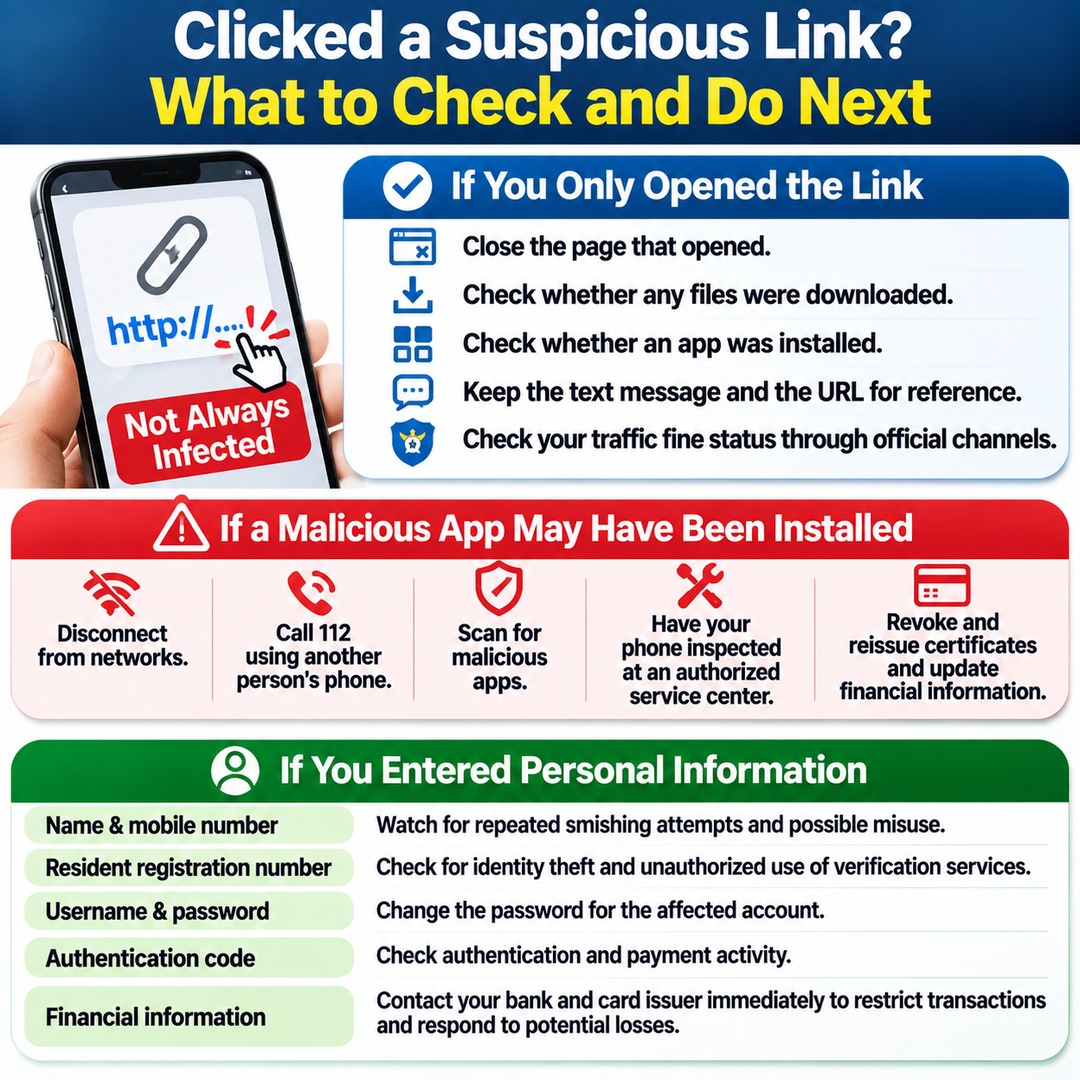
Clicking a link does not automatically mean that your phone has been infected with malware. What matters is what you did after opening the link.
The Korea Internet & Security Agency explains that simply clicking a URL does not necessarily infect a device with a malicious app. However, if you installed an app from the linked website, additional checks and protective measures are necessary.
1. If You Only Clicked the Link and Did Not Install Anything
If you merely opened the web address without installing an app or entering personal information, stop interacting with the page and take the following steps:
Close the page that opened.
Check whether any files were downloaded.
Check whether an app was installed.
Keep the text message and the URL for reference.
Check your traffic fine status through official channels.
If you only opened the link, you do not need to immediately reset your phone to factory settings. However, you should check whether any files were downloaded or whether an installation process was started.
2. If You Installed an App
<badge color="danger">Urgent security check required</badge>
If a malicious app may have been installed, simply deleting an ordinary app may not be sufficient.
1. Disconnect your phone from network connections.
2. Use another person's phone to contact 112, South Korea's emergency police number, and follow the instructions provided.
3. Scan your device for malicious apps using mobile security software.
4. Have your phone inspected at a nearby authorized mobile service center.
5. Arrange to revoke and reissue certificates and replace financial information used for financial services, as necessary.
Malicious apps may collect contacts, text messages, and device identification information. They may also misuse the victim's phone to send additional fraudulent messages.
Therefore, if you find a suspicious app, do not assume that everything is safe simply because you have not noticed any financial loss. Avoid continuing to use the device without appropriate checks.
3. If You Entered Your Name, Phone Number, Resident Registration Number, or Other Personal Information
If you entered personal information, additional steps may be necessary depending on the type of information disclosed.
Name and mobile phone number: Watch for repeated smishing attempts and possible misuse of your phone number.
Resident registration number: Check for identity theft and unauthorized use of identity verification services. A resident registration number is South Korea's personal identification number.
Username and password: Change the password for the affected account.
Authentication code: Check authentication and payment activity associated with the relevant service.
Financial information: Contact your bank and card issuer immediately to ask about restricting transactions and responding to potential losses.
If you entered or shared an authentication code, you should respond more urgently than you would to an ordinary personal information disclosure.
If you used a financial app or internet banking on a phone where a malicious app may have been installed, you should also consider the possibility that your authentication certificates and financial transaction information have been exposed.
What If You Have Suffered Unauthorized Mobile Payment or Financial Losses?
Check your mobile phone billing records for unauthorized small-value payments. If you discover an actual transaction you did not authorize, report it to your mobile carrier and the police.
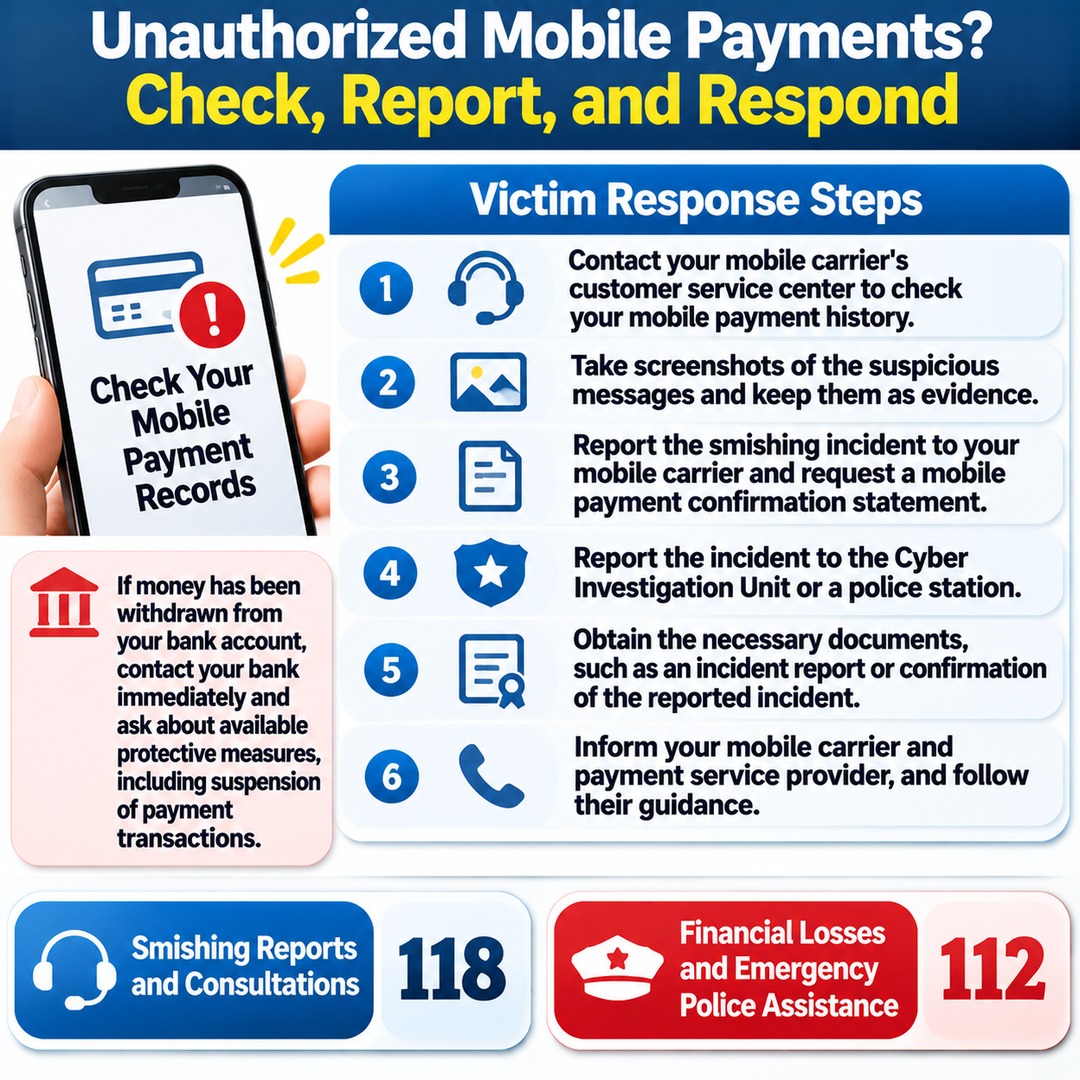
Based on the victim response procedures recommended by the Korea Internet & Security Agency, take the following steps:
1. Contact your mobile carrier's customer service center to check your mobile payment history.
2. Take screenshots of the suspicious messages and keep them as evidence.
3. Report the smishing incident to your mobile carrier and request a mobile payment confirmation statement.
4. Report the incident to the Cyber Investigation Unit or public service desk at a police station.
5. Obtain the necessary documents, such as an incident report or confirmation of the reported incident.
6. Inform your mobile carrier and payment service provider of the damage and follow their procedures for handling the case.
If money has been withdrawn from your bank account, contact the bank immediately and ask about available protective measures, including suspension of payment transactions.
For smishing reports and consultations, contact the Korea Internet & Security Agency at 118. For financial losses and emergency police assistance, contact the police at 112.
Common Mistakes When Dealing With Fake Traffic Fine Messages
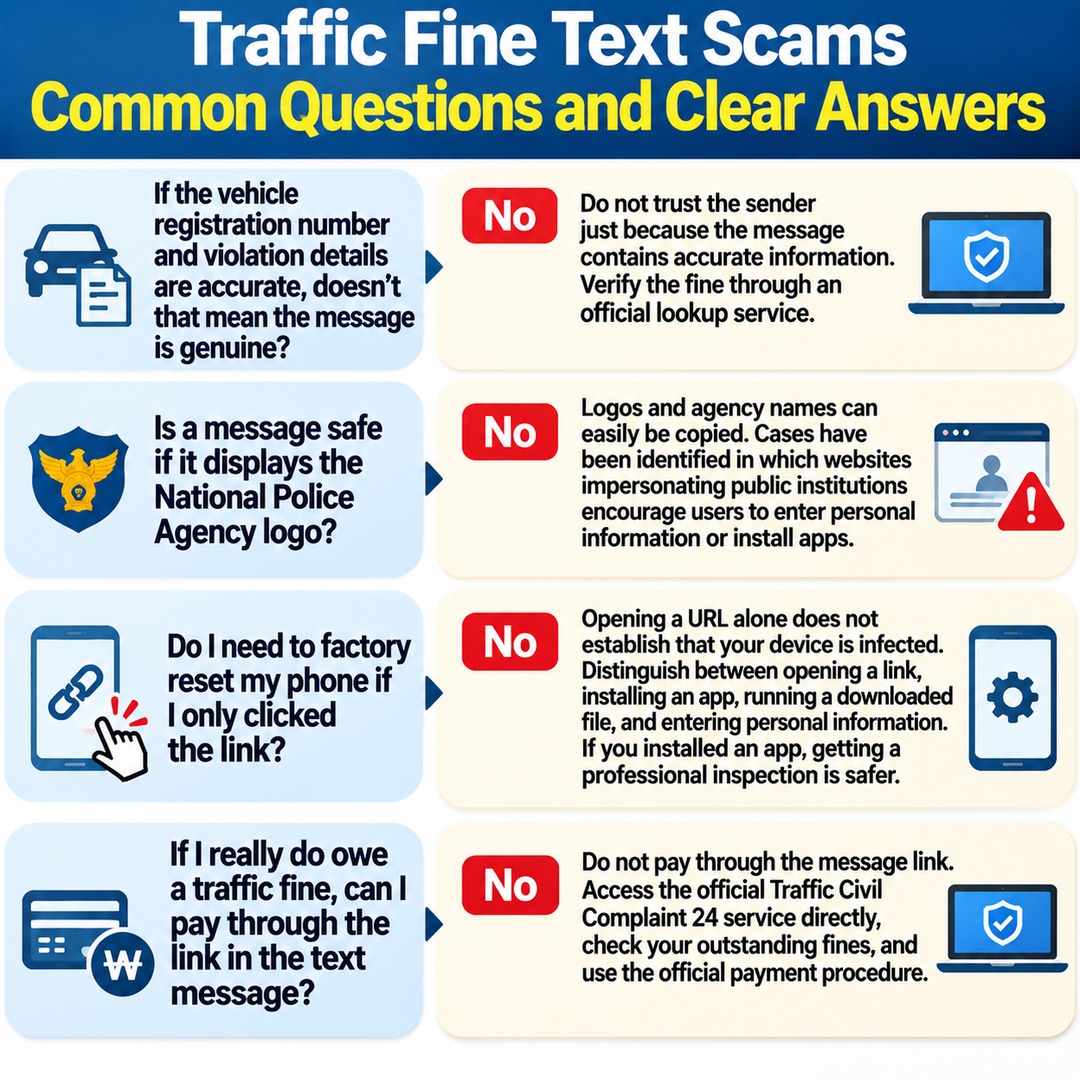
If the vehicle registration number and violation details are accurate, doesn't that mean the message is genuine?
No. You should not trust the sender simply because the message contains accurate information. Verify the fine through an official lookup service.
Is a message safe if it displays the National Police Agency logo?
No. Logos and agency names can easily be copied into images or text messages. Cases have been identified in which websites impersonating public institutions encourage users to enter personal information or install apps.
Do I need to factory-reset my phone if I only clicked the link?
Opening a URL alone does not establish that your device has been infected. You need to distinguish between opening a link, installing an app, running a downloaded file, and entering personal information. If you installed an app, getting a professional inspection is the safer option.
If I really do owe a traffic fine, can I pay through the link in the text message?
No. Do not pay through the message link. Access the official Traffic Civil Complaint 24 service directly, check your outstanding fines, and use the official payment procedure.