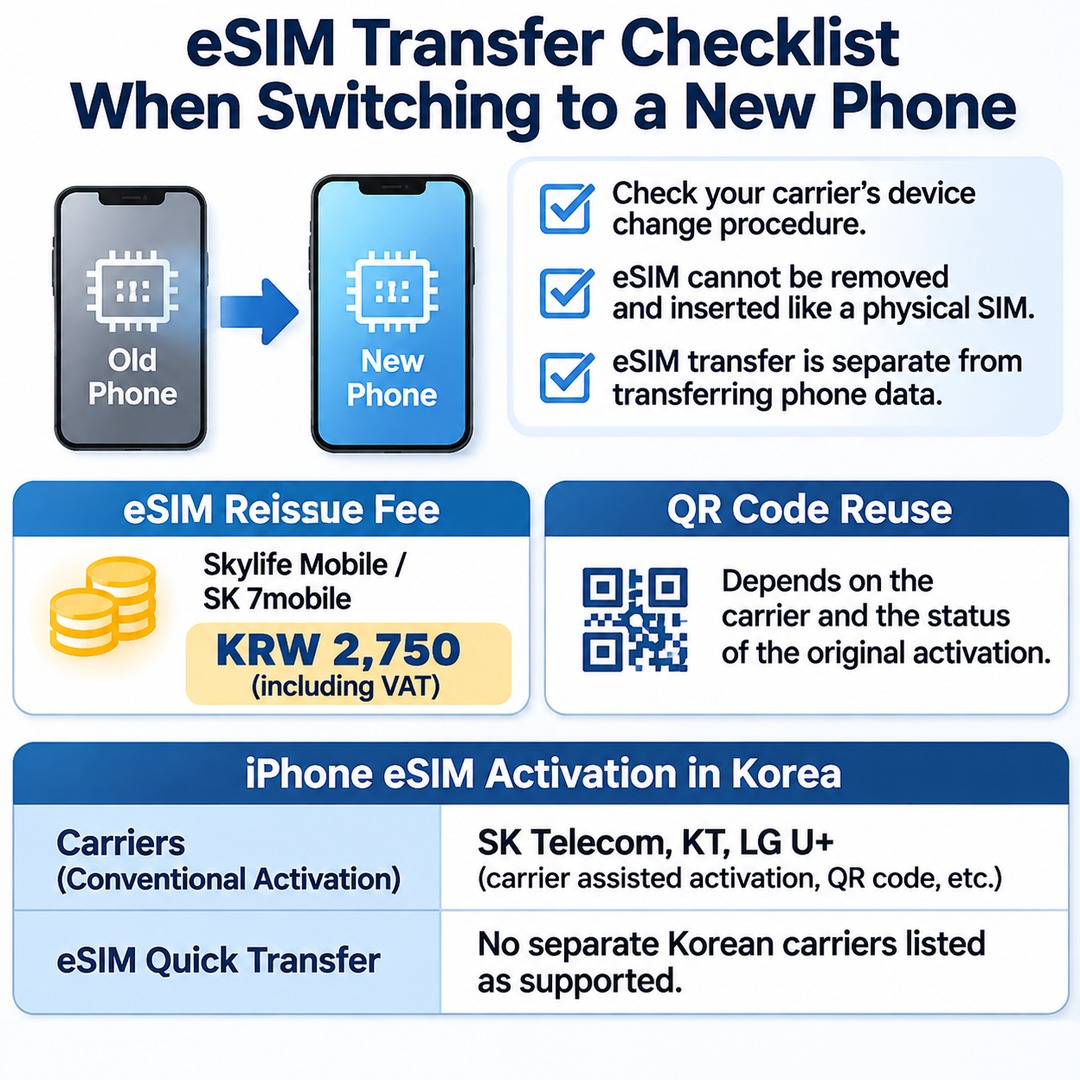

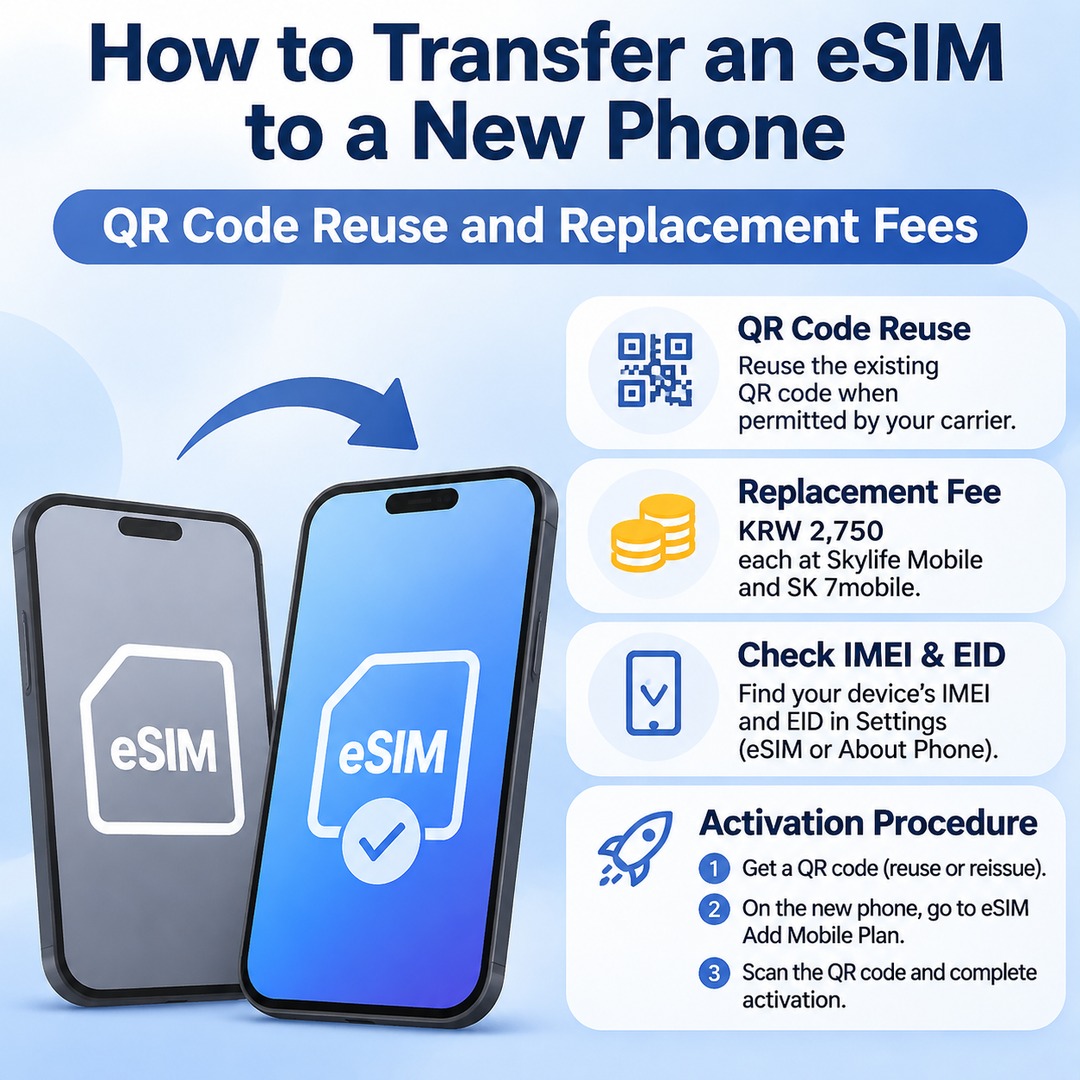
When you switch to a new phone, check your carrier's device-change procedure before attempting to transfer your existing eSIM. Unlike a physical SIM card, an eSIM cannot simply be removed and inserted into another device. Skylife Mobile and SK 7mobile list an eSIM reissue fee of KRW 2,750, including VAT. However, whether you can reuse your existing QR code depends on the carrier and the status of the original activation.
Does an eSIM transfer automatically to a new phone?
Transferring an eSIM to another device is a separate process from transferring your phone data. Even if you restore your photos, contacts, and apps to your new phone, the eSIM containing your mobile subscription information does not necessarily transfer automatically.
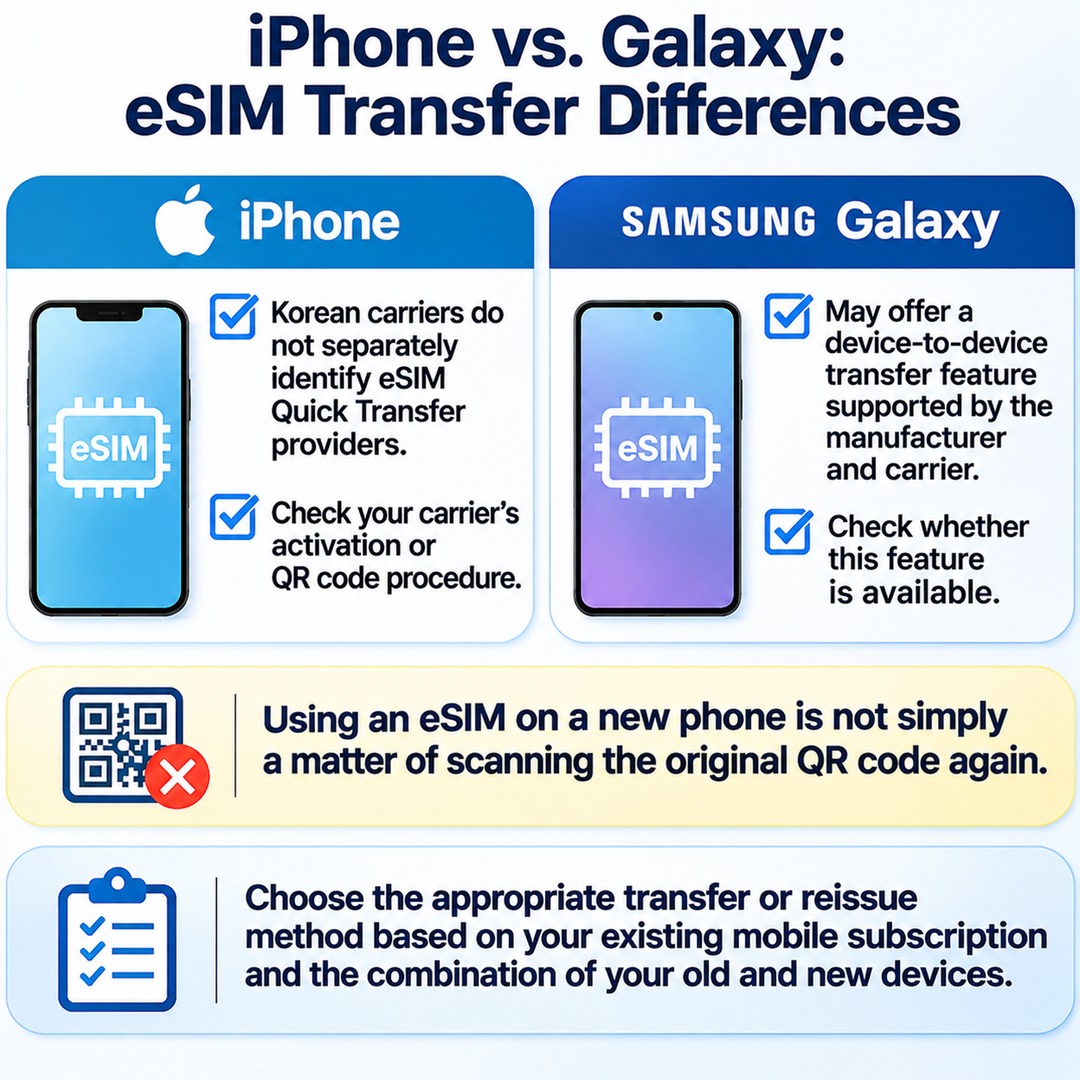
Apple distinguishes between carriers that support eSIM Quick Transfer on iPhone and those that support standard eSIM activation methods. In South Korea, SK Telecom, KT, and LG U+ are listed as carriers supporting conventional activation methods, such as carrier-assisted activation and QR codes. However, the list of Korean carriers does not separately identify any providers that support eSIM Quick Transfer.
Therefore, you should not assume that switching between two iPhones will automatically allow the same type of device-to-device Quick Transfer available through some overseas carriers. The more reliable approach is to check your Korean carrier's line-transfer or eSIM reissue procedure.
Can you reuse your existing eSIM QR code?
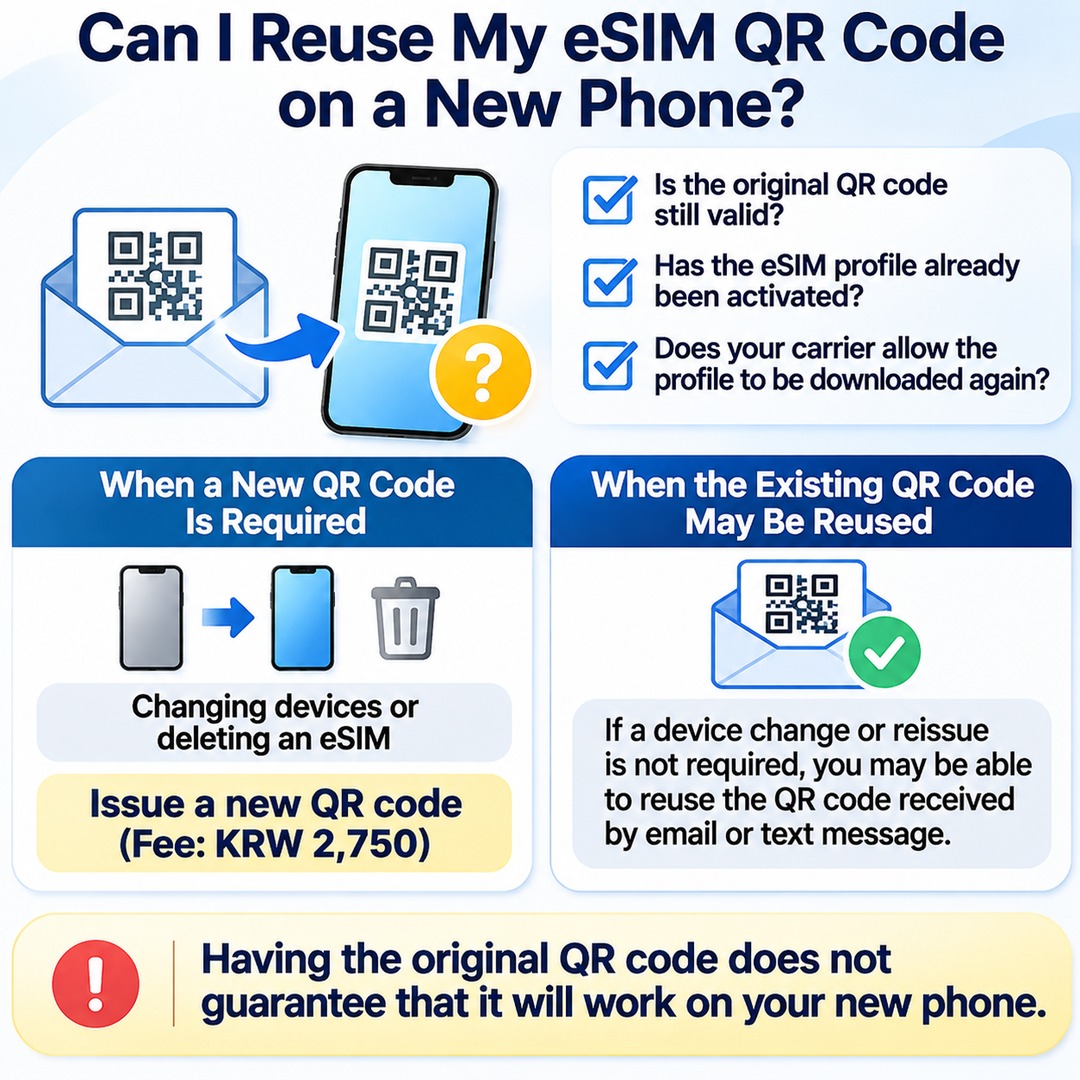
Having your original QR code saved in an email or text message does not necessarily mean you can use it again on a new phone. You need to distinguish between whether the original QR code is still valid, whether its eSIM profile has already been activated, and whether your carrier allows the profile to be downloaded again.
Skylife Mobile distinguishes between the following situations:
Changing devices or deleting an eSIM: A new QR code must be issued. The fee is KRW 2,750.
When the original QR code can be downloaded again: If a device change or reissue is not required, you may be able to reuse the QR code previously received by email or text message.
In other words, it would be inaccurate to say that an existing QR code can never be reused. However, having the original QR code does not guarantee that it will work on your new phone.
How much does an eSIM replacement cost?
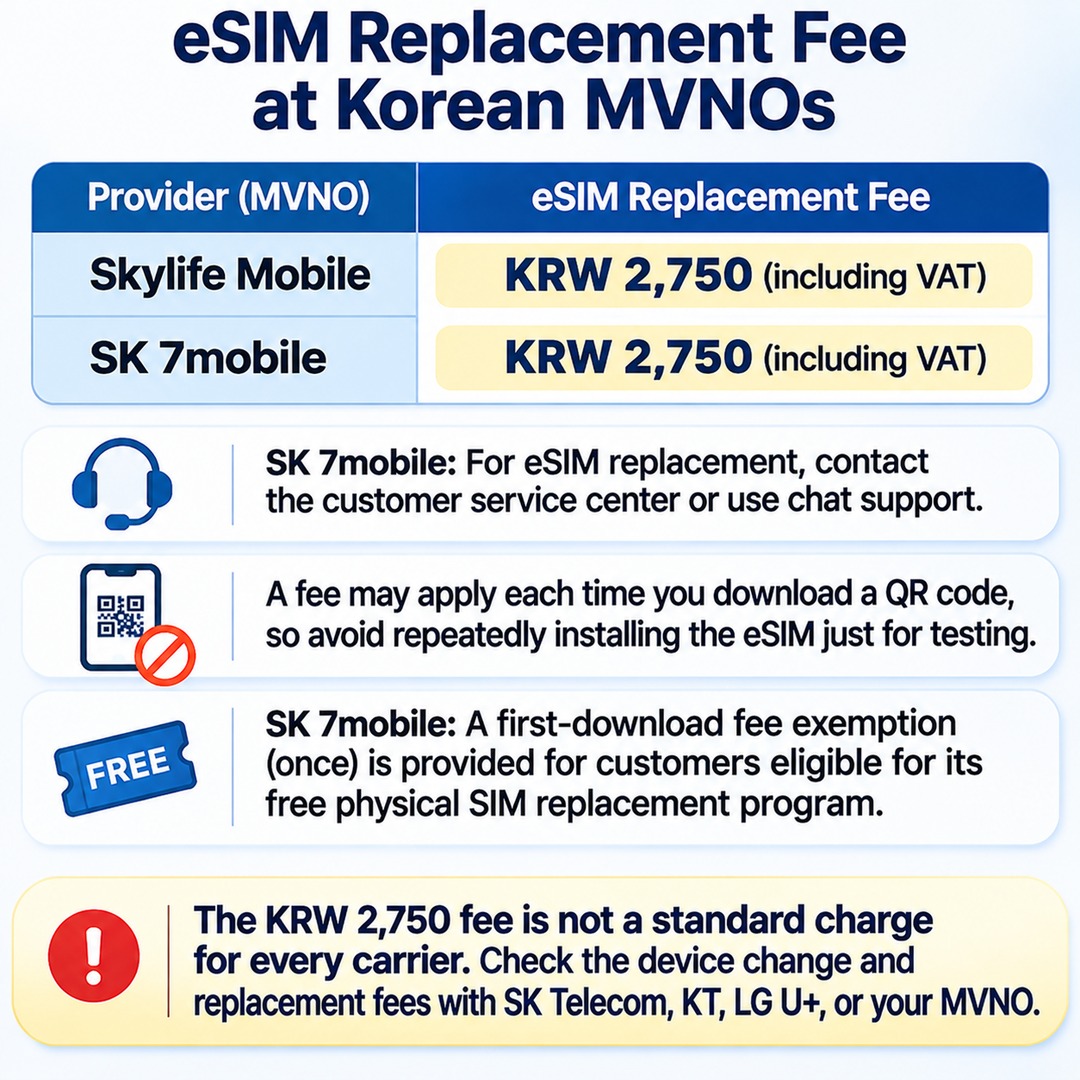
The published fees for the following two Korean mobile virtual network operators (MVNOs) are:
| Mobile carrier | eSIM reissue or download fee |
|---|---|
| Skylife Mobile | KRW 2,750 |
| SK 7mobile | KRW 2,750 |
Both amounts include VAT (value-added tax).
SK 7mobile advises existing eSIM customers who need a replacement to contact its customer service center or use its chat support. Because a fee may apply each time you download a QR code, avoid repeatedly installing the eSIM just for testing purposes.
SK 7mobile also announced a fee exemption for the first download, applicable once, for customers eligible for its free physical SIM replacement programat 24:00 (midnight)**. This is a separate provision for eligible customers and should not be interpreted as a general free eSIM transfer benefit for anyone changing phones.
The KRW 2,750 fee is not a standard charge shared by every mobile carrier in South Korea. You should check the applicable device-change and replacement fees with SK Telecom, KT, LG U+, or your particular MVNO.
How to activate an eSIM on your new phone
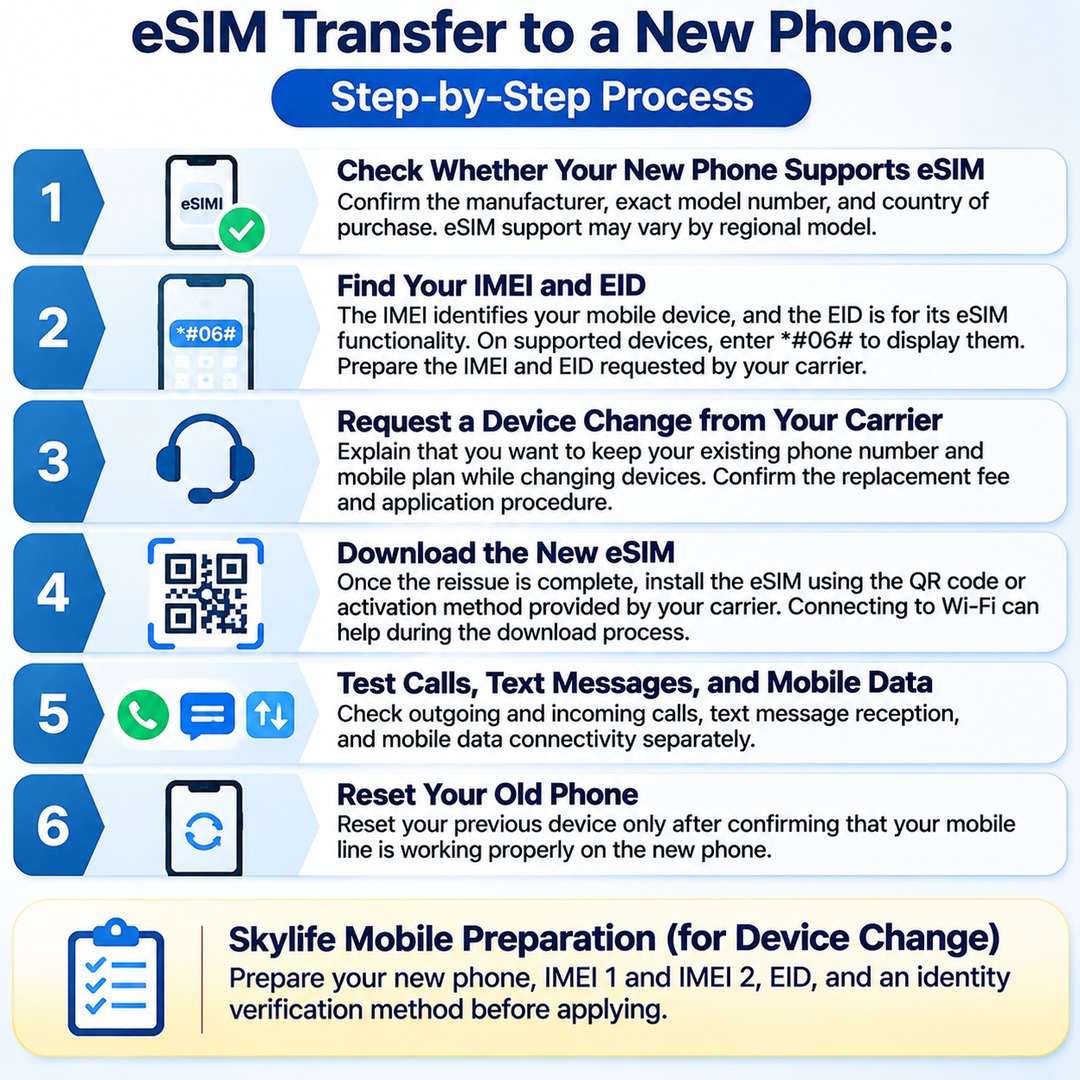
The recommended process is to check whether your new device supports eSIM and then request a device change through your carrier.
1. Check whether your new phone supports eSIM
Confirm the manufacturer, exact model number, and country of purchase. Even within the same product family, eSIM support may vary depending on the regional model.
2. Find your IMEI and EID
The IMEI is the identification number assigned to your mobile device, while the EID is the identification number used for its eSIM functionality.
On supported devices, enter `*#06#` in the phone app to display the relevant information. Prepare the IMEI and EID requested by your carrier.
3. Request a device change from your carrier
Explain that you want to keep your existing phone number and mobile plan while changing devices. Confirm the replacement fee and application procedure.
4. Download the new eSIM
Once the reissue is complete, install the eSIM using the QR code or activation method provided by your carrier. Connecting to Wi-Fi can help during the download process.
5. Test calls, text messages, and mobile data
Check outgoing and incoming calls, text message reception, and mobile data connectivity separately.
6. Reset your old phone
Reset your previous device only after confirming that your mobile line is working properly on the new phone.
Skylife Mobile advises customers to prepare their new phone, IMEI 1 and IMEI 2, EID, and an identity verification method before applying for a device change.
What should you check before resetting your old phone?
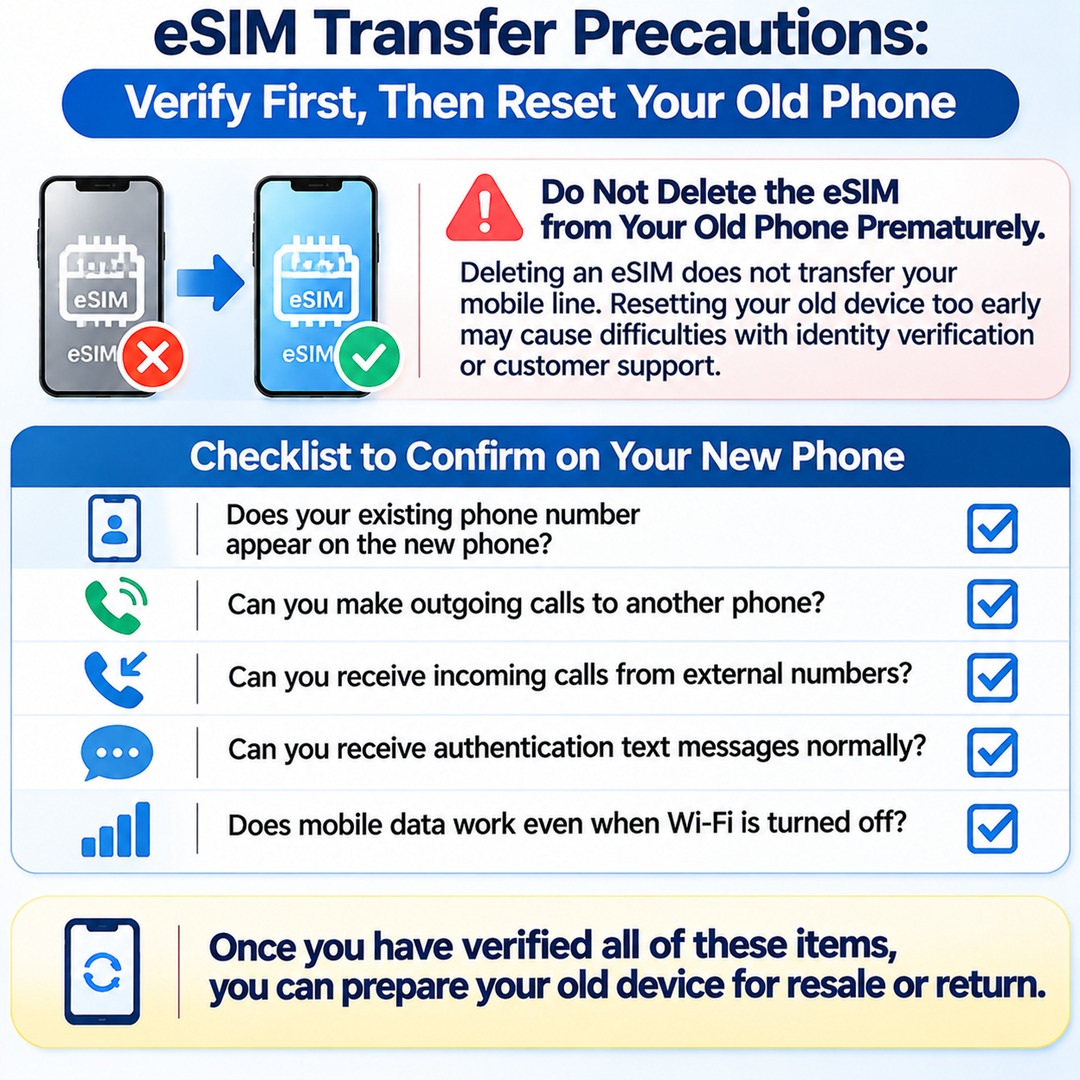
The most important precaution is not to delete the eSIM from your old phone prematurely.
Deleting an eSIM profile does not transfer your mobile line to a new phone. If you reset your old device before the carrier has completed the reissue process, you may encounter difficulties during identity verification or when contacting customer support.
This is particularly important if you plan to sell your old phone secondhand or return it through a trade-in program. Check the following first:
Does your existing phone number appear on the new phone?
Can you make outgoing calls to another phone?
Can you receive incoming calls from external numbers?
Can you receive authentication text messages normally?
Does mobile data work even when Wi-Fi is turned off?
Once you have verified all these items, you can prepare your old device for resale or return.
Key differences in eSIM transfers between iPhone and Galaxy
The transfer features available on iPhone and Samsung Galaxy devices are not identical. For iPhones, the Korean carrier list does not separately identify providers supporting eSIM Quick Transfer, so you should check the carrier activation or QR code procedure. Galaxy devices may offer separate device-to-device transfer functionality supported by the manufacturer and mobile carrier, so it is worth checking whether this feature is available before proceeding directly to an eSIM reissue.
Ultimately, using an eSIM on a new phone is not simply a matter of scanning the original QR code again. You need to choose the appropriate transfer or reissue method based on your existing mobile subscription and the combination of your old and new devices.