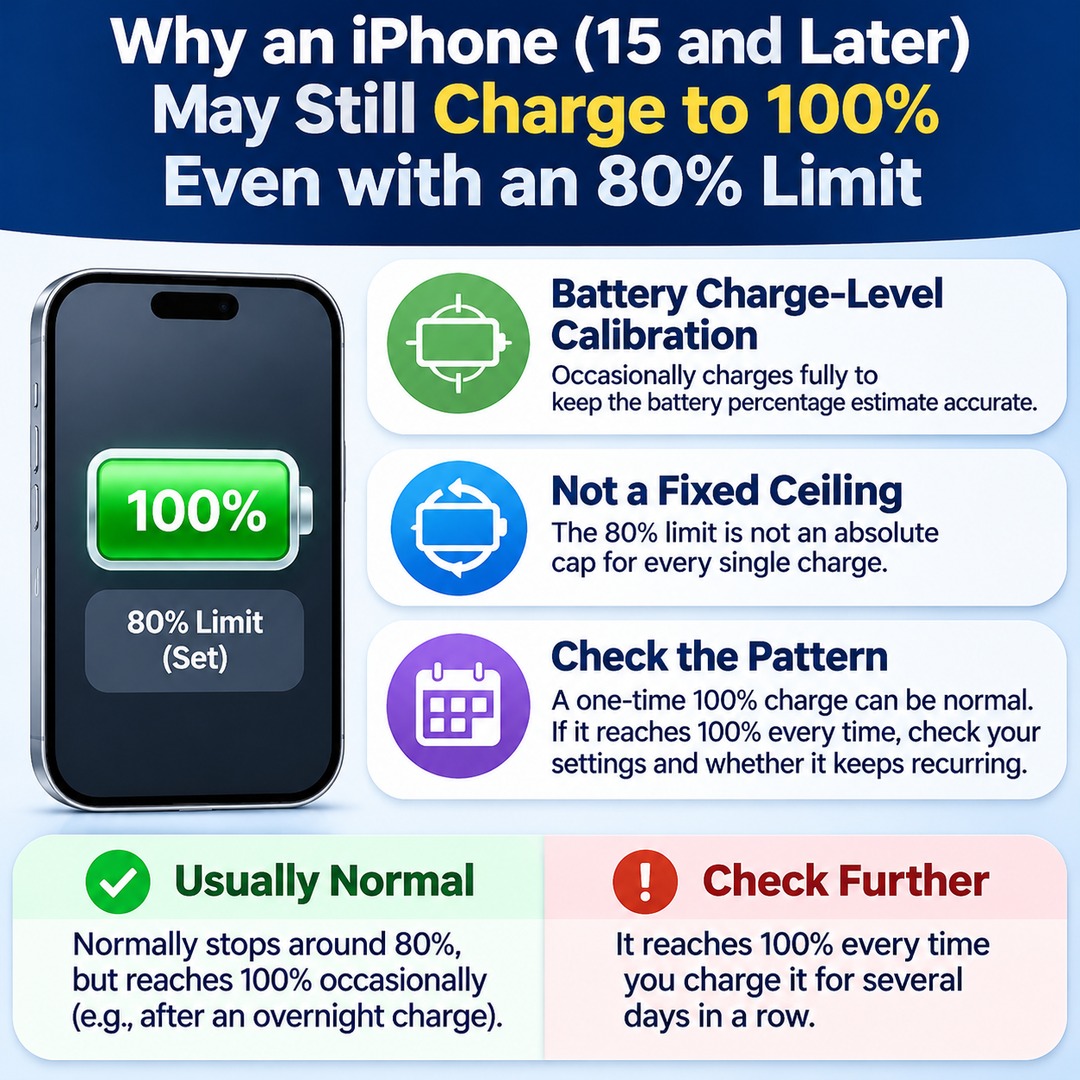

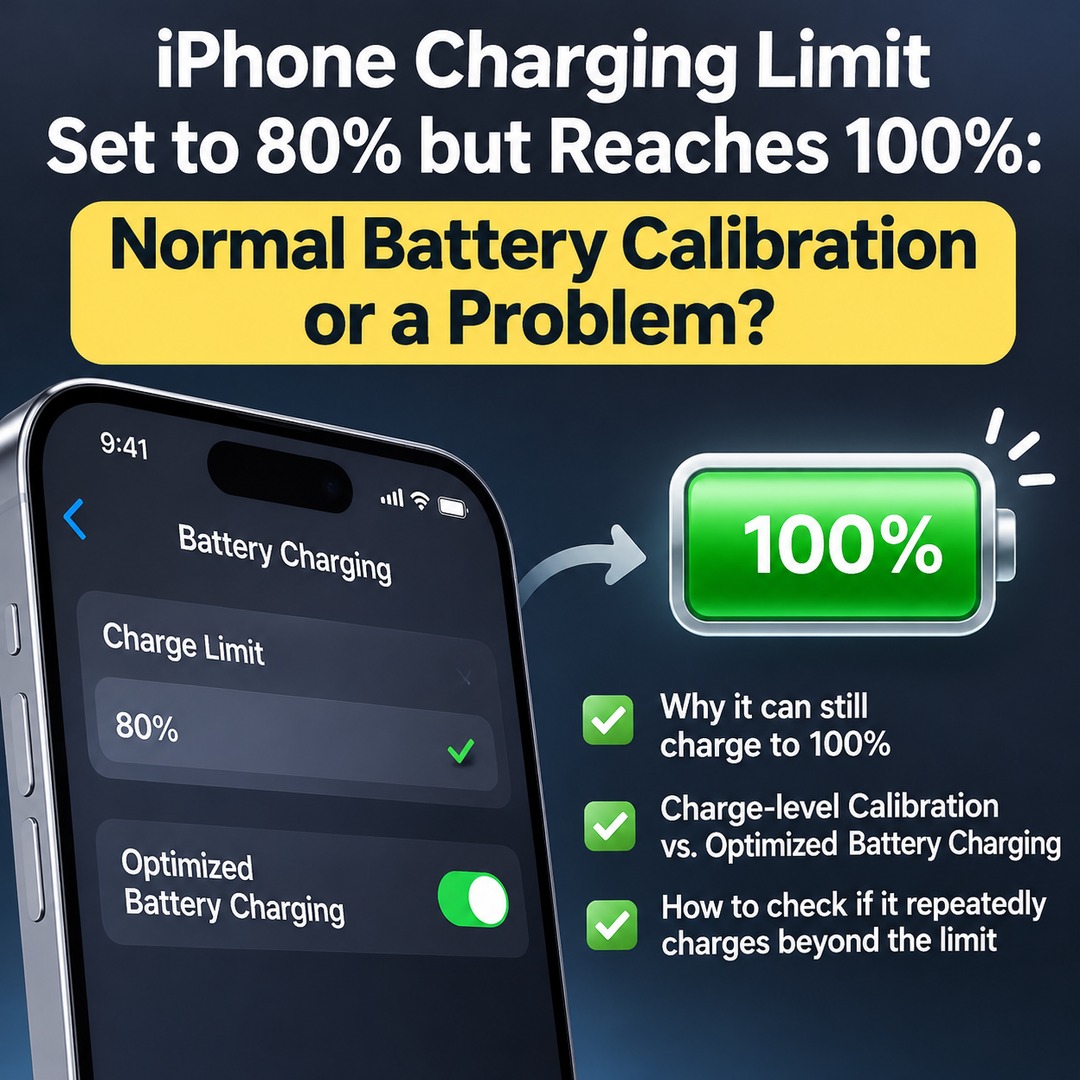
If your iPhone 15 or later is set to an 80% charging limit but reaches 100%, it does not necessarily mean something is wrong. Apple explains that an iPhone may occasionally charge fully, regardless of the selected limit, to maintain accurate battery charge-level estimates. However, if the battery reaches 100% every time you charge it, you should check your settings and determine whether the behavior is recurring.
It is particularly important to distinguish between seeing 100% after leaving your iPhone charging overnight and repeatedly exceeding the charging limit over several days. Apple describes occasional full charging as normal behavior, but it does not specify an official number of consecutive full charges that should be considered normal.
Why Does an iPhone Charge to 100% Even When the Limit Is Set to 80%?
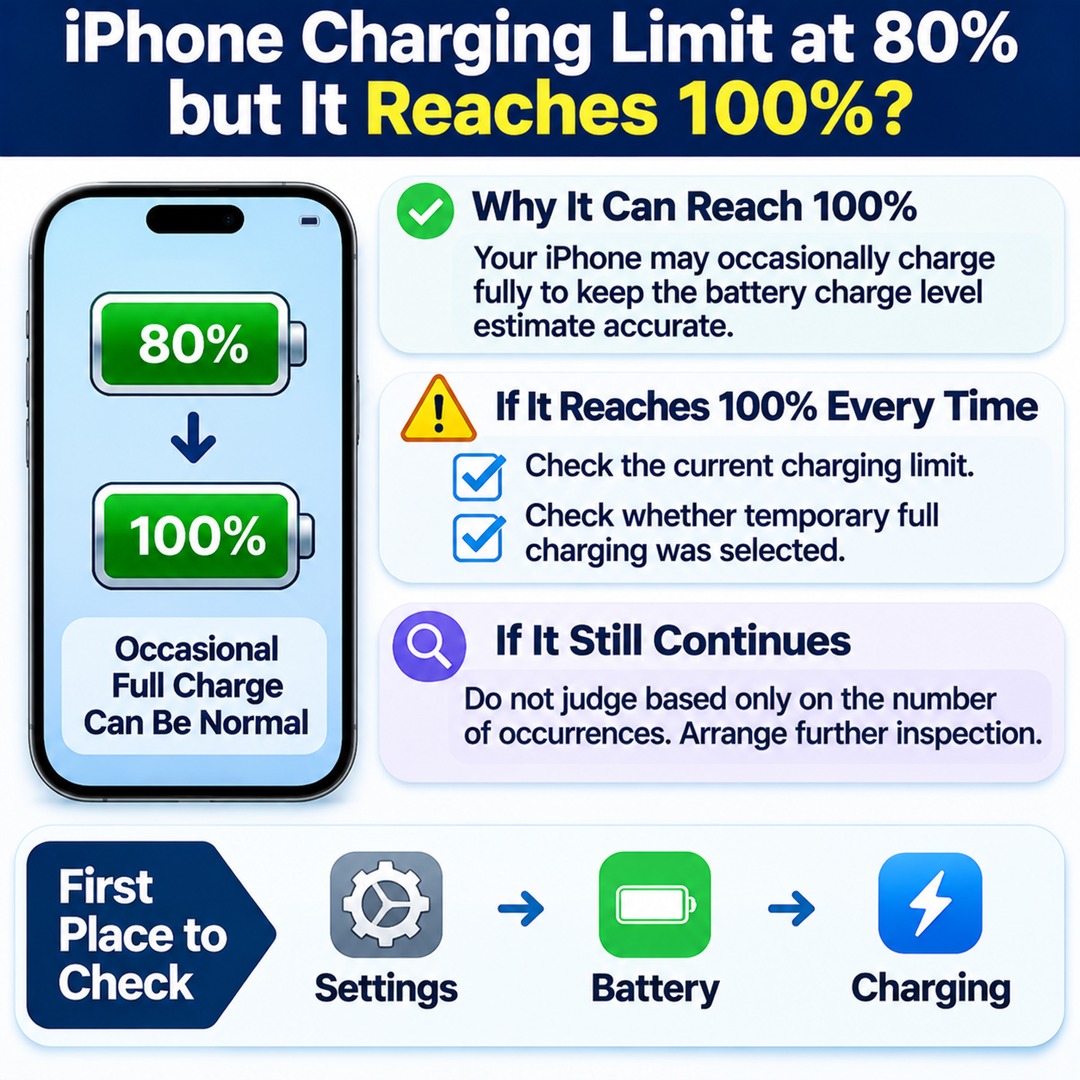
An iPhone may occasionally charge to 100% to maintain accurate battery charge-level estimates. This behavior is part of the charging limit feature on iPhone 15 and later models.
The battery percentage displayed on your screen is an estimate based on the battery's actual condition. To keep this estimate accurate, your iPhone may perform a full charge when necessary.
The important point is that an 80% charging limit is not an absolute ceiling that applies to every single charging session.
Apple's iPhone User Guide also explains that this behavior may occur more frequently when your charging routine does not regularly allow the battery to reach a full charge.
Therefore, if your iPhone normally stops charging around 80% but reaches 100% on one occasion, there is no reason to assume that the charging limit feature is defective based on that incident alone.
However, the fact that your battery reached 100% does not, by itself, establish that battery calibration was the cause in your particular case.
What Is the Difference Between the iPhone 80% Charging Limit and Optimized Battery Charging?
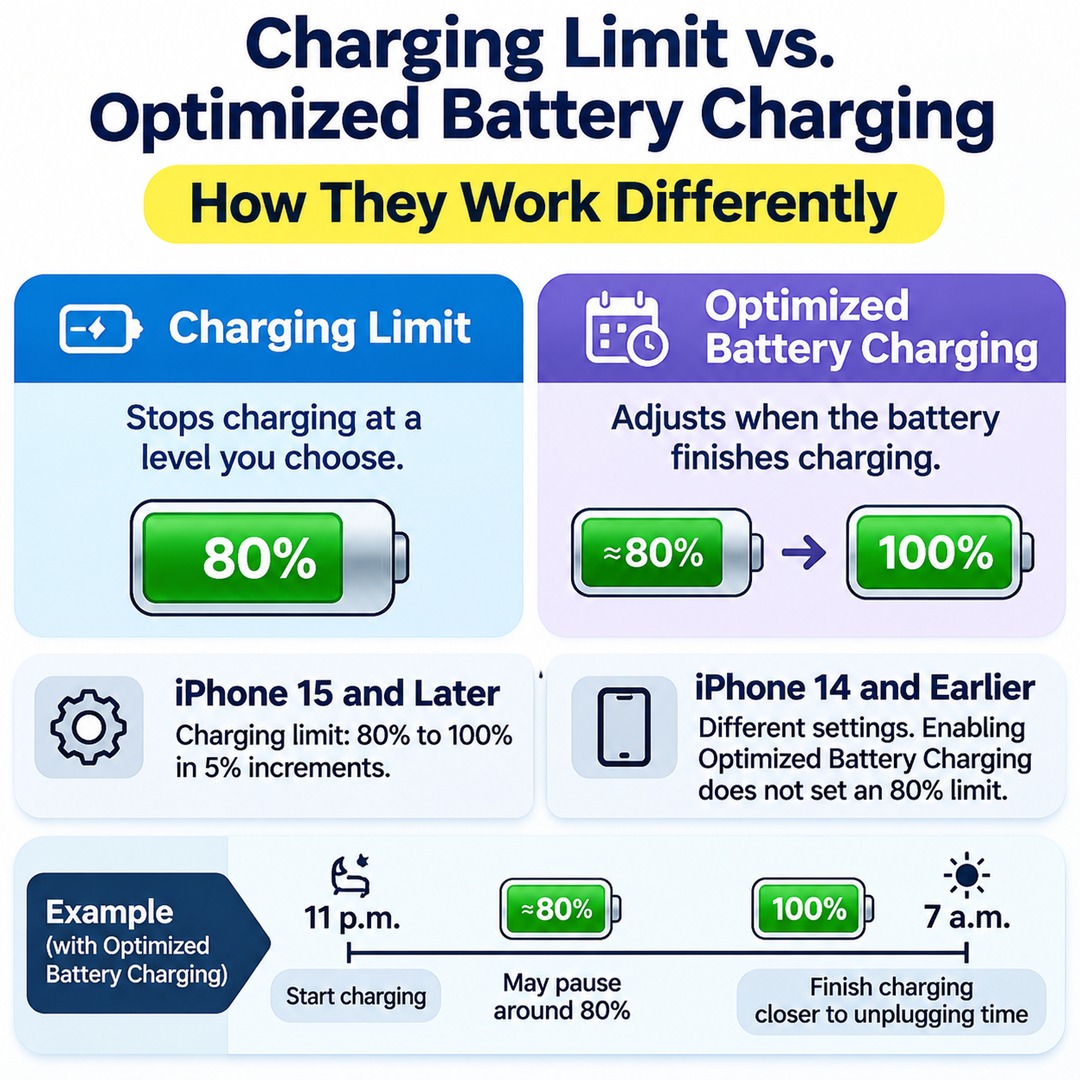
These two features manage charging differently. The charging limit stops charging at a level you choose, while Optimized Battery Charging adjusts when the battery finishes charging.
On iPhone 15 and later models, you can set the charging limit anywhere from 80% to 100%, in 5-percentage-point increments.
| Feature | 80% Charging Limit | Optimized Battery Charging |
|---|---|---|
| Main purpose | Reduce the time the battery spends at a high charge level | Reduce the time the battery remains fully charged |
| How it works | Stops charging around the selected limit | Temporarily delays charging before completing it |
| Charging to 100% | Possible occasionally to maintain accurate charge-level estimates | Can complete charging to 100% based on usage patterns |
| Availability | iPhone 15 and later models | Available when the charging limit is set to 100% |
| Learns charging habits | Separate limit selection | Learns your regular charging routine |
For example, suppose you connect your iPhone to a charger at 11 p.m. and unplug it at 7 a.m. Optimized Battery Charging may temporarily pause charging around 80% and then finish charging closer to your usual unplugging time.
By contrast, when you set the charging limit to 80%, your iPhone normally stops charging around that level.
Both features are designed to help manage battery longevity, but stopping at 80% and temporarily waiting at 80% before charging to 100% are two different behaviors.
Charging settings on iPhone 14 and earlier models differ from those on iPhone 15 and later models. Simply enabling Optimized Battery Charging on an older model does not mean that an 80% charging limit has been configured.
How Can You Tell the Difference Between One Full Charge and Repeated Charging Beyond the Limit?
Occasional charging to 100% may be normal behavior, as explained by Apple. However, if your iPhone is set to 80% but reaches 100% every time, Apple's official explanation alone is not enough to conclude that everything is working normally.
Use the following situations as a guide:
| Actual Charging Behavior | Assessment and What to Check |
|---|---|
| Normally stops around 80%, but occasionally reaches 100% | May be the behavior Apple officially describes |
| Stops a few percentage points above or below the selected limit | Check the permitted charging range around the selected limit |
| Reaches 100% several times in a row | Check the actual charging limit and whether temporary full charging was selected |
| Reaches 100% every time | Further investigation may be necessary if the behavior continues after checking the settings |
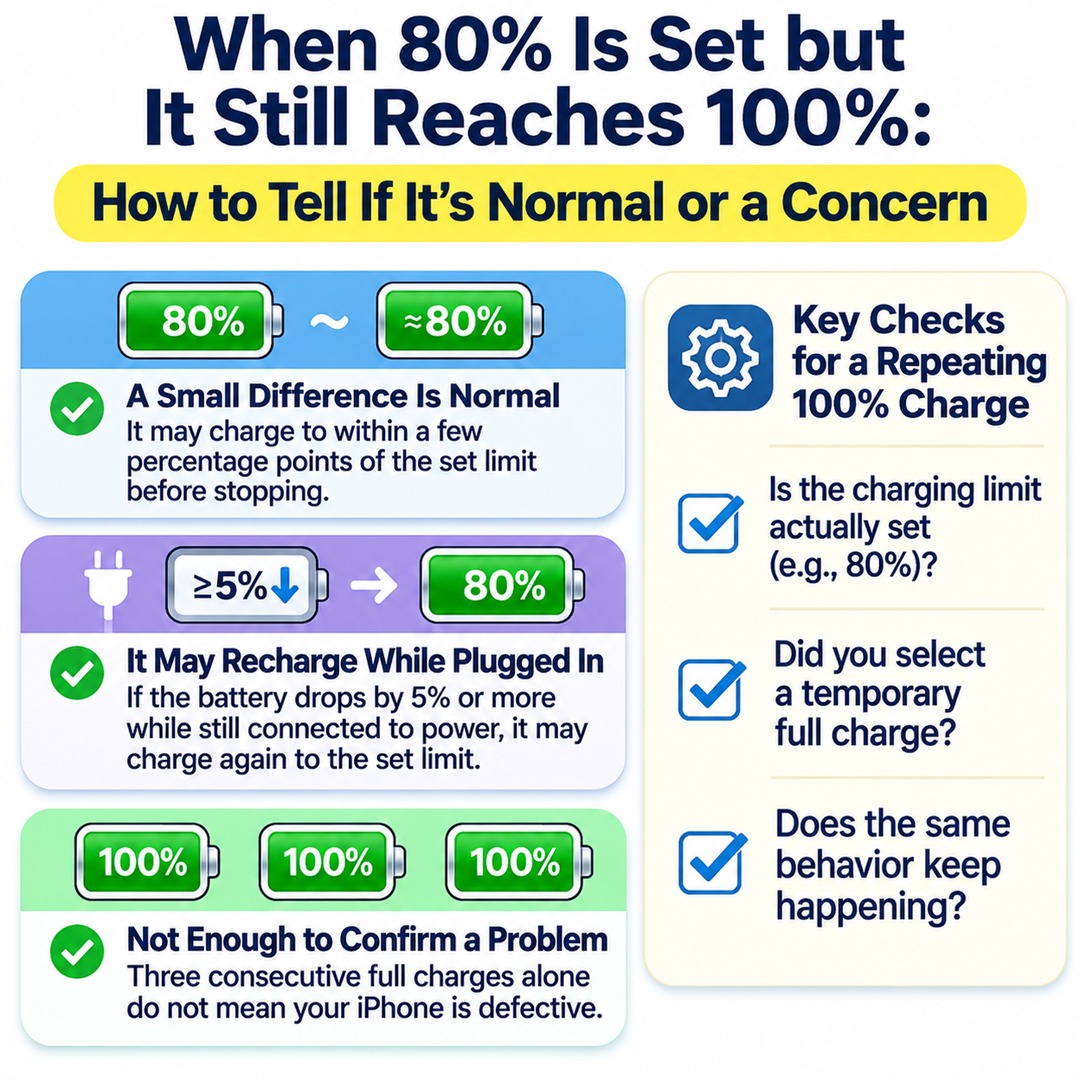
Apple explains that an iPhone may charge to within a few percentage points of the selected charging limit before stopping.
Therefore, a small difference between the selected 80% limit and the displayed battery percentage does not automatically indicate a problem.
Also, if your iPhone remains connected to power and its battery level drops by 5 percentage points or more, it may resume charging toward the selected limit.
This is a battery-management behavior that can occur while the charger remains connected. It does not mean that the iPhone will charge to 100% every time.
What If It Reaches 100% Three Times in a Row?
Three consecutive full charges are not enough to establish that your iPhone is defective. There is also no official rule stating that three full charges are normal but a fourth indicates a problem.
What matters is whether the charging limit is actually being maintained, whether you selected temporary full charging, and whether the same behavior continues to occur.
Where Can You Check the Charging Limit on Your iPhone?
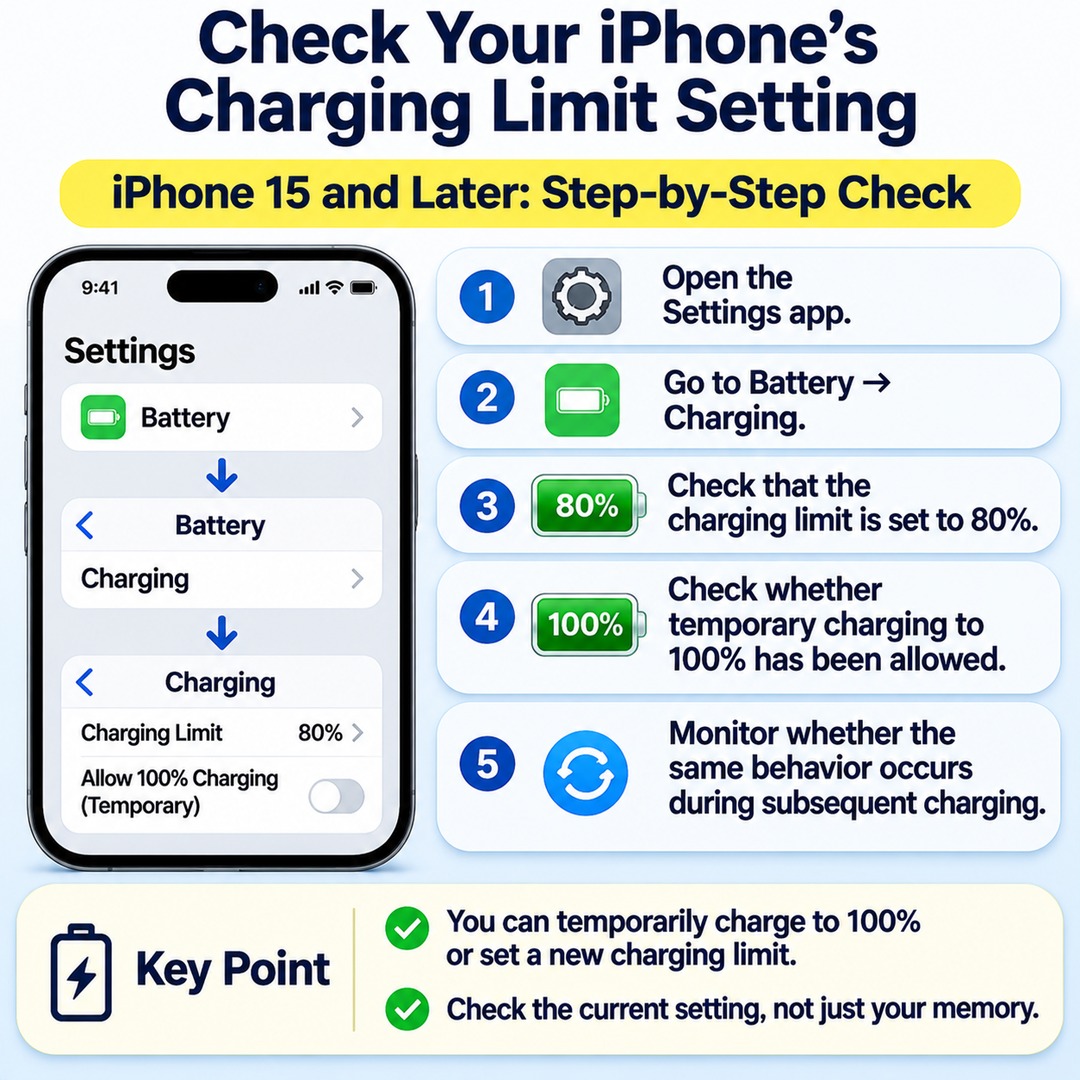
On iPhone 15 and later models, you can check the current charging limit directly in the Battery section of the Settings app.
Follow these steps:
1. Open the Settings app on your iPhone.
2. Go to Battery → Charging.
3. Check whether the charging limit is actually set to 80%.
4. Check whether temporary charging to 100% has been allowed.
5. Monitor whether the same behavior occurs during subsequent charging sessions.
When necessary, an iPhone allows you to temporarily override the charging limit and choose to charge to 100%.
According to the iPhone User Guide, choosing 100% charging can involve either allowing a temporary override or setting a new charging limit. These are separate options.
Therefore, rather than relying on your memory of having selected an 80% limit, check the value currently displayed on the Settings screen.
If the setting has changed to 100%, the 80% charging limit is no longer being maintained.
What Should You Check First If Your iPhone Keeps Ignoring the Charging Limit?
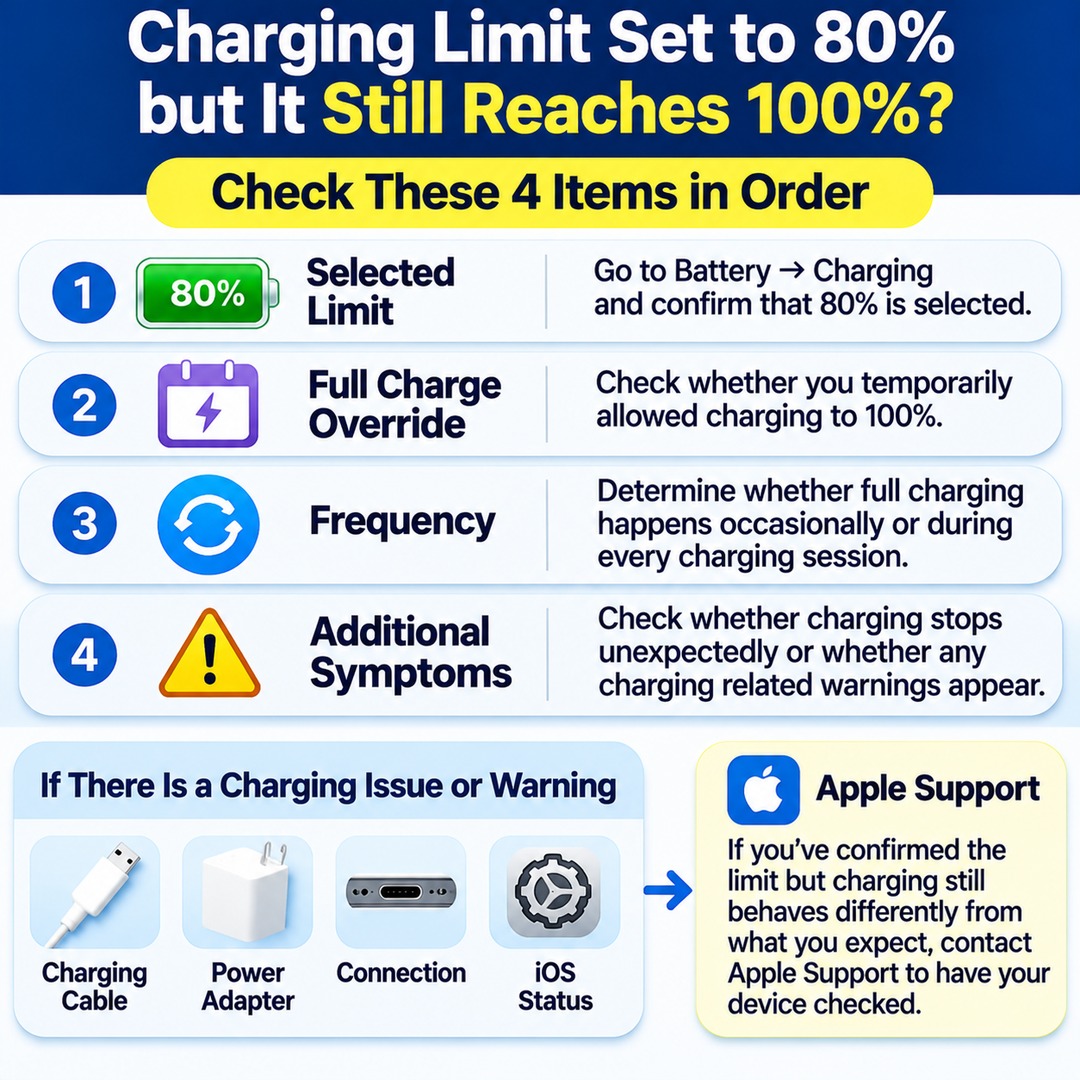
If your current charging limit remains at 80% but your iPhone repeatedly charges to 100%, first distinguish between the charging settings and the actual charging results.
Check the following four items in order:
Selected limit: Go to Battery → Charging and confirm that 80% is selected.
Full-charge override: Check whether you temporarily allowed charging to 100%.
Frequency: Determine whether full charging happens occasionally or during every charging session.
Additional symptoms: Check whether charging stops unexpectedly or whether any charging-related warnings appear.
If charging does not proceed normally or an accessory warning appears, separately inspect the charging cable, power adapter, connection, and iOS status.
However, you should not assume that a cable or charger is responsible based solely on the battery exceeding its charging limit.
If you have confirmed the selected limit but charging continues to behave differently from what you expect, contact Apple Support to have your device checked.
Should You Keep Your iPhone Battery at 80% to Extend Its Lifespan?
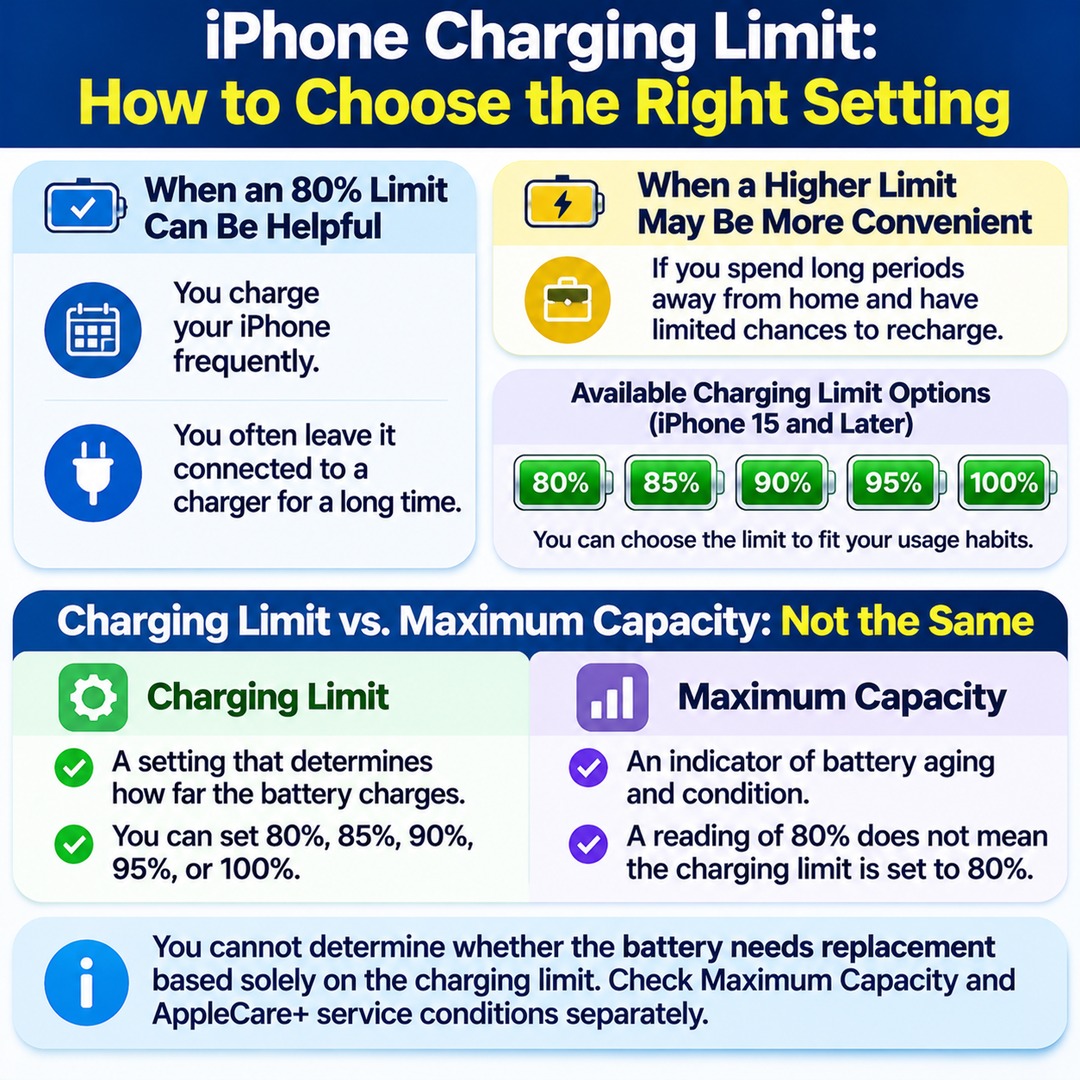
An 80% charging limit can be useful if you charge your iPhone frequently or leave it connected to a charger for extended periods. Apple explains that reducing the time a battery spends at a high charge level may help manage battery longevity.
However, 80% is not necessarily the best setting for every user.
If you spend long periods away from home and have limited opportunities to recharge, a higher charging limit may be more convenient. iPhone 15 and later models let you choose 80%, 85%, 90%, 95%, or 100%, so you can adjust the limit to suit your usage habits.
iOS may also recommend a particular charging limit based on your charging routine.
There is one more percentage that is easy to confuse with the charging limit.
An 80% charging limit and an 80% Maximum Capacity reading are two completely different things.
The charging limit is a setting that determines how far the battery charges. Maximum Capacity is an indicator of battery aging and condition.
A Maximum Capacity reading of 80% does not mean that the charging limit is also set to 80%. You also cannot determine whether the battery needs replacement based solely on the charging limit setting.
If you want to understand Maximum Capacity or the battery service conditions under AppleCare+, check those separately.
What Should You Do When Your iPhone Reaches 100%?
Even when an 80% charging limit is enabled on an iPhone 15 or later, occasionally reaching 100% is an expected behavior. This can happen because the iPhone performs a full charge to maintain accurate battery charge-level estimates.
However, if your iPhone reaches 100% every time, first check the current charging limit and whether temporary full charging was selected.
If the settings remain correct but the same behavior continues, do not determine whether the device is working normally or is defective based solely on the number of occurrences. Arrange further inspection instead.
The first place to check is Settings → Battery → Charging. Confirming the actual setting will help you distinguish normal battery-management behavior from situations that may require additional investigation.