
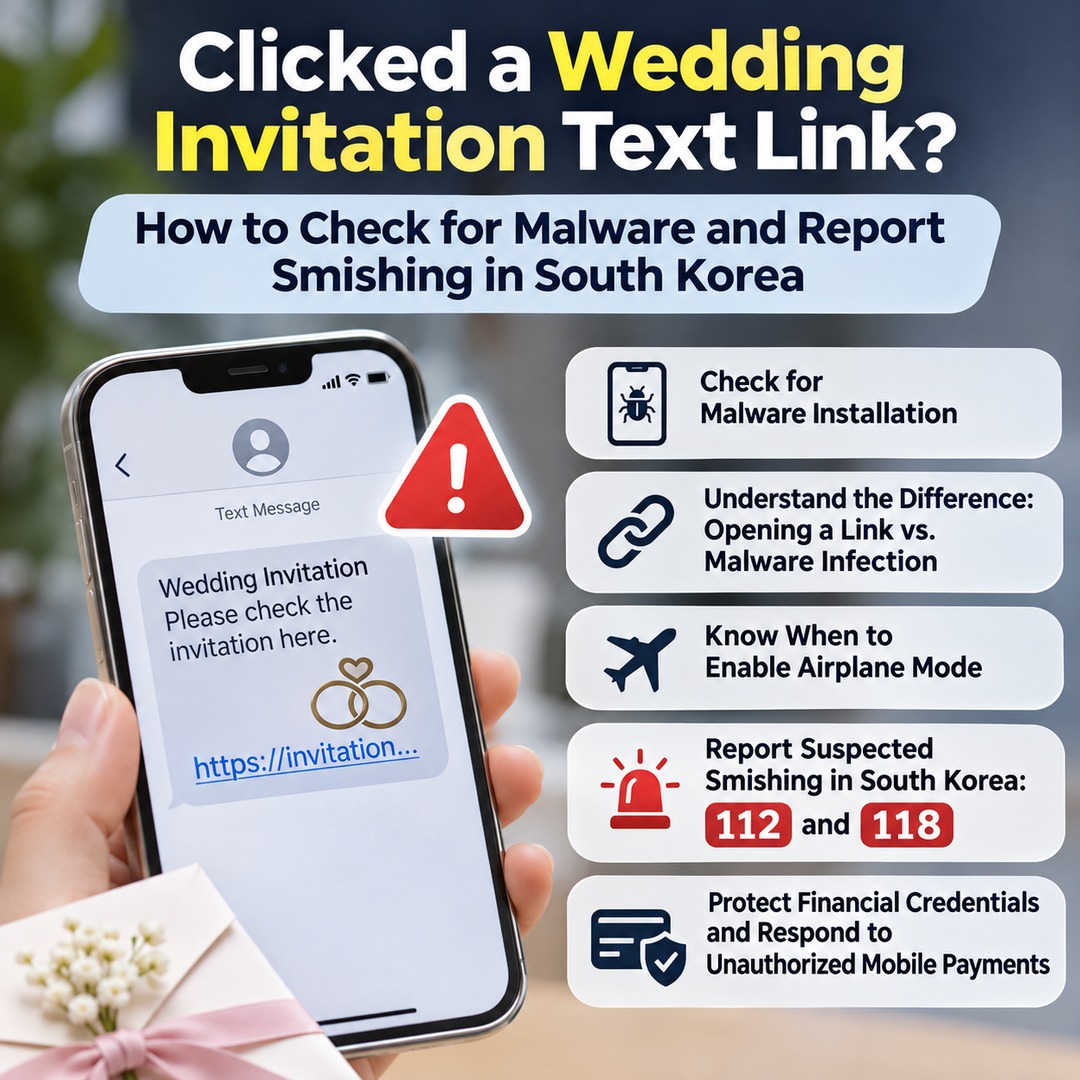
Even if you clicked a mobile wedding invitation link in a text message that appeared to come from someone you know, that alone does not necessarily mean your phone has been hacked or infected with malware. First, determine whether you installed an app or entered any personal information. If a malicious app is detected, disconnect your phone from communication networks by enabling airplane mode, report the incident to South Korea's police emergency number, 112, using another phone, and then arrange a device inspection and take steps to protect your financial information.
Wedding invitation smishing messages can appear to have been sent by someone you actually know. The Korea Internet & Security Agency (KISA) has warned about cases in which scammers use names saved in contact lists or ordinary mobile phone numbers to make recipients less suspicious.
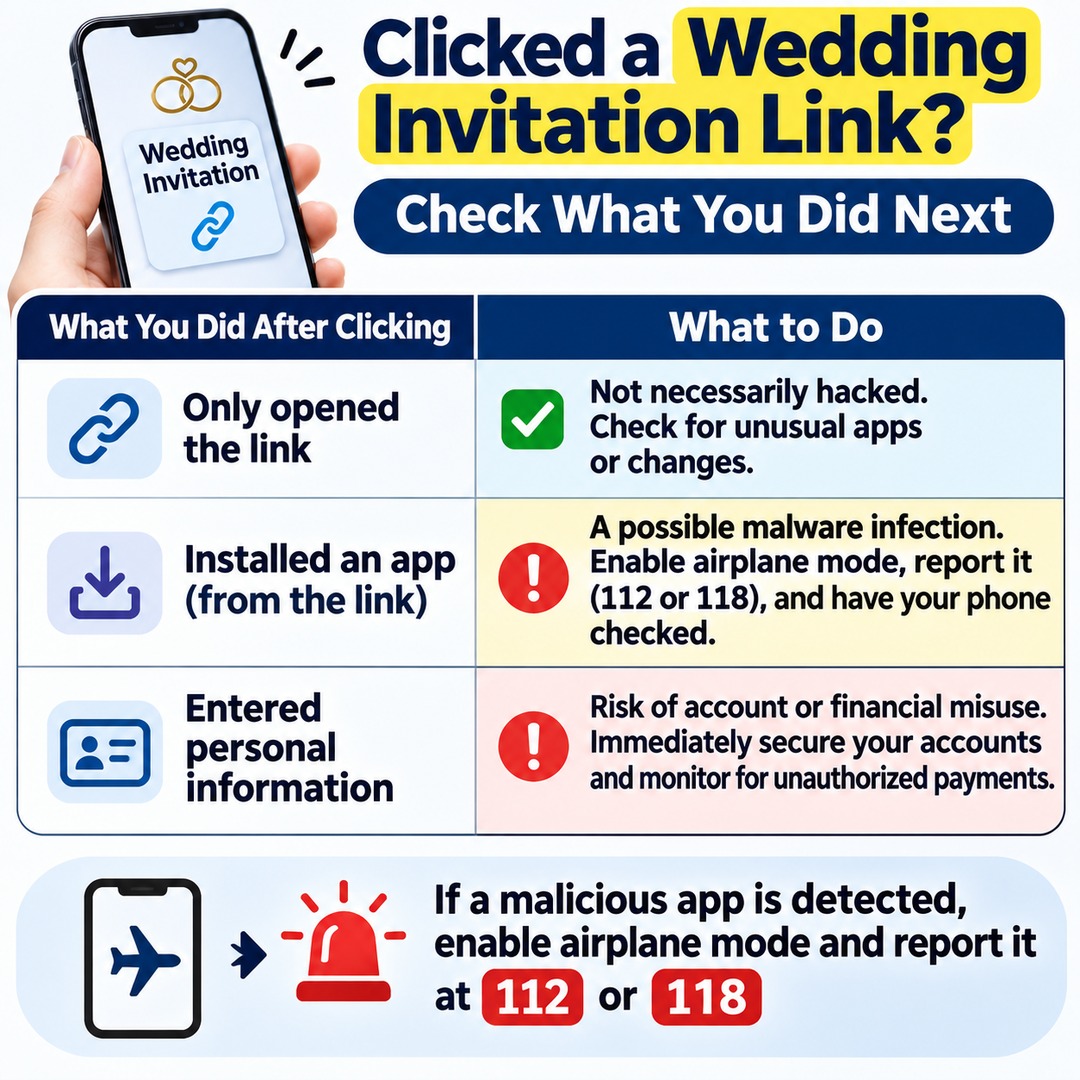
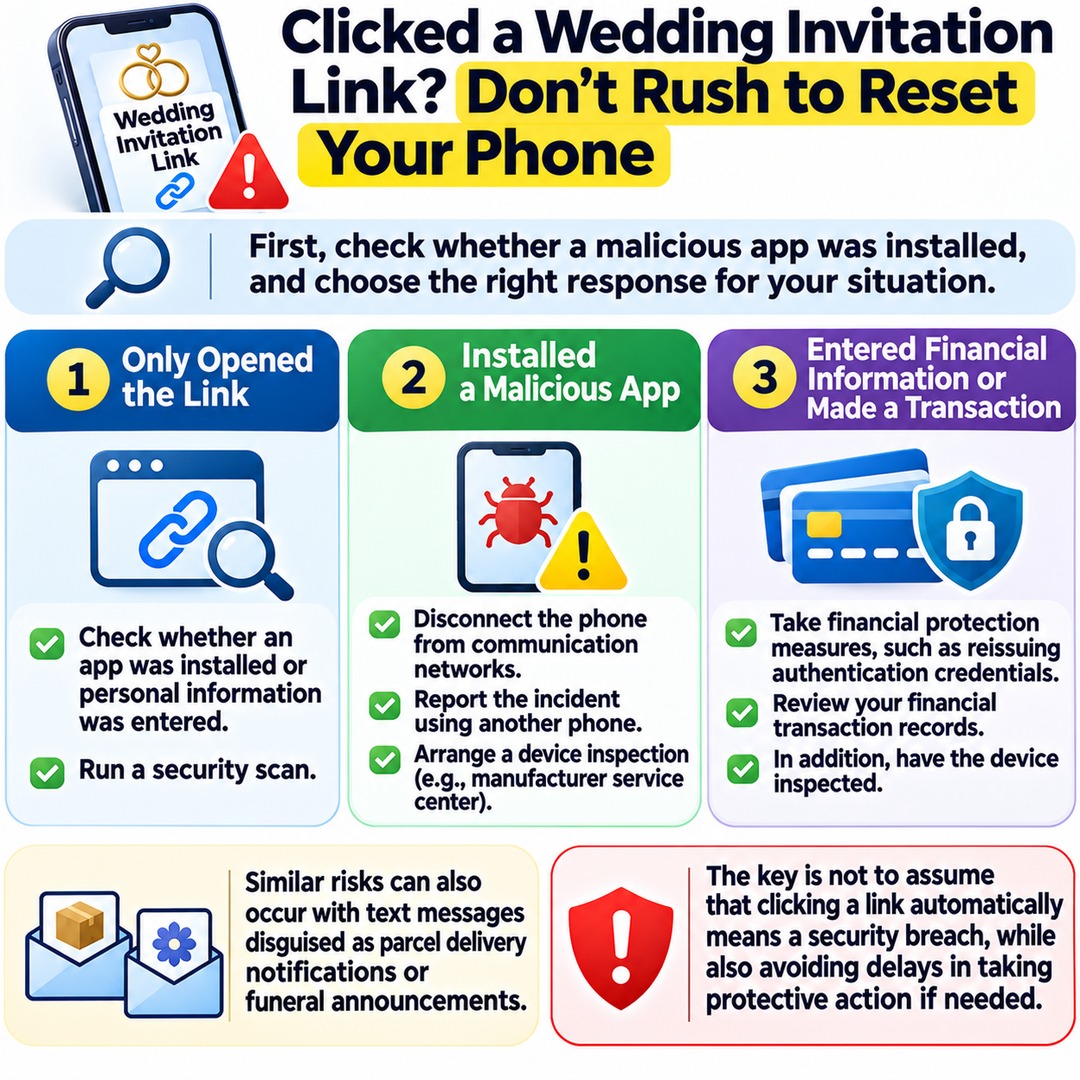
If you have just clicked a suspicious message, rather than immediately performing a factory reset, first establish whether you only opened the link, installed an app, or entered personal information.
Can Clicking a Wedding Invitation Link Install Malware on Your Phone?
Clicking a web address in a text message does not automatically establish that a malicious app has been installed. However, if you downloaded and installed an app from the linked page or entered personal information, additional checks and protective measures are necessary.
What you should check depends on what happened after you clicked the link.
| What happened after clicking the link | What to check | Recommended first action |
|---|---|---|
| Opened the webpage and then closed it | Whether an app was installed or information was entered | Review installed apps and run a mobile antivirus scan |
| Downloaded an app file | Whether the file was actually installed or executed | Check the downloaded file and installation history |
| Installed an app to view the wedding invitation | Whether the app contains malware | Run an antivirus scan and disconnect from networks if infection is suspected |
| Entered a name, phone number, password, or other details | Risk of personal information exposure | Secure affected accounts and authentication credentials |
| A malicious app was detected | Risk of remote control or information theft | Enable airplane mode and report the incident to 112 using another phone |
It is particularly important to remember whether you actually tapped the installation button when an app installation screen appeared.
Clicking a link and installing malicious software on your phone are two different things. Conversely, the absence of any obvious changes on the screen does not completely rule out a possible infection.
How Can You Check Whether a Malicious App Was Installed?
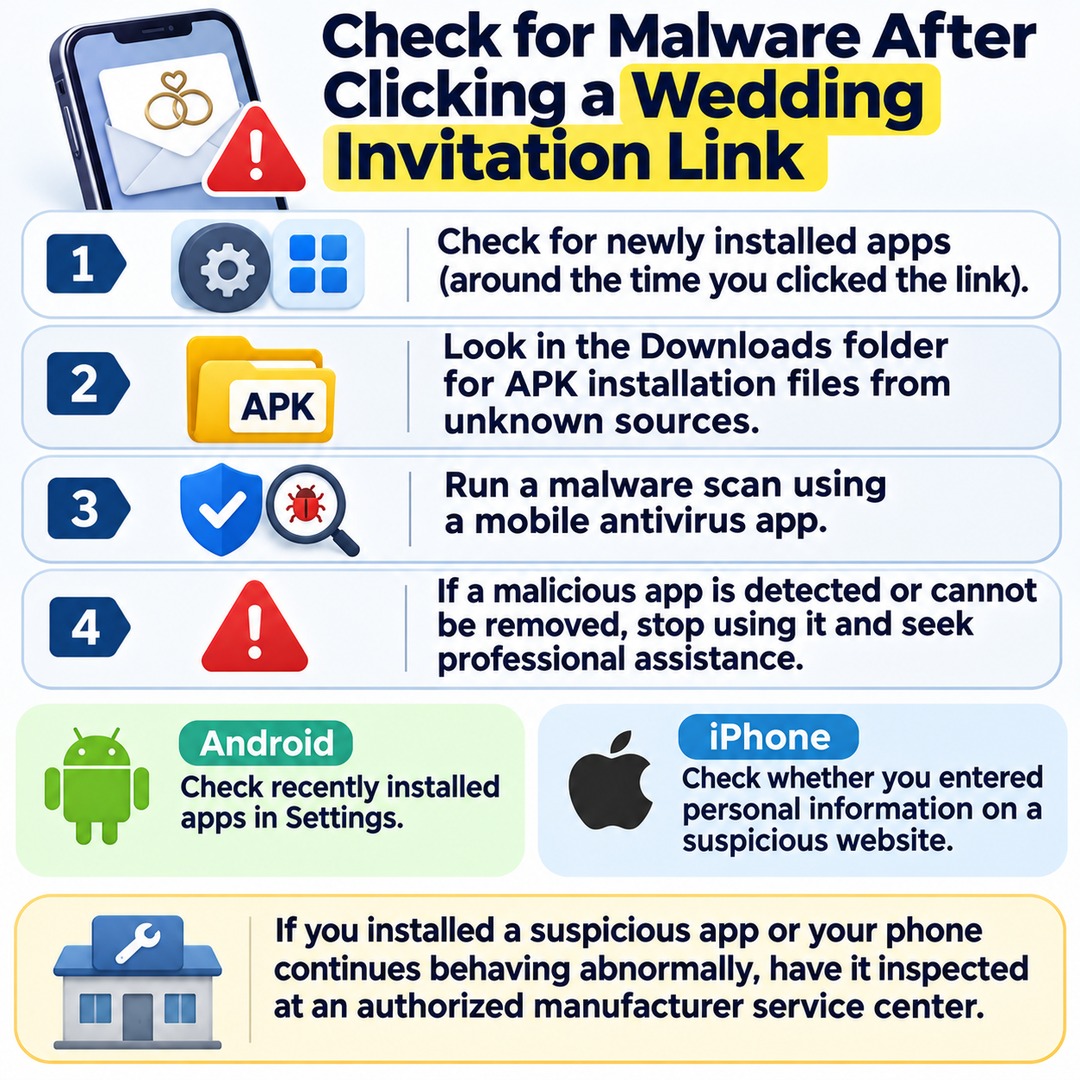
Start by reviewing recently installed apps and the results of a mobile antivirus scan. Malicious apps distributed through fake wedding invitations may use icons resembling legitimate apps or hide their icons after installation. Checking only the home screen is therefore insufficient.
On an Android phone, you can review recently installed apps through the app management section in Settings. Menu names and sorting options may vary depending on the device and operating system.
Follow these steps:
1. Check whether any new apps were installed around the time you clicked the text message link.
2. Look in the Downloads folder for APK installation files from unknown sources.
3. Run a malware scan using a mobile antivirus app.
4. If the scan detects a malicious app or the app cannot be removed, stop further interaction with it and seek professional assistance.
APK is a file format used to install Android applications. Finding an APK file in your Downloads folder does not necessarily mean the app was successfully installed.
iPhone users should also check whether they entered personal information on a suspicious website. However, because iOS uses different app installation methods and security mechanisms, the same APK inspection procedure does not apply.
A clean antivirus scan does not conclusively rule out every possible security compromise. If you installed a suspicious app or your phone continues behaving abnormally, having the device inspected at an authorized manufacturer service center is a safer option.
Why Should You Enable Airplane Mode When Malware Is Detected?
If a malicious app is detected, enable airplane mode, turn off Wi-Fi, and report the incident to South Korea's police by calling 112 from another phone.
Malicious apps distributed through fake wedding invitations may collect information stored on the phone, including contacts and text messages, or remotely control the sending of messages.
In this situation, avoid making a police report from the infected phone or continuing to use banking apps on that device.
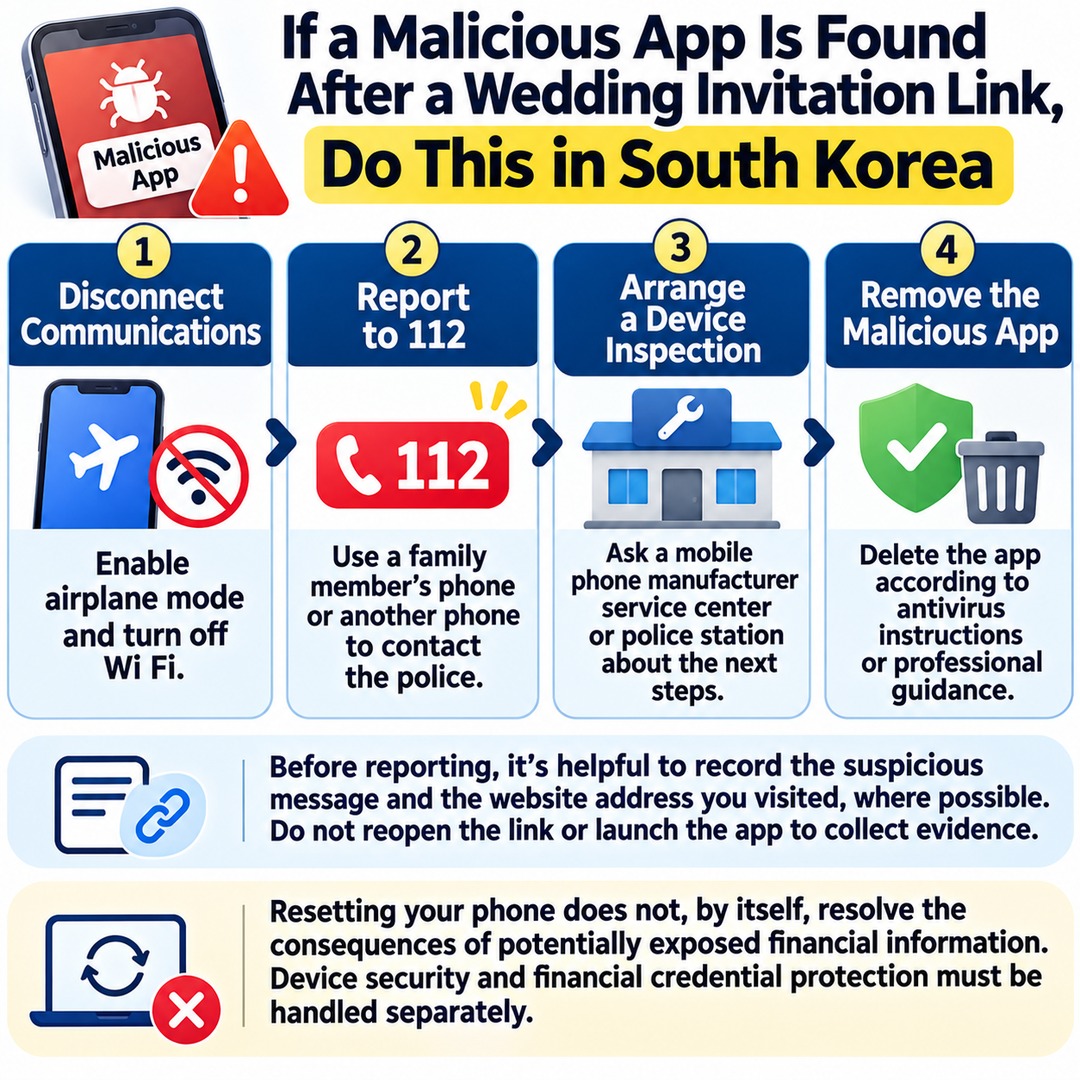
Follow this response sequence:
1. Disconnect communications: Enable airplane mode and confirm that Wi-Fi is turned off.
2. Report to 112: Use a family member's phone or another available phone to contact the police.
3. Arrange a device inspection: Ask a nearby mobile phone manufacturer service center or police station about the necessary next steps.
4. Remove the malicious app: Delete the app according to antivirus software instructions or professional guidance.
5. Protect financial information: Review financial authentication credentials used on the infected phone and check transaction records.
Before reporting the incident, it is helpful to record the suspicious message and the website address you visited, where possible. However, do not reopen the suspicious link or launch the malicious app simply to collect evidence.
Resetting your phone does not, by itself, resolve the consequences of potentially exposed financial information. Device security and financial credential protection must be handled separately.
What Should You Do If You Used a Banking App After Clicking the Link?
In such cases, the affected authentication credentials should be revoked and reissued.
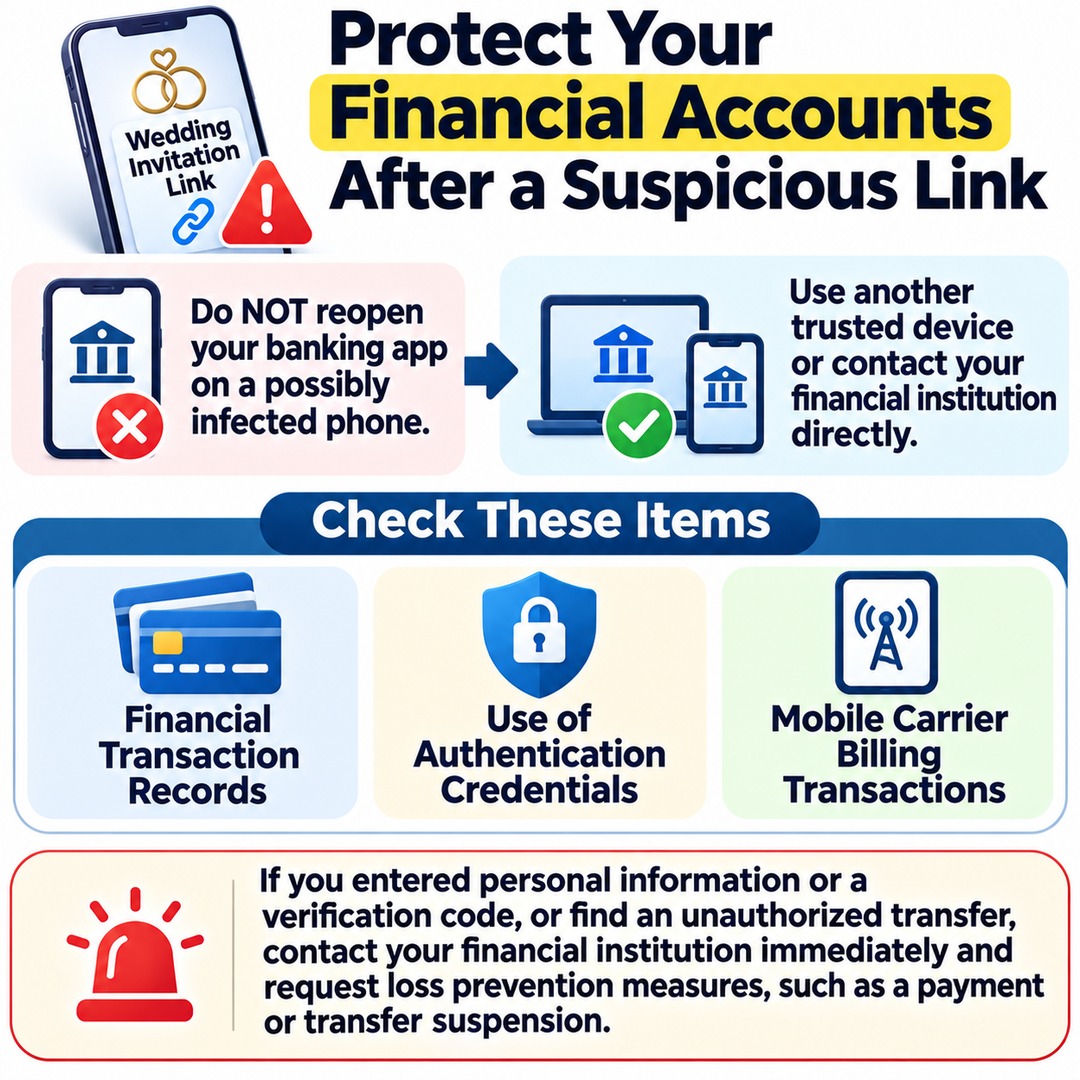
Instead of reopening your banking app on a potentially infected phone to change passwords, use another trusted device or contact your financial institution directly for instructions.
Pay particular attention to financial transaction records, the use of authentication credentials, and mobile carrier billing transactions.
If you entered personal information or a verification code after clicking the text message link, assess the risk of misuse regardless of whether an app was installed.
If you discover an unauthorized bank transfer or suspect financial fraud, immediately contact your financial institution and request appropriate loss-prevention measures, including suspension of payments or transfers where applicable.
What Is the Reporting Procedure for Unauthorized Mobile Payments?
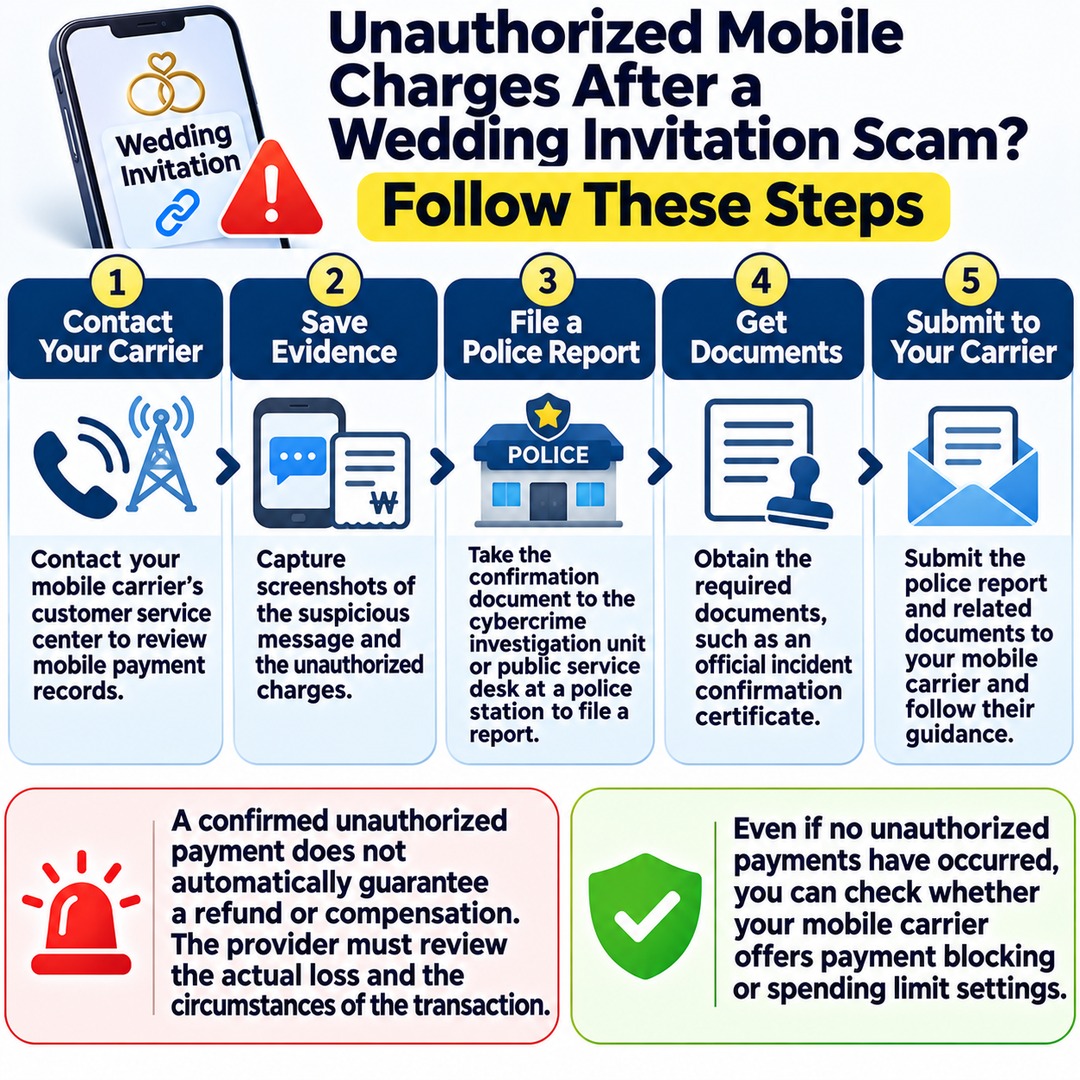
If a fake wedding invitation smishing attack results in unauthorized mobile carrier billing charges, check the payment records with your mobile carrier, obtain the documents needed to report the loss, and file a police report.
The appropriate response differs depending on whether you merely received a suspicious message or actually suffered a financial loss.
If unauthorized mobile payments are confirmed, follow these steps:
1. Contact your mobile carrier's customer service center to review mobile payment records.
2. Capture screenshots of the suspicious message and the unauthorized charges.
4. Take the confirmation document to the cybercrime investigation unit or public service desk at a police station in South Korea to file a report.
5. Obtain the required documents, such as an official incident confirmation certificate.
6. Submit the documents to your mobile carrier or payment processing company and ask about the loss verification and compensation procedures.
A confirmed unauthorized payment does not automatically guarantee a refund or compensation. The provider must review the actual loss and the circumstances of the transaction.
Even if no unauthorized payments have occurred, you can check whether your mobile carrier offers payment blocking or spending limit settings.
Why Could a Wedding Invitation From Someone You Know Be Smishing?
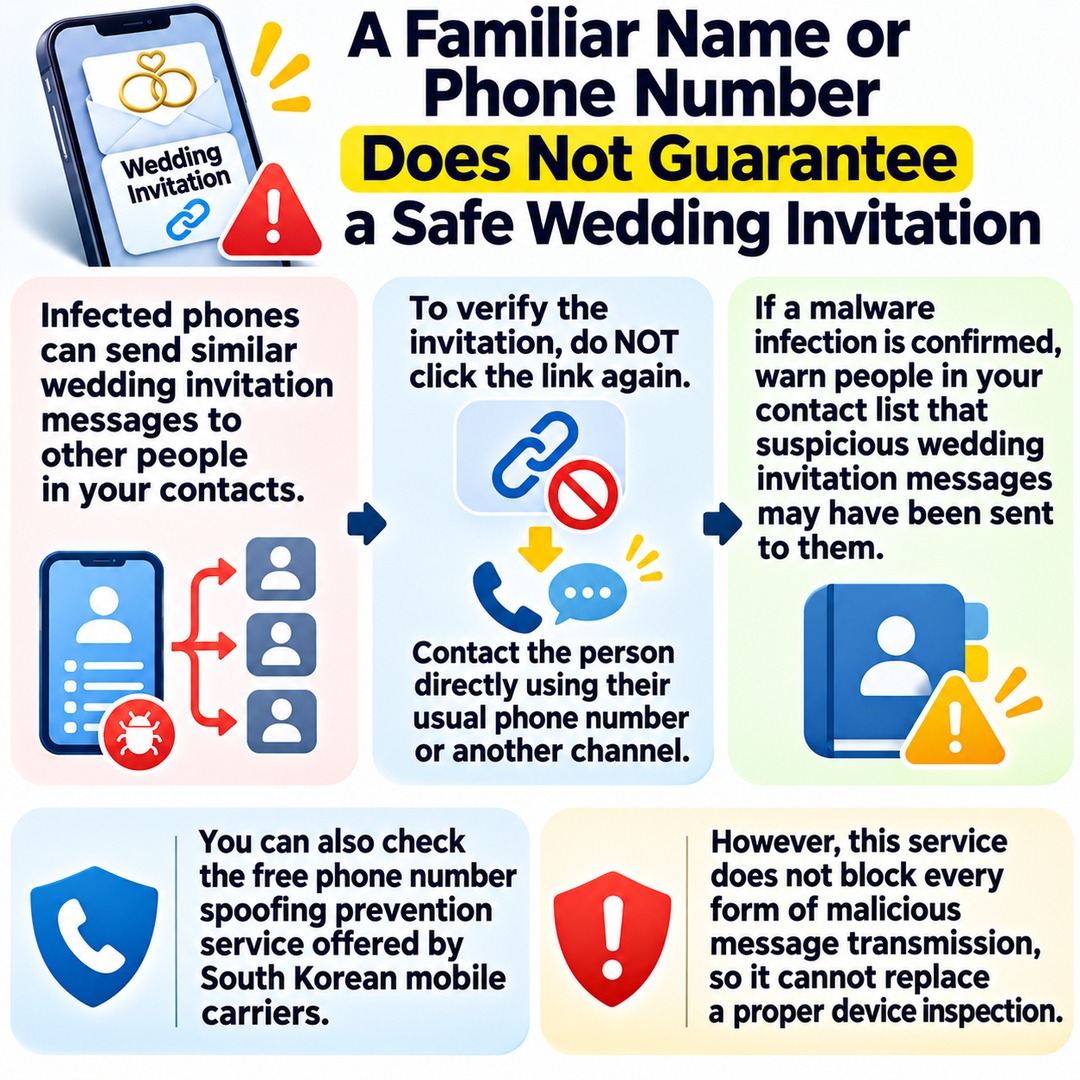
Do not assume that a wedding invitation is legitimate simply because the sender's name or mobile phone number looks familiar.
Malicious apps disguised as wedding invitations may use the contact lists of infected phones to send similar messages to other people. As a result, a text message that appears to come from a genuine acquaintance may still contain a malicious link.
To verify the invitation, do not click the link again. Instead, contact the person directly using their usual phone number or another established communication channel.
If malware infection has already been confirmed, you should also warn people in your contact list that suspicious wedding invitation messages may have been sent to them.
You can also check the free phone number spoofing prevention service offered by South Korean mobile carriers. However, this service does not block every form of malicious message transmission, so it cannot replace a proper device inspection.
Where Can You Report Smishing Messages in South Korea?
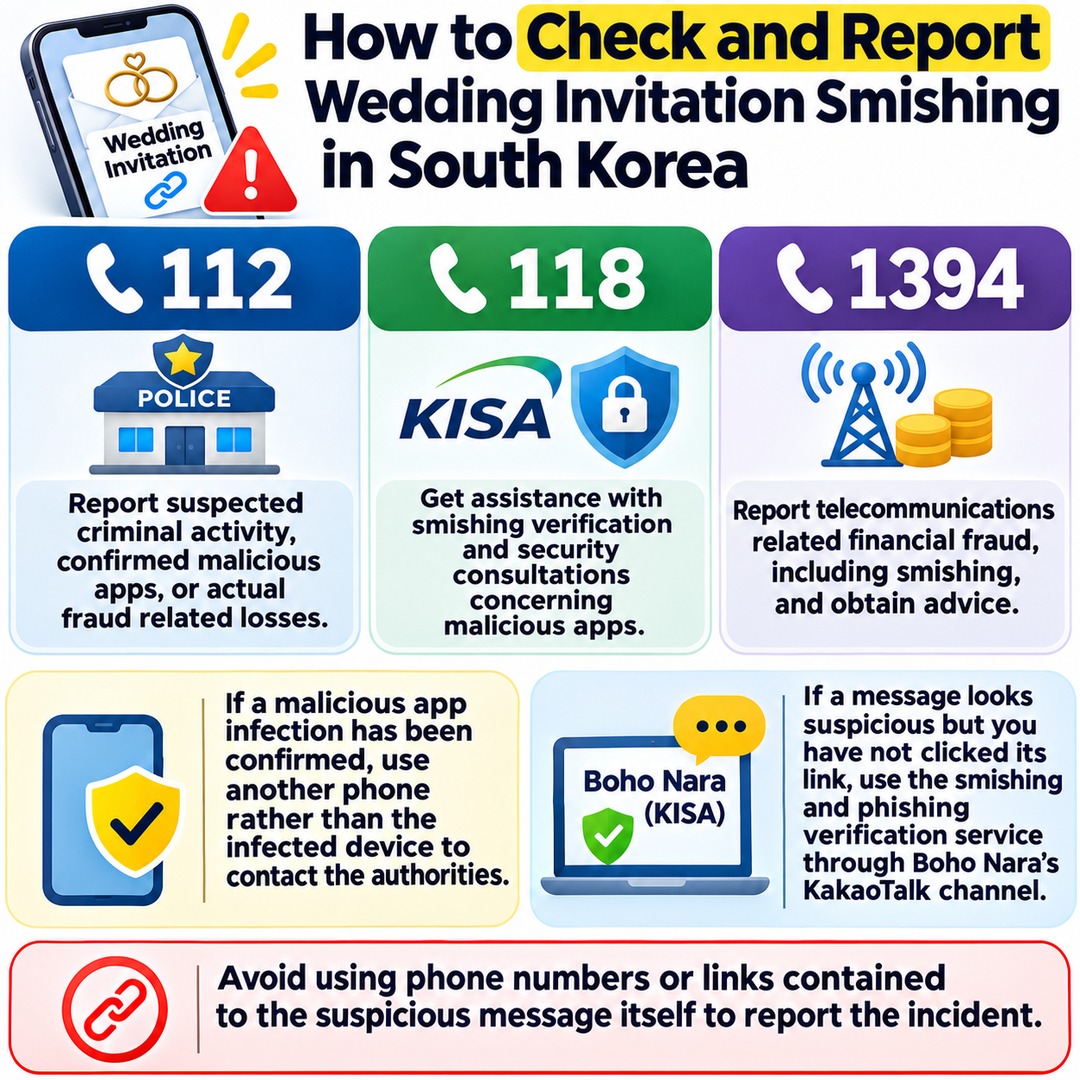
Suspicious wedding invitation messages can be checked and reported through your phone's spam reporting function or the smishing and phishing verification service provided by KISA's Boho Nara (Protection Nation) cybersecurity service.
112 — South Korean Police
Report suspected criminal activity, confirmed malicious apps, or actual fraud-related losses.
118 — Korea Internet & Security Agency (KISA)
Get assistance with smishing verification and security consultations concerning malicious apps.
1394 — Integrated Telecommunications Financial Fraud Response Unit
Report telecommunications-related financial fraud, including smishing, and obtain advice.
If a malicious app infection has been confirmed, use another phone rather than the infected device to contact the relevant authorities.
If a message looks suspicious but you have not clicked its link, you can use the smishing and phishing verification service available through Boho Nara's KakaoTalk channel.
Avoid using phone numbers or links contained in the suspicious message itself to report the incident.
Do You Need to Factory Reset Your Phone After Clicking a Wedding Invitation Link?
Clicking a wedding invitation link in a text message does not mean every affected phone must be factory reset.
First, check whether a malicious app was installed. If an infection is confirmed or the app cannot be removed normally, consult a manufacturer service center to determine whether further action is necessary.
It is especially important to distinguish among three situations.
First, if you only opened the link, check whether any app was installed or personal information was entered, and perform a security scan.
Second, if you installed a malicious app, disconnect the phone from communication networks, report the incident using another phone, and arrange a device inspection.
Third, if you entered financial information or conducted financial transactions on an infected phone, take separate financial protection measures, including reissuing authentication credentials and reviewing transaction records, in addition to inspecting the device.
Similar problems can occur with text messages disguised as parcel delivery notifications or funeral announcements. The same general checks are relevant when deciding what to do before resetting a phone after clicking a suspicious message link.
The most important principle when dealing with wedding invitation smishing is not to assume that clicking a link automatically means you have suffered a security breach, while also avoiding delays in taking protective action if you installed an app or entered sensitive information.